
Cyberlife Development LLC assists small businesses with VPS setup services, including practical vps technical maintenance services for planning, setup, integrations, deployment, monitoring, and handoff documentation.
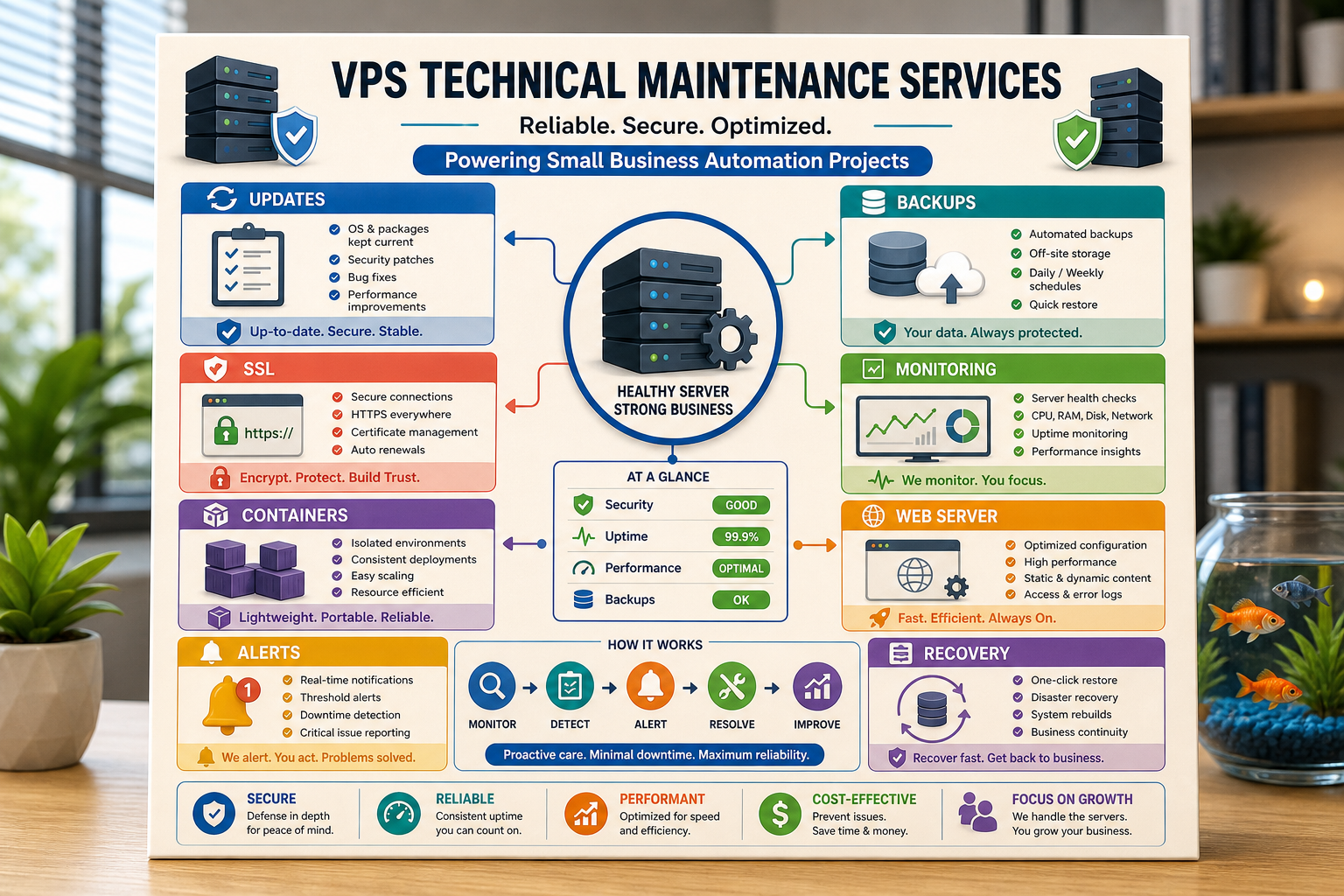
We begin at the first step in the workflow: where is the request coming from, where is the data, what needs to be automated, who will review the exceptions, what needs to be reported, etc. From this, we determine what needs to be configured, what APIs need to be connected, and what the VPS or cloud environment needs to be ready for. We document the handoff so that the system is maintained as needed.
When to use this service
Dependable technical implementations tied to business outcomes, such as fewer manual interventions, faster reports, safer transitions, and hosted automations, are all handled by this service.
Use the closest service (VPS setup, deployment, and maintenance) or contact Cyberlife Development LLC with the workflow you would like to automate.
The problem this page is really about
An internal platform is rarely what someone wants. What they want is for something to stop being as cold and tedious as it is. Someone is doing a manual copy of the lead details to the CRM. Someone is exporting the same numbers weekly. Someone is verifying that a particular document is saved in the right folder. These tasks are too small to notice, but they ultimately decide how quickly the organization will be able to adapt and respond to changing requirements.
That is the vps technical maintenance service practical application. The question isn't whether automation sounds cool. The question is, in what part of the current process does it fail, who gets stuck cleaning it, and what does the improved version look like if the redundant steps repeat the same way.
For a small business, the initial version should almost always be a tight one. Pick a single workflow, identify the trigger, determine which data is deemed reliable, choose a step in the process to perform a manual review, and finally implement the monolith before starting on your sprawl.
Where the work typically starts
The first draft that's worth a darn is a workflow in plain English. It doesn't need to be an esthetically pleasing diagram; it just needs to be a draft that answers certain uncomfortable questions such as: what’s the start of this process, what is the data, what system houses the data, who is the data communicated to, what needs to be done to consider the process complete, and what is to be done about an error if one is found.
This is going to define whether your automation efforts are worthwhile or simply a distraction. If the workflow is poorly defined, your automation will be poorly defined. If there is a lack of clarity on how work will be handed over to the next person, your tool will just be a digital way to speed up your work. The preferred way is that the first steps be slow and everything that follows be fast. Document the existing state, remove the steps that were added because of the constraints of the previous tool, keep the approvals where human judgment is needed, and automate everything else.
Common workflows connected to this topic
Though the specific details can look different for each organization, some common themes can be identified. A web form submission can trigger the creation of a record in a customer relationship management (CRM) system, the assignment of a record owner, the sending of a first response, and the creation of a follow-up task. A customer support request can be categorized, matched with the requester's record, summarized for approval, and assigned to the correct support agent. A weekly report can be generated automatically by consolidating data from multiple systems and sent with a brief summary prior to the Monday meeting.
Document workflows are another good example. Many business processes rely on the completion and management of invoices, forms, contracts, and spreadsheets. All of these contain information and can be structured in a format that can be classified as messy. Workflow automation can facilitate the extraction of fields from the documents, renaming of the files, record updates, and case status reviews.
Research workflows are another example that fits in this category. Rather than have someone manually pull notes from disparate resources such as web pages, spreadsheets, email, and chat, a workflow can consolidate sources, organize the information, and draft a document in an editable format for the reviewer.
What should stay human
The safest bet for successful automation is identifying the necessary human interventions and being honest about them. Many processes include items that need human judgment, such as pricing, responses to customers that are sensitive or emotional in nature, legal or medical determinations, case reviews, and response to grievance issues. Incorporating the necessary human involvement does not weaken the automation, it empowers it.
A well-designed system can facilitate the preparation of information, provide recommendations for actions, and request confirmation to proceed, thus enabling the business to avoid the pitfalls of relinquishing control on a process that is ultimately unjustifiable and non-transparent to the end user.
For a lot of projects at Cyberlife, the ideal setup is "automate the prep, keep the approval." This means the system can collect the context, draft the message, update the record, and build the exception. Ultimately, the individual determines if/when the situation requires their judgment.
Making the right choices
It is important to choose the right tools, but workflow must come first. For some projects, simple connectors would suffice and for others, n8n, Make, Zapier, other Google tools, CRM integration, a personal database, a custom API, etc. may be required. For other projects, OpenAI, Claude, Gemini, etc. may be required, along with VPS, Docker, back-ups, monitoring, and logging for the workflow to run uninterrupted.
The wrong tool is usually selected when the project is started with a platform demo rather than the actual business problem. Although a tool may look state-of-the-art, if it doesn't look right, then the team is better off with a boring, simple setup than a more complex system that has a lot of moving parts.
Testable workflows, visible errors, and understandable interfaces for non-testers, plus the ability to change business rules will keep the setup from becoming obsolete.
Things to gather before building
While you can use sample data, it should include some examples of typical workplace messiness, such as an incomplete or unclear email/message, a partially completed or wrong user form, a support ticket that creates some issues, an invoice for a vendor that doesn't exist, etc.
Then outline what the intended effect of the workflow automation would be. Anything from a CRM update to a report or even just a task can be an automation's intended effect. Dashboards, notifications, files, replies, or even human review queues can also act as intended effects. The team needs to be able to determine the effect of the automation from the intended effect itself.
It is also a good idea to include at the start what will break the automation. What will interrupt the automation? What data will be private? What will be logged and not sent? What will never be sent at all?
Ways to measure automation success
Ordinary tasks can be good metrics. Do leads have a response in less time? Are reports sent with no manual cleanup? Are support requests routed to the appropriate location? Does the owner know what changes were made without using multiple tools? Does the team spends more time in decision making and less time in copying?
Automations do not need an elaborate ROI to be justified. The first automation itself is good economic sense if time or financial wastage are the metrics. For any automation, a rough measurement of the old workflow is better than nothing.
This type of automation will be useful if it is intended to make one task that occurs daily or weekly much easier. If the task can't be identified, the automation was probably a poor choice.
Relevant Keywords
Finding a good phrasing to describe a task is not always easy. For example, people may search for this topic as 'technical vps maintenance services'. Though we have to use the search term, the page needs to be business owner focused and not keyword focused.
That is why important terms need to be kept in the final output, where you will need to explain the actual work involved. This includes mapping the steps in the process, connecting tools, managing exceptions, and ultimately giving the business a workflow that is verifiable.
The First Version Should Include
A first working version is actually working if there is a clear trigger, an observable result, and a way to recognize a fault. When the trigger is submission of a form, the team should know where the record is captured, who is the owner, what notification will be sent and how exceptions will be managed. When a report is started by multiple data sources, the owner should not receive a nice polished wrong summary of the report, but should be informed of the data source that failed.
This is especially necessary where AI is involved. AI can create summaries, classifications, extractions, and drafts. However, the workflow around AI should be able to stand up to the same scrutiny. There need to be examples; outputs need to be evaluated; and there should be a record of what happened. If the model is in doubt, the system should ask for help rather than pretend.
The first version also needs to avoid as much branching as possible. On the first version, it is tempting to automate all the edge cases that can be discovered. However, this typically results in a very fragile structure. Build the first version based on the most common path, add a human gate, and then grow the exceptions once the business begins to identify what is truly exceptional.
What can go wrong
Automation can be simple but at a cost. An owner's name has to be inputted exactly. An invoice can be typed up in a preferred format. Something can become automated but have no connection to the business. An answer can be drafted to a question but have no relevance to the history of the account. Ignoring automation is not the answer. The answer is building the automation and implementing checks.
Good automation allows for fallback behavior. If something fails, it should be the responsibility of a teammate to make the necessary updates. The automation should be automated, not the guesswork. If there is a message to be sent out to customers, it should be sent out in a draft form and should wait for the approval.
This is the difference of an operating system versus a functioning system. The system is not for the pleasure of the users. The system is designed to be operational for every day of the business.
When to ask for help
Internal automation is sufficient as long as the process has the connection to the systems and the team is able to maintain the integration. For more advanced systems, integration of private data and systems, usage of AI, and the integration of the core company functions of support, services, and operations, there is a need to hire custom services.
Cyberlife Solutions can support the integration of the first version and the team will be able to maintain the system. Giving a long detailed explanation to the team about the system is not the best place to start. The best place to start to explain is a brief explanation to the team about the old system and the ideal described system.
Infrastructure services around maintenance
Maintenance should support the live automation stack: deployment, workflow monitoring, data flows, and incident visibility.