
Cyberlife Development LLC offers small businesses the opportunity to implement website content writing services. This includes planning, setting up services, integrations, deployment, monitoring, and providing documentation at the time of handoff.
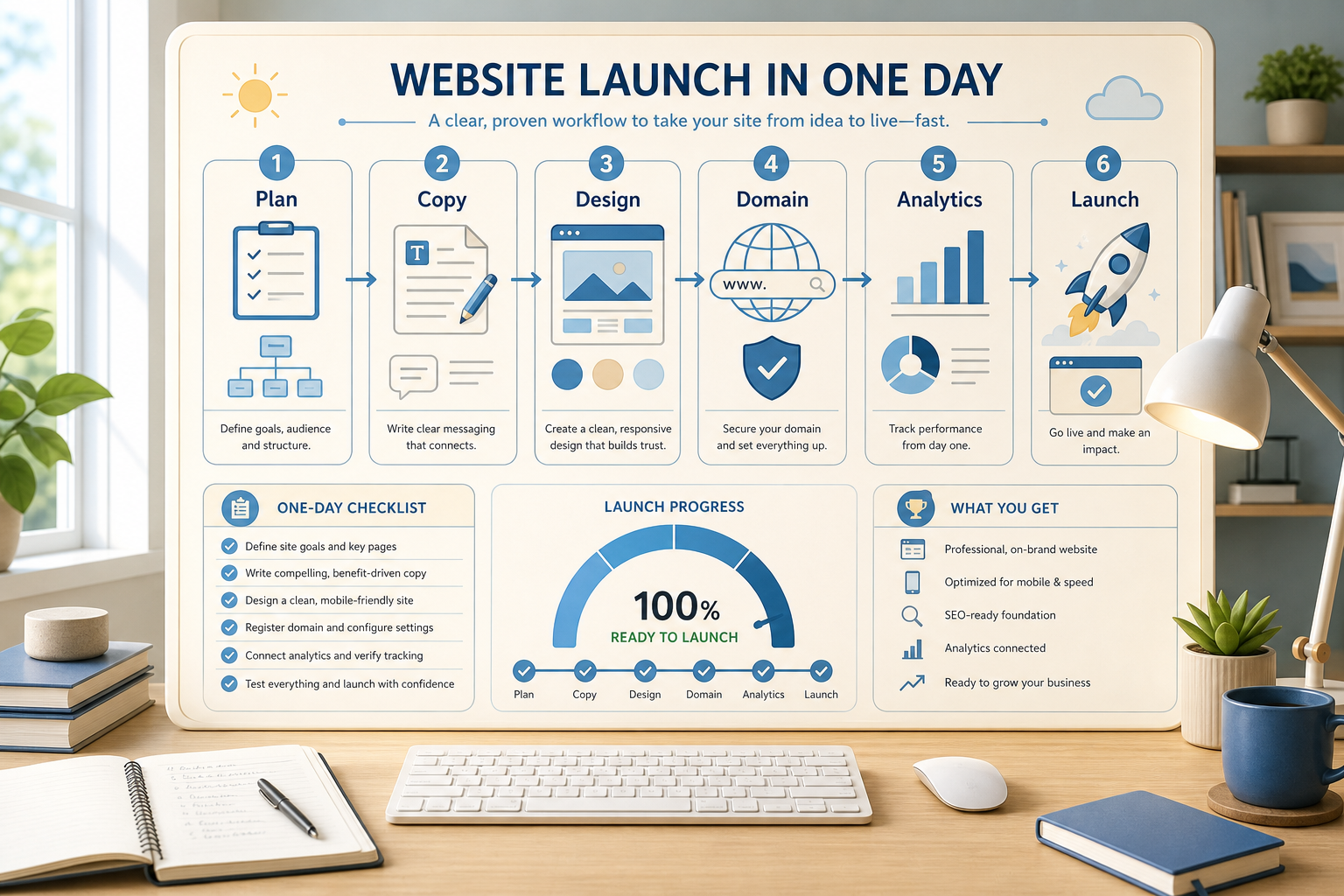
Cyberlife Development LLC’s implementation process
We begin at the actual workflow: which system receives the request, where data is stored, what is needed for automation, who is tasked with exception review, and what needs to be reported. We then configure the required tools, establish API integrations, set up the VPS or cloud environment as needed, and create documentation for the system handoff.
Typical scope of work
Defining the workflow and gathering technical needs
Creating automations for forms, CRM entries, spreadsheets, reports, bots, APIs, and dashboards
Setting up a VPS with server configuration, Docker, Nginx, SSL, backup and monitoring solutions, and required software installation to support the project
Implementation of error handling and notifications as well as providing a brief operating guide to the team
Coverage of related key terms for review
When to use this service
This service is for you if you want a technical solution that supports a business outcome by automating manual tasks, reducing updates, speeding up reports, making handoffs safer, and providing automation that runs after deployment.
For the most relevant service, please look at /ai-automation/ or reach out with your automation request to Cyberlife Development, LLC.
Why this page was created
Most people don't want a platform; they want the solution that offers the elimination of a tedious task, such as when a person copies lead information from an email and inputs it into a CRM, or when a person exports the same figures at the end of the week. People even spend precious time ensuring that a document is saved in the correct folder. While those tasks seem small, they often dictate the pace of a business.
This is the context for a one day website launch. The real question should not be is automation the latest thing. The real question should be when and where does a solution fit when processes stale, who does the cleanup, and how would a solution look if the repetitive tasks were automated?
For small businesses, the first iteration of a solution should focus on one task, one action, one piece of the end result that can be fully trusted, and one step that requires validation before the output is shared. Then take the leap and automate.
Problem Solving Framework
Completely automate workflow processes. This doesn't have to include every detail in a formal style. It should answer the questions, what initiated this workflow, what data or information was presented, who will be assigned the task, who/what will be notified, how will completion be defined, and what will be done to address a flaw in this process.
Automation done incorrectly will be seen as useless noise. Lack of workflow clarity will lead to lack of clarity in automation, and therefore, the software solution will only introduce faster confusion.
The goal is to simplify and slow down the process as much as possible in the beginning. Remove workflow steps that were added due to the previous tool. Maintain the steps where critical judgment will be required. Automated the steps where it is repetitive, monotonous, and where the expectation of clarity is high.
Potential Workflows
Creatively think of potential automation for your organization. Some of the most common automation include contact entry form to customer records, case assignment, follow up case tasks in a customer relationship management (CRM) tool, automatic email responses, categorization and assignment of request tickets, case drafts, and workflow routing. Automated extraction of reporting data from multiple tools and submittal of the report to a shared workspace or collaboration tool on a defined day before a meeting occurs is a commonly used workforce automation.
Automated document processing is a common starting idea for automation projects. This is the case with intake and lead forms, invoices, contractual documents, and the data within a spreadsheet. Automation can rename files, update entries, extract fields, and select uncertain cases for review.
Research workflows can also fall into this category. Instead of having a researcher combine and organize notes from different digital tools like spreadsheets, emails, or chats, a workflow can collect those notes and drafts the text for the researcher to then review and finalize.
The Human Element
A common practice is to be as clear as possible on what should be reserved for humans. Some examples of when automation should not be relied upon are: decisions in pricing, responding to customers, legal or medical judgments, unusual complaints, and complex documents. Reserved automation should not be considered weak. It should be considered optimal.
The best workflows should suggest the next step and offer to automate a process for which people need to grant permission. This should still offer a business a meaningful automation of a time-consuming task and offer a way to bypass one of the greatest pitfalls of automation: offering a means of making an unsupportable decision.
The preferred mechanism for most Cyberlife projects is preparing the automation and reserving the decision. The system can collect the context, assemble a case, and document unusual exceptions. Only the user can decide when judgment is warranted.
Tool Selection Workflow Without Tool Worship
Tools do matter, but you should choose them after you build out the workflow. A project might need n8n, Make, Zapier, Google Workspace, CRM integration, a private database, a small custom API, OpenAI, Claude, Gemini, or a class of tools for summarization, extraction, and drafting. A project might also need a VPS, Docker, backups, and monitoring with logs because that workflow needs to run unattended.
The selection of the wrong tool occurs when people start a project with a fancy demo of a tool instead of focusing on the business problem. You can make as many cool looking workflows, but in reality, a simple boring workflow that the team can easily adapt and understand is what you need.
While considering a one-day website launch, there is a more useful checklist to follow. Can you test the workflow? Can you easily see and understand what the errors are? Can the handoff be understood by a non-technical person? Lastly, can you easily change the business rules afterwards without having to start the entire workflow from the beginning?
What To Prepare Before Building
Collect a few real examples that are not perfect. Do not use sample data. Collect the messy email, the half completed form, confusing entries in a spreadsheet, the invoice with a vendor you've never heard of, or the support ticket that creates friction in a response.
Then explain what the output is, whether it’s a CRM update, a dashboard, a task, a notification, a new file name, a draft answer, a report, a human review queue, etc. The output must be so clear that the team knows whether it was achieved.
It is also useful to include what, if anything, should be the exceptions to the workflow. What’s a trigger to stop the workflow? What should be routed to a person? What’s private data? What should be logged? What should never be sent automatically?
How to evaluate success
The best answers are the simplest. Was the lead given a faster answer? Did the report arrive as it should and with no manual task preparation? Did support requests arrive in the appropriate inbox? Did the person know what the report was without having to open five different apps? Did the team spend less time on repetitive tasks and more time on important tasks?
Automations, even for a very small business, do not require a complicated ROI model. For a first automation, the time that will be saved and that will reduce mistakes, are probably enough justification for the task. The important part is to measure the old workflow before replacing it, even if it is an informal measurement.
The first automation task of a new project should be to simplify a task that most people do every day. If people cannot even identify what task was simplified, then the task was most likely too abstract.
What the first version should include
For the first version to be useful, it should have a clear stimulus, an observable outcome, and a way to identify when it is not working. For example, if it is workflow automation that begins with form submission, the team should know where the record goes, who the record owner is, what type of notification is sent, and what is done with outlier cases. If the workflow automation is report generation with input from multiple data sources, the report owner is entitled to know which of the data sources is faulty instead of a well curated yet faulty report.
When it comes to the use of AI, this principle is even more relevant. While AI can be used for writing summaries, classifying, extracting, and even first drafting a report, the workflow surrounding it should be fit for the same. The AI should be provided adequate input. The output should assist the reviewer. The system should document its functioning. If the AI system is uncertain, it should be transparent and request input instead of providing false data.
The first release should avoid branching logic. Attempting to account for every potential scenario from the start will cause a brittle system. It is better to automate the happy path, add a manual review queue, and use the exceptions to further automate the business process.
What can go wrong
Missing or changing a spreadsheet’s tab, a vendor changing their invoice format, and changing the name of a field in a system or software can cause automation to fail. A model may produce a confident answer, but it is still inconsistent and incorrect. Automation should be designed in a way that allows for these failures to be accounted for.
Good automation design includes fallback behavior. A system should have the ability to inform someone in the case of failure. An answer should have the system stop if the data does not meet the requirements. In a project management system the answer should be a draft until provided for approval.
The happy path is shown in a demo. A true example of the system's design should show what a fully developed enterprise system is capable of.
When to ask for help
Integration and Automation is to be used where sales, customer service, finance, support, operations, and other functions are impacted and where design, ai, and interpretation is needed. A process is simple when the system and the tools are calendar systems that allow for integration and are used by someone in the company who can maintain the system.
Cyberlife Development can chart workflow processes and build working prototypes before handing over maintainable processes to the team. The optimal place to start builds from the opposite of a long technical brief. Instead, start with a short outline of the current time-wasting steps in the workflow followed by suggested alternatives.
Launch services that support the site
A fast website launch can become more valuable when it connects to marketing automation, lead capture, reporting, and operational workflows.