
Cyberlife Development LLC helps small businesses establish the entire workflow of an n8n agency: planning, implementation, integration, framework, deployment, continuous monitoring, and guiding handover documentation.
What this Sample Page is For
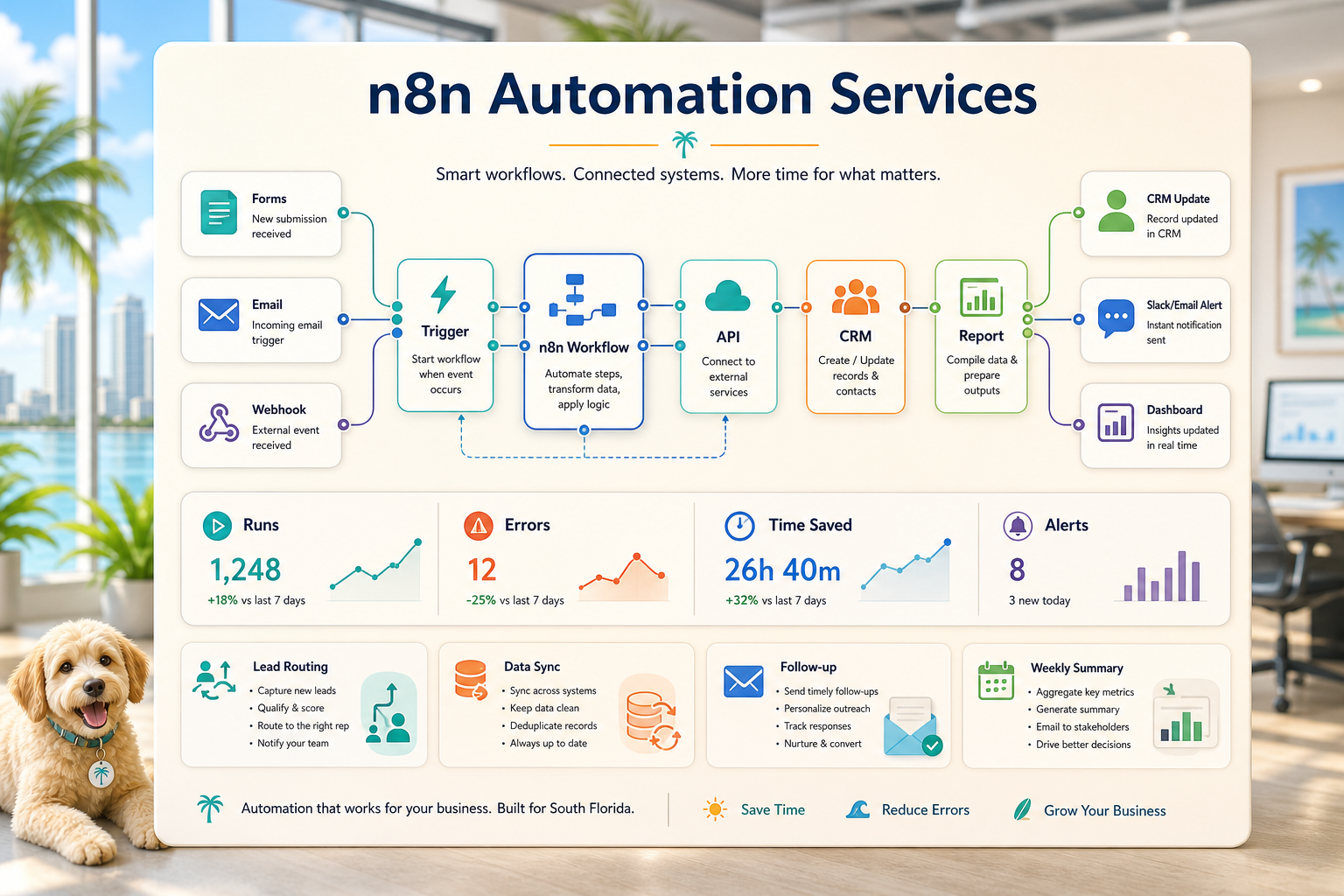
We start with the real workflow: which system is receiving the request, where the data is, what needs to be automated, who checks the exceptions, and what is to be reported. After this, we set up and configure the required tools, connect the needed APIs, set up the VPS or cloud environment, and prepare a handover documentation for the system.
Typical Scope of Work
Discovery of workflows and the needed technical requirements.
Designing automation for forms, records, reports, dashboards, and integration of APIs.
Hosting project set up with VPS and server with Docker, Nginx, and SSL along with backup, monitoring, and setup of required services.
Set up automation for testing, error handling with notifications, and operating instructions for the team.
When this Service is Appropriate
This is your go-to service for a reliable technical solution with a predictable business outcome requiring fewer manual updates, faster reports, safer handoffs, and sustained post-launch automation.
Check the existing service page (/n8n-automation-agency/), or reach out to Cyberlife Development LLC about your desired workflow automation.
The Problem this Page Addresses
Most teams do not need new platforms at the start of everyday. They seek solutions to the friction they experience during a specific part of the workweek. For example, lead details are manually typed into a Customer Relationship Management system from an email. The same number is exported every single Friday. A certain document is verified to have been saved in a specific folder. These tasks are small enough to be ignored, until they start dictating the speed of overall business operations.
This is the value-truth of n8n automation services. Instead of asking whether automation is a cutting-edge solution, the right question is: where do the processes stop, who is impacted by the handoffs, and what would it look like if the repetitive steps in the process ran in an automated framework?
The first of these automated solutions, especially in small to medium sized businesses, should almost always be highly focused. Choose the automation to prioritize, and the triggering event. Select the data to be trusted. Indicate where outcome of the process should be verified by a person. Finally, prioritize the automation of the process in the simplest, least complex way, and the most intuitive way.
Where the Work Starts
Your initial step should be creating a flowchart in plain English. Perfection isn't required. Instead, ask yourself the following things to compel you to think more deeply: What triggers this process? What information is sent, and who is the record owner? Who is notified? How do you know when it is done? Finally, what are the next steps in the event you determine that something is out of place?
You can tell a lot about a process and its automation by how clear the workflow is. If the automation is just as vague as the workflow, the team is likely struggling to define handoffs. This means that any software will only speed up this confusion.
What you should do is focus on writing out the steps to a process, edit out the steps that were "just because," keep the steps that require human judgment, and automate the easy, dull, repeatable, and verifiable steps.
Example Workflows
Because each business is different, the exact configuration of steps will change. However, the structure of steps will look very similar. You may have a website form that creates a new sales record in the CRM and sends a first response email, then creates a follow-up task. You may have a request that allows a person to categorize the request, then automatically pull customer account information, compose a message for review, and send it to the email account of the person to whom the request is assigned. You may want someone to compile and send a summary of the data for the upcoming Monday meeting and pull data from different tools to create the report.
As another popular example, consider document workflows. When you look at invoices, intake forms, PDFs, contracts, or even rows on a spreadsheet, they often contain information that is structured but that has been captured in an unorganized way. Automation can help with things like extracting fields from forms, renaming files, updating records, and marking cases that are uncertain for review.
Here, research workflows can be used. Rather than having to assign some poor soul the job of going around and collecting notes from random webpages, spreadsheets, emails, and chats, that information is collected in a workflow, organized, and a rough draft is generated for review.
What should remain untouched by technology
The most secure automation projects are clear on what the boundaries are for automation. Decisions involving pricing, sensitive customer situations, legal and medical decisions, unusual complaints and unclear documents all almost always need a human review. This doesn't weaken the automation. It strengthens it.
A workflow system has the capability to prepare the information for the user, and suggest the next step in a process, and also ask the user for approval. In this case, the user still spends the same about of time, but the automation prevents the most common failing of a system, which is making a decision that the organization cannot justify.
Most Cyberlife projects can be framed with the follow design. System can be built to gather context, prepare the message, update the record, and explain the unusual case, but it is humans that decide the situation needs a judgment call.
Tool choices without tool worship
Tools do matter, but they follow the workflow. Some projects can use a simple connector. Other ones may need n8n, Make, Zapier, Google Workspace, a CRM, a personal database, or even a small custom API. Other ones may need OpenAI or Claude or another model for classification, extraction, summarization, or drafting. Other ones require a VPS, Docker, backups, and monitoring that are reliable and do not require someone to keep a lookout for you.
The wrong tool choice happens when you start a project with a platform demo to try to solve a business issue. A tool can be impressive for a particular use case but can still be wrong for the workflow. It is best to provide a boring setup to the team, which is something that they will actually use and nothing fancy that nobody is willing to use.
A better checklist to evaluate n8n automation services is to see if the workflow can be tested, if errors can be viewed, if a non-technical person can see and understand the handoff, if the workflow can be adjusted, if the business can change the rules to not start from the beginning.
What to prepare before building
Implement some real examples. Do not rely on perfect sample data. Use examples such as an unfilled worksheet, a confused worksheet row, an invoice with an unusual vendor name, or a supportive ticket.
Next, describe the desired outcome. This could be anything from a CRM being updated to include a dashboard, tasks, notifications, re-named files, draft replies, reports, or queue for review. The output has to be clear enough for the recipient to know if the expected outcome has been achieved.
Listing exception rules early on is also a good idea. What is your stopping point in the workflow? What would be routed to a human? What is considered to be private? What would be manually logged? What should never be included in automated messages?
How to determine effectiveness
Assess effectiveness with common sense metrics. Were responses faster? Did reports automate the way they were meant to arrive? Were support requests in the wrong inbox less frequent? Did managers know what changed between tools? Did the team fly through support requests? Were decisions taking the place on copying instructions?
While a return on investment model is complex, it may not be necessary for small businesses. Time saved and errors avoided may justify an initial effort. Measure previously existing workflows to see the impact of making a small change, even if this is done informally.
An excellent starting point would be to identify an existing task performed daily or weekly that, once automated, would be highly visible. If this is the case, the task has likely become sufficiently clear and abstract.
Due to this, the main terms must be retained in the final drafts and described as work to be done: mapping, connecting, exceptions, and leaving a workflow that can be audited.
What the First Version Should Include
A good first version will include a clear prompt, a clear and visible outcome, and a clear way to identify a failure. If submitting a form is the prompt for a workflow, the team must know the outcome of where the form is being assigned, who will be the owner, what notification will be sent, and how all the exceptions will be handled. If a report is being created with multiple data sources, the report owner must know which data source failed rather than receiving a worthless report that was crafted with great polish.
This is even more critical when AI is being used. AI can summarize, classify, extract, and draft, but there must be a workflow around AI that is testable. For a process to work, inputs must have clear examples, outputs must be reviewed, and there must be a clear log of what actions took place. If a model is being used and it is not clear to the user what is being answered, the workflow must prompt for assistance rather than being left to work on its own.
The initial release should avoid having too many branches. On the first day, it can be tempting to automate all the edge cases. However, it creates a brittle build. Focus on the most straightforward logic, incorporate a review queue, and make adjustments based on the actual exceptions that appear.
What can go wrong
There are many boring reasons why automation can break. A field name can change. The owner of a CRM can be missing. A spreadsheet can have a renamed tab. A vendor can change their invoice. A model can write a confident answer that doesn’t even relate to the account history. These are all reasons to have automation, not avoid it.
Smart automation design should ensure that there is a pause in the workflow in the case of incomplete data, rather than allowing the system to make unsupported or ill-formed assumptions. If there is an automation step that fails, it should notify the stakeholders as there should be enough context to allow a fix. If there is a sensitive customer-facing message, it should remain a draft.
That is the main difference between a demo and an actual working business system. The demo displays the happy path, and the real business system understands what to do when Monday morning is messy.
When to ask for help
If a business process is simple and clear enough, and if the tools are simple and clear enough for someone on the team to maintain the automation, then it is acceptable to build internal automation. When a business process is more complex and requires crossing several systems and tools, using private data, requires an AI interpretation, and is within the realms of sales and/or customer support and/or finance and/or operations, then it is justifiable to provide help to build custom automation.
cyberlife Development can chart the workflow, create the initial draft, and provide the team with a process that can be sustainably maintained. The most effective starting point isn't a detailed technical brief, but rather a succinct description of the workflow that currently eats up time, and what the ideal workflow should be.
Related implementation paths
n8n usually works best when it is planned with the surrounding workflow, hosting, monitoring, and customer-facing automation in mind.