
Automation Versus AI
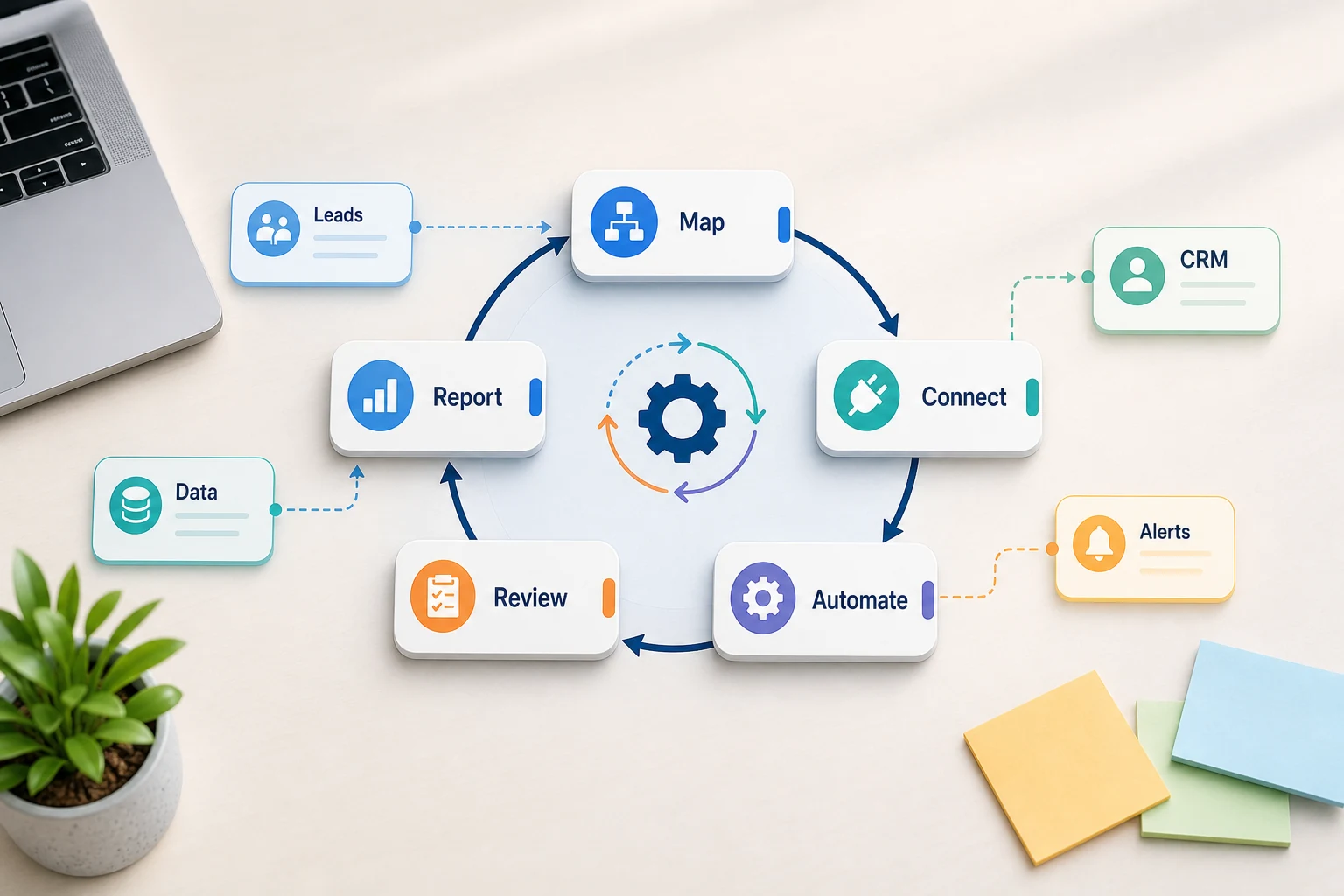
Automation Versus AI isn't limited to software. For small businesses, the main concern is knowing which repetitive task can be turned into a workflow that is quicker, easier to validate, and the least dependent on someone's memory to complete.
This will help you comprehend automation and AI in practical ways. It includes what problems the combination can address, common pitfalls with automation, and how to decide between opting for ready-made solutions, custom-built AI workflows, or a managed solution.
The reality of small business
Automation shortcut opportunities are generally tedious, repetitive, and easy to confirm. You can find them spread across spreadsheets, notes, emails, CRM information, invoices, customer support, website forms, research, and routine reporting.
efficiently taking the next step in the process for each form submission by assigning each submission to a specific person in the CRM
creating either a dashboard or a report to be sent via email on a regular basis to eliminate the need for weekly spreadsheet updates
automatically categorizing support requests so that an employee only needs to focus on the support requests that contain edge cases
summarizing internal or external research in a brief, organized way as opposed to using a long, unorganized text
building a business workflow that makes sense to connect OpenAI, Claude, and Gemini and integrating them with other tools like OpenRouter, n8n, Google Workspace, Slack, Telegram, or a Virtual Private Server
Common search terms in this topic
The terms that people usually use in this topic have slight variations in wording, which include:
ai vs. automation Tool-first vs. workflow-first decisions
The first step of a tool-first strategy is determining which platform to use, while a workflow-first strategy is determining the workflow and which tasks require a manual step.
When considering a project for Cyberlife, the focus is usually on analyzing the current workflow to identify the tasks that can be automated easily and creating a working model of such automation. This is done to prioritize a working model of automation over a highly sophisticated but ultimately unusable automation.
What to prepare before implementation
Observations and examples of tasks communicated via forms, emails, or chat. Documents and reports created, CRM entries, and other tasks.
Sample tasks resulting in the automation of a report, task, CRM entry, notification, document, or dashboard.
Rule definitions to determine when a workflow requires a manual step.
Automated workflows require connecting various tools, which may require a manual step, as well.
A short success check can be time saved, fewer missed follow-ups, or quicker time to report
When It's Logical to Use a Custom Setup
Off-the-shelf tools are sufficient when a process is simple, and the team can maintain the tools. A custom setup is more logical for a workflow spanning multiple systems and requiring AI for interpretation, working with sensitive data, and the need for guaranteed uptime on a server with monitoring and backups.
If this topic relates to an operational workflow you would like to enhance, check out our AI automation services (/ai-automation/) page for the implementation component.
The Issue This Page Primarily Addresses
Most teams do not start the day looking for a new platform. They want a particular aspect of their week to be less brittle. Someone is copying lead info from an email into a CRM. Someone exports the same data every week. Someone is verifying that a file is saved in the correct folder. These are tasks that are insignificant enough to be overlooked, until they start to determine how quickly the business can operate.
That is the constructive context of the collision between automation and AI. The right question is not whether automation is a good idea. The right question is where the current system fails, who does the remedial work, and what it would look like if all the repetitive steps were eliminated and the system was safe for the business to rely on and to respond rapidly.
When beginning automation for a small business, the initial version usually needs to be focused. Pick one process. Determine the initial trigger. Figure out what to consider as trusted data. Delimit review points in the process. Then create the simplest version possible before considering integrations.
Where the work usually starts
In an ideal world, the first step is to construct the simplest possible workflow. This sketch does not require perfection; it does, however, need to answer some difficult questions. These include the following points: what is the initial trigger; where does the data enter; what system retains the record; who is the audience for the summary notification; what is the criterion for determining closure; and what is the expected behavior for addressing anomalies.
Without clarity in the workflow, there will be little to no clarity in the automation, and confusion will be rapidly reinforced. Accordingly, a good workflow is better constructed in incremental steps followed by more rapid steps. The first step in constructing a good workflow is to list the steps as they currently exist. Next, eliminate steps that no longer need to exist due to the obsolescence of the legacy tool. Subsequently, remove the functions from the listed steps, and automate review points in the process.
Common workflows connected to this topic
Every business is unique, but common trends emerge. An online form can generate a record in a CRM system, assign a staff member, automatically send a first response and generate a follow-up task. A workflow can analyze a support request, match it to a customer, draft a note and assign it to an appropriate reviewer. A weekly report can gather data from different applications and send an automated report prior to the Monday morning meeting.
Initial automation efforts often focus on document workflows. Invoices, intake forms, pdfs, contracts, and rows in a spreadsheet often contain structured data in an unorganized manner. Automation can extract data, rename documents, update continuous case documents, and create documents for additional case review.
Workflows for research are also relevant. Collecting notes from different websites, spreadsheets, emails, and chat applications can easily be automated. A workflow can collect the necessary data, organize it, and produce a draft for review.
What should stay human
The automation projects most least likely to fail are the most honest about which tasks should remain manual. Customer interactions that require judgment, explanation of an unusual complaint, and ambiguous requests are most likely to require human intervention. This doesn't show a weakness in the automation. This makes the automation useful.
Well-designed workflows can collect the appropriate data, offer next steps, and promote the workflow for review and approval. This not only saves time, but also eliminates the common failure of automating a process that results in a system making business decisions that can't be justified.
For many Cyberlife projects, the optimal design is to "automate the prep and keep the approval." The system can autonomously gather data, draft messages, update records, and present exceptions. Ultimately, the employee decides when contextual judgment is required.
Tool consideration without tool idolization
Tools are important, but a workflow should precede them. Some projects require only basic connectors, whereas others require n8n, Make, Zapier, Google Workspace, a secured CRM integration, a private database, or custom APIs. Some require OpenAI, Claude, and Gemini, or similar projects for the classifying, extracting, summarization, and drafting niches. Some need a VPS, Docker, backups, monitoring, and logging to ensure the workflow runs reliably and without constant supervision.
A tool is often misapplied when a project is pitched via a platform demo as opposed to taking the time to understand the specific business problem being solved. A tool can be impressive but still misaligned with a workflow. A simple setup that is clear and understandable for a team is always preferred over a complex system that no one will use.
When evaluating automation or AI, the better checklist is simple: is the workflow testable, is error handling visible, can a handoff be understood by an end-user, and can business logic be modified without a complete system re-design.
Preparation steps before building
Prior to implementation, it's important to collect a few real use examples. Avoid carefully curated data. Utilize the messy email, the half-completed form, the spreadsheet row lacking organization, the invoice containing an unfamiliar vendor name, or a support ticket that contributes to backlog.
Specify the intended output: CRM update, dashboard, task, notification, renamed file, draft response, report, queue for human review. The output should be clear enough for the team to evaluate success.
Listing exception rules early is helpful. What conditions will stop the workflow? What conditions will cause the workflow to be assigned to a person? What data would be deemed private? What should be logged? What requests would not be sent automatically under any circumstance?
Metrics for success
Some of the best metrics can be very simple. Was the lead's response quicker? Did the report get delivered without further editing? Were the support requests that were sent to the wrong inboxes reduced? Did the report owner know what had changed without opening multiple tools? Did the team spend less time and effort on duplication and more on analysis?
Most automations will not require a detailed ROI model. For a small business, the time and error cost savings of the first automation will most likely be enough to justify doing the project. The key part of any automation project is to evaluate the current state of the workflow to which the new automation would be integrated, even if that evaluation is a rough estimate.
A good automation project can be defined as the simplification of a task that needs to be done on a regular basis. If no one can tell what the difference is, the project was too abstract.
SEO and Popular Phrasing in the Domain of Automation
Different people use different phrases to describe the same topic which can include automation and even talking about AI. You should focus on phrasing first, but the writing must be done in a way that is fluid and natural for a business owner, not just to include keywords.
The final document should describe the work relevant to sensing and noting exceptions, mapping, and connecting the tools. It should explain the work left to the client: connecting the pieces and providing the client with an iterative workflow.
What the first version should include
An effective first version should contain a distinct trigger, a clear outcome, and a way to identify gaps. If the workflow is initiated by submitting a form, the team should be informed of the destination and owner of the record, the notification, and how the system will treat exceptions. If a report is generated by multiple data sources, the owner should be informed of the source that failed rather than receiving an erroneous, fully polished report.
This is especially true for AI-driven systems. AI is capable of summarization, classification, extraction, and drafting, but the workflow that relies on AI should be valid. Inputs must be illustrated. Outputs require justification. Processes must be apparent. If the AI is unsure about something, the system must indicate that rather than cover it up.
The first version also should not have a large number of paths. On the first day, the goal to automate all edge cases is attractive, but this is likely to lead to a brittle product. First implement the most frequent case, and after the business has seen the exceptions, the system can be expanded for all edge cases.
What Can Go Wrong
Automation can have boring failures. A field may change names. A spreadsheet may change tab names. A CRM owner may disappear, and a company may update an invoice to a new format. It may draft an answer that is confident but is not in line with the account’s history. At first, these may seem like problems that would arise if automation is used, but in reality, these are problems that can be solved by building automation with checks.
One example of good automation design is fallback behavior. In the case where an automated workflow is unable to carry out one of its steps, the automated system should notify the user of the step along with relevant context to understand and correct the situation. If an automated workflow is unable to acquire the necessary data, it should halt and not guess. Finally, if an automated system is going to send a message that has the potential to be harmful to a user, then it should remain un-sent until it is approved.
This is the difference between a good business system and a good demo system. The demo system only shows the positive outcomes of implementing the system, but the real business system addresses all the chaos that a work week can bring.
When to Ask for Help
It is understandable to implement home-made automation systems for internal use if the automation is easy and certain employees can maintain it. The automation is more valuable if a workflow is cross-system, private data is used, the automation contains AI, and the automation is used by sales, customer support, finance, or operations.
Cyberlife Development will design the system to savings, build the first version, and allow the team to maintain the system. The best starting point for this automation is a short description of how the current workflow is wasting time along with how the new system will resolve it.
When automation and AI should work together
The practical answer to automation vs AI is usually a combined workflow: automation moves data and triggers steps, while AI classifies, summarizes, drafts, or makes recommendations. If you want that combination built around real business processes, see our workflow automation services.