
Best AI Chatbot
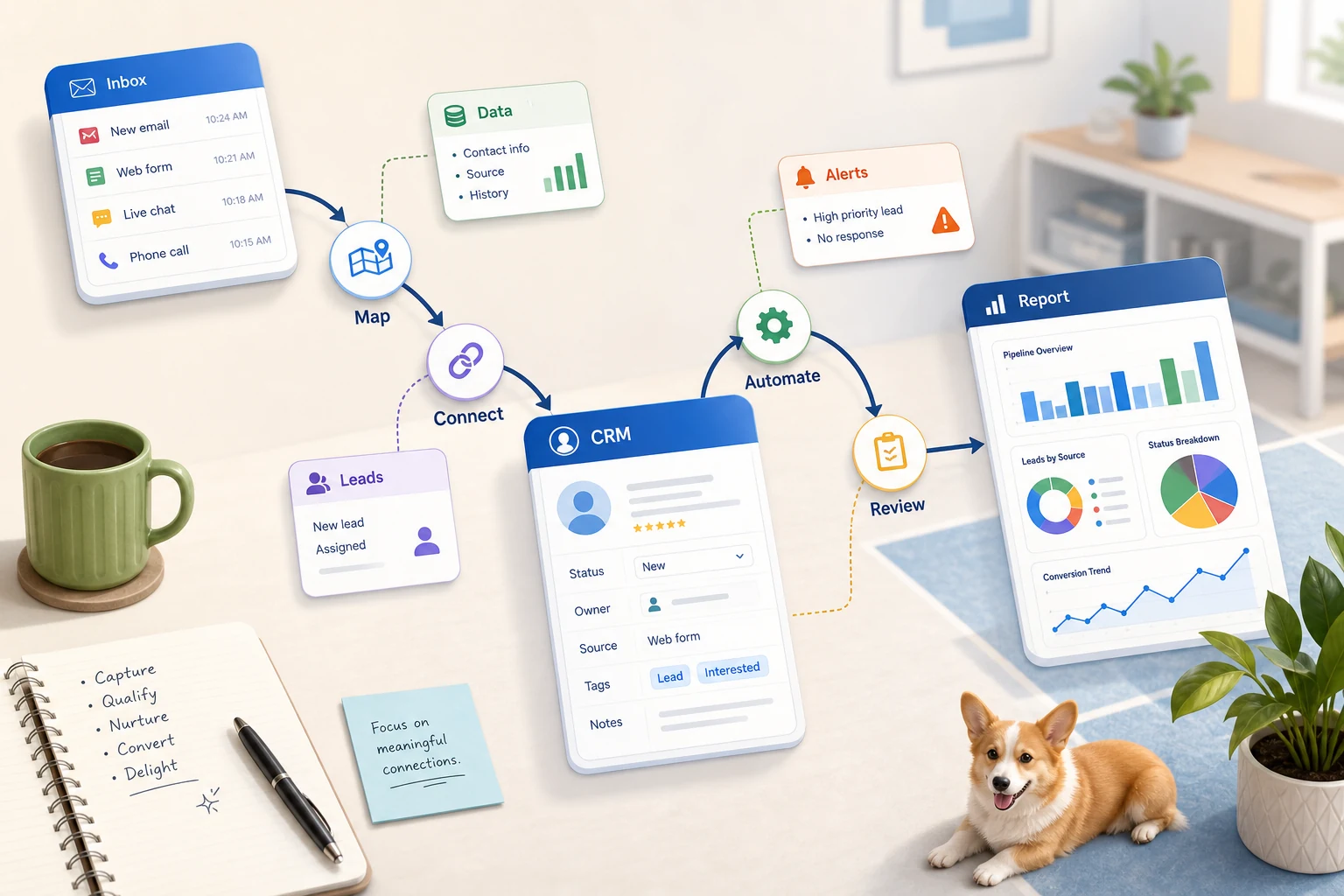
"Best AI Chatbot" is a wholly misguided phrase. For a small business, the relevant question is: what repeatable workflow would you like to be faster, easier to monitor, and less prone to your reliance on someone's memory?
This guide attempts to clarify how to consider best AI chatbot in realistic terms. What does it meaningfully address and what can be expected from its use? At what point does automation begin to fail? When is it more fitting to select simple tools or custom AI-workflows or even a more costly managed implementation?
Where this fits in a real business
The most promising opportunities for automation are usually mundane, repetitive, and easy to verify. They are often an extension of the gaps between email, spreadsheets, CRM notes, invoices, help desk support inboxes, website forms, research, and reporting tasks.
directing form submissions to a CRM with a designated owner and follow up action
converting weekly spreadsheet tasks into a dashboard or report that automatically emails
pseudo-automatically sorting and addressing support requests, leaving edge case review and action for a human
synthesizing public or internal research into a brief that has structure rather than a brief that is filled with chaos
creating a business sense workflow for the integration of OpenAI, Claude, Gemini, OpenRouter, n8n, Google Workspace, Slack, Telegram and other personal Virtual Private Servers
Synonyms
People use slightly different phrases when dealing with this topic. These are the more applicable phrases:
best ai chatbot Tool-before-process vs process-before-tool
In the case of a tool-before-process approach, you use a workflow management platform, and you adjust your workflow to make it fit the platform. Whereas, in the case of a process-before-tool approach, you focus on the hand-off which consists of the sender of the input, the trusted data, human review, and the output that verifies the workflow was executed.
In the case of projects for Cyberlife, it usually means outlining the existing process, determining which risks are justified, and creating an initial version of the process that is scaled up later. This circumvents the issue of an ostentatious automation mechanism that saves no time and, instead, increases the total time dedicated to the cleanup work.
What to gather for setup
Examples of the current input: forms, emails, spreadsheets, files, CRM records, or chat messages.
The required output: report, task, CRM update, notification, document, or dashboard.
Rules for exceptions and human review.
Tools need to be connected.
Check if you can save time, miss fewer follow-ups, or speed up reporting.
When a Custom Setup Is Required
Most tools can handle simple processes that the team can support. A custom setup is needed when AI interpretation is needed, multiple systems integration is required, or sensitive data needs to be processed. A custom setup is also required when a reliable application is needed on a server that is supported and monitored.
If your current process is not automated, and you are looking for a solution, check /ai-chatbot-development-services/ for implementation details.
What This Page Is Actually About
Most teams do not ask for a new platform. What they really ask for is a specific part of the week to stop being brittle. They want to stop the need for someone to copy lead details from an email to a CRM. They want to stop manually exporting the same numbers every Friday. They want to stop having to check to see if a particular document was saved to the right folder. Those tasks do not seem important enough to be automated. However, they ultimately control how fast the business can respond.
That is the context for the best AI chatbot. The useful part of the process is not breaking systems in the name of automation. The useful part of the process is identifying where the current process breaks, cleaning up after a process that no longer needs cleaning, and giving a safe reassuring solution for a process that is repetitive.
For small businesses, the first version is typically narrow. Start with one workflow. Take the time to establish the trigger. Make a judgment call on what data can be trusted. Identify the points where review of the result is necessary. Build the first version, and add additional systems later.
How to Start
A good first attempt is to create the workflow using simple language. A perfect diagram is not necessary. It needs to answer the following questions: What triggers the process? What information is provided? What tool has ownership of the record? Who is the recipient of the notification? What is the measure of completion? What is the appropriate response when something goes wrong?
This is the point where a lot of automation projects can either be of value or be considered noise. Lack of clarity on design of the workflow means lack of clarity on the process which will be automated. If the handoff cannot be visible, then the tool will only be able to automate the confusion at a higher rate.
A better approach is to slow initially and later be fast. Document the current steps. Then remove the steps that are only a result of forced design from a previous tool. Keep the human judgment on automation, and automate the repeatable, easy to verify activities.
Common workflows connected to this topic
Though the precise configurations vary by company, there are common patterns. A web form can build a record in CRM, assign the owner, send the first email, and create a follow-up to do. A help desk request can be categorized, paired with the customer account, and drafted for review before being assigned. A weekly status report can be generated automatically with data pulled from different systems and a summary emailed before the Monday meeting.
Starting with documented workflows is also common. Automation can help manage information for invoices, intake forms, contract PDFs, and data rows in structured but messy formats. Automation can be set up to extract fields, rename files, update records created by the document, and mark those for review.
Research workflows can also be automated. Instead of relying on someone to collect and organize notes spread out on various websites, spreadsheets, emails, and chats, a workflow can do that and create an initial draft for the person to review and edit before finalizing.
What should stay human
The most successful automation is based on what can and what should not be automated. Answers to pricing or sensitive customer complaints, medical or legal judgments, and unusual complaints are examples of what usually requires human review. It is not a weakness of the automation. It's a strength.
A well designed workflow can organize the information, prepare the next steps, and ask the user for approval. It saves time and prevents the most common automation failure: allowing a system to make a business judgment that cannot be rationalized.
For many Cyberlife projects, the preferred method is to “automate the prep, keep the approval.” The system is capable of context collection, message drafting, record updating, and exception display. However, the individual still reserves the right to decide if the situation is deserving of their judgment.
Tool choices without tool worship
Tools play an important role, but the workflow is paramount. Simple connectors can cover some projects, but n8n, Make, Zapier, Google Workspace, CRM integration, a private database, or a small custom API can cover others. Then again, tools from OpenAI, Claude, Gemini, or other similar platforms can help with automation, classification, extraction, summarization, and drafting. In some cases, a VPS, Docker, backups, monitoring, and logs will be needed so that the workflow runs without oversight.
The incorrect choice of tools generally occurs when the project kicks off with a platform demo instead of a problem analysis. An impressive tool can actually be a bad fit for the workflow. A setup that is straightforward and easy for the team to comprehend is better than a setup that is complex and no one wants to use.
When analyzing best AI chatbots, a better checklist is if the workflow can be tested, can errors be caught, can a non-technical owner understand the handoff, and can the business change the rules without having to rebuild the system.
What to prepare before building
Before building, have a collection of real examples for reference. Be sure to use less than perfect examples when available. Things like that mess from the email, partially filled forms, disorganized spreadsheets, invoices with strange vendor names, and tickets that keep getting sent back and forth.
Then specify the intended output. This can be a CRM update, dashboard, task, alert, renamed file, draft response, report, or a reviewer queue. The output can be so specific that the team will know if you accomplished it.
It is also helpful to specify the exceptions ahead of time. What should interrupt the workflow? What should be sent to a person? What data should be kept private? What should be recorded? What should not be sent automatically?
How to measure if it worked
The best results are the most ordinary. Did the lead receive a quicker response? Did the report come in uncleaned? Did the volume of support requests in the wrong inbox decrease? Did the owner find what changed without opening five tools? Did the team spend less time writing and more time making decisions?
Not every automation needs a complicated ROI calculation. For a small company, the time savings and elimination of mistakes are justification enough for the first project. The most important factor is to evaluate the previous workflow, even if that evaluation is unpolished.
A beneficial first automation should make a task easier to complete daily or a task easier to complete weekly. If no one can tell the difference, the project was likely too abstract.
SEO and search terms for this topic
People may use different phrases to reach this topic. One of the phrases can be best ai chat bot. The search language is important, but the page still has to look like it was written for a business owner, not for a keyword checklist.
The practical work should stay clear: map the process, connect the tools, handle exceptions, and leave the business with a workflow that can be checked and maintained.
What the first version should include
The first version should include what the trigger is, what the expected outcome is, and what failure looks like. For a workflow triggered by a form submission, the user should know where the record is, who is responsible for it, what notification message is sent, and how exception management is performed. If a report is created as a result of multiple data sources, the user should know which data source failed instead of receiving a well-written, but erroneous summary.
This concern is heightened by the inclusion of AI. AI is great at summarization, classification, and extraction. However, the surrounding workflow should still be up to the task. Inputs should be exemplified. Outputs should be evaluated. Processes should be recorded. If the created model is hesitant, the system should not assume, but rather pose the problem.
The first version should also avoid having too many branches. On the first day, it is almost irresistible to try to automate every possible edge case. However, that creates a fragile workflow. For the first version, the most common workflows should be included, the rest of the workflows should be added after a human review has been performed, and the business should be expanded based on what the real edge cases are.
What Can Go Wrong
Automation typically fails in mundane ways. Example spedning automation include errors from losing an owner in a spreadsheet or updating a field name in a database. An automation error also occurs from a model drafting an answer that does not align with, or is inconsistent with, a fundamental part of a concept, or, a new blank entry in a table after a vendor renames a tab or changes the structure of an invoice. These are not reasons to avoid automation; these are reasons to incorporate checks for automation.
Effective automated systems have fallback behaviors as part of the design. Workflows notify users of the context needed for resolution and a mechanism should trigger for steps that have not been completed. Data should not be filled with guesses and messages to customers should not be sent without an approval.
This is the differentiating factor between a working automated system and a demo. While a demo typically outlines steps for an uninterrupted workflow, a fully functional system does not step back when a workflow crosses into other systems and becomes ungoverned.
When to Ask For Help
For internal automated system, a process should be evident, and team members should maintain an easy to use, less complicated system. A more customized system should be developed when a process requires an automation that spans multiple systems, processes, and integrates AI. These systems affect different domains, such as sales, customer support, and others.
Cyberlife Development can design the first iteration and automate the process. From an initial informal workflow that consumed an excessive amount of time, we can develop the system to achieve an automated process. This provides a good starting point.