
Best Marketing Automation Platforms
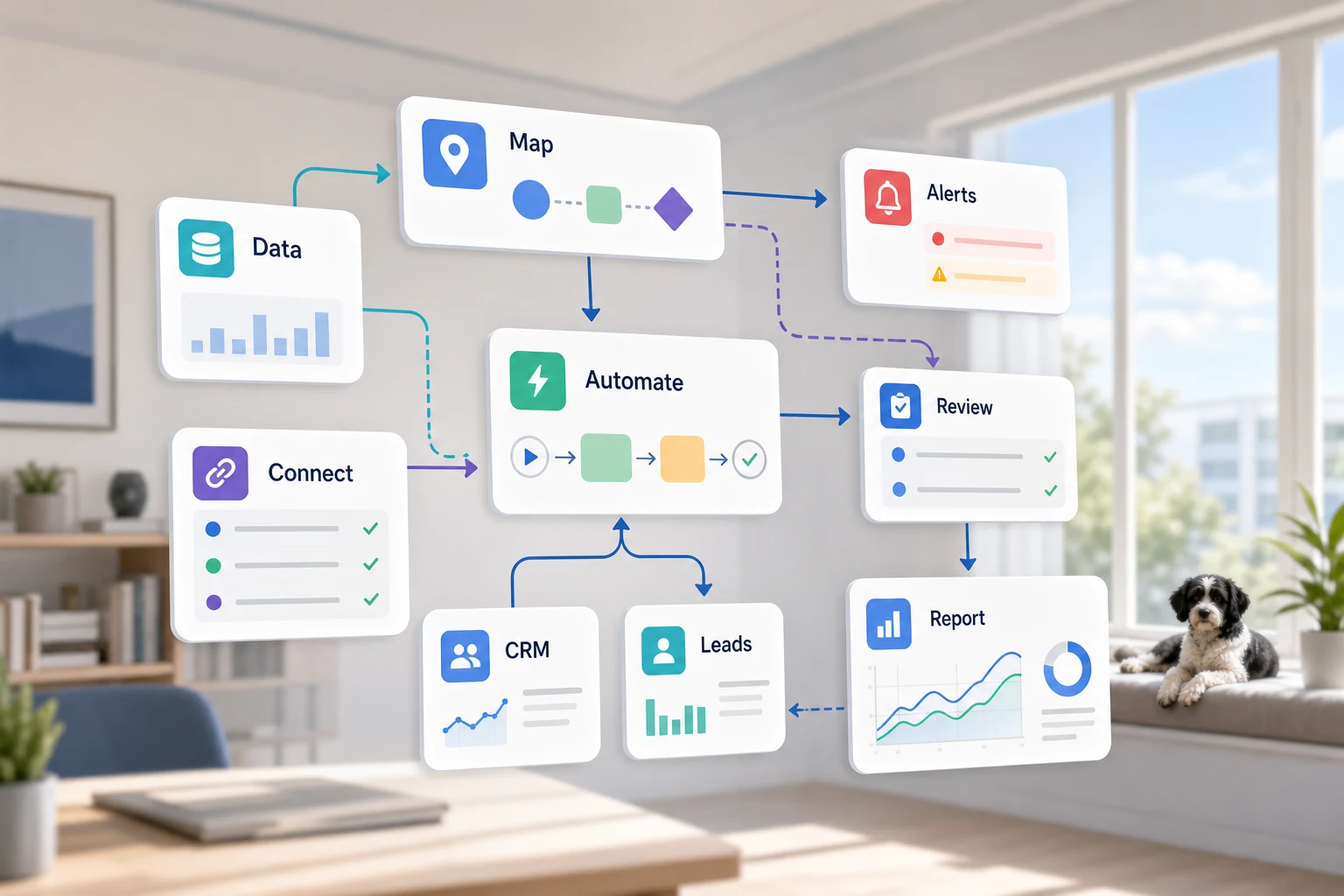
The question "which are the best marketing automation platforms" is more nuanced than it seems. For small businesses, the best marketing automation platforms are those that streamline workflows because the team is able to track tasks with less oversight via automation.
This guide demystifies marketing automation. Here, you will learn about the challenges marketing automation aims to resolve, the gaps in marketing automation, trade-offs of simple tools versus custom AI workflows versus managed implementation, and where to start.
Where this Fits in a Real Business
The most effective automation is typically a series of simple, repetitive tasks that are easy to validate. These rarely go beyond email, spreadsheets, CRM notes, invoices, support queues, website forms, research, and reporting tasks.
Directing form submissions into a CRM with next steps and an assigned owner
Creating a dashboard or email report to automate a weekly spreadsheet task
Categorizing support requests automatically with a human reviewing exceptions later
Summarizing public or internal research into an organized brief instead of an unstructured document
Integrating OpenAI, Claude, Gemini, OpenRouter, n8n, Google Workspace, Slack, Telegram, or a VPS- hosted workflow where it makes the most sense for the business
Synonyms for the subject
Some of the synonyms around the subject that people search for include:
best marketing automation software Tool vs workflow
A tool-first approach means starting with a platform and bending the workflow to fit. A workflow-first approach means starting with the flow of work, the input and the trusted data, the part that requires human intervention, and the value-adding output.
For Cyberlife projects, this would be documenting the existing workflow, identifying sections for automation, and delivering a minimum viable automated solution that is expandable. A common issue with automation is that it is impressive to see, but has created more administrative burdens than it solved.
Things to have ready for the setup
examples of the input – forms, emails, spreadsheets, documents, CRM data, chats
the output – report, task, CRM, alert, brief, dashboard
conditions for exceptions and review by a human
the necessary tools that require integration
A quick success measure, like saved time, less missed follow-up, or quicker reporting.
When Custom Setups Are Justifiable
When things are simple and straightforward, off-the-shelf tools work just fine. A custom solution is more justifiable when a workflow needs to be run over multiple systems, requires some kind of AI, involves sensitive data, or needs to be run continuously on a server, monitored, and backed up.
If this is relevant for a workflow you want to optimize, please check our marketing and social media automation page (/marketing-social-media-automation/) for the relevant implementation details.
What this Page is Actually About
Truthfully, almost no team wakes up looking for a new platform. What most teams want is for at least one day of the week to not so easily fall apart.
One day, someone had to copy some leads from an email to a CRM. One day, someone had to export the same data every Friday. One day, someone had to check if one document got saved to a particular folder. These tasks aren't things you think or even care about. They have to be done, and you think they are done on a regular basis.
If one day, someone had to check if one document was saved to a particular folder, that task actually has a disproportionate impact on how fast a business can respond.
This is the context for the best marketing automation tools. Something sound modern? The great question is, "How, exactly, does one of the many repetitive tasks fall apart, and who is the poor soul who has to deal with the aftermath?" The best answer to that question is, "The task is done, and you don't have to deal with it."
A promising first version for a small business should usually be focused and narrow. Start with a single workflow, identify the trigger, determine what data can be relied on, identify the points of necessary human review, and then implement the first iteration of the system. Subsequent versions can build upon this foundation.
Initial Steps
A first draft of a process description should be a workflow map, and this should be in plain language—perfection is not necessary. It needs to resolve a few important questions. What starts the process? What’s the handoff? What information gets sent? What tool owns the record? Who is responsible for the next step? What constitutes completeness? What is the consequence of a step that appears to be in error?
This is where most automation efforts become effective rather than background noise. Processes that are vague will produce automation that is just as vague. If the handoff isn't clear, the software will only serve to automate the confusion.
It is better to go slow first and fast later. Capture the workflow to be automated. Eliminate steps that have been included because they were required by some tool. Keep review steps where judgment is critical, and automate the rest as is reasonable.
Common workflows connected to this topic
The exact details may vary from company to company, but certain patterns are predictable. A web form may create a record in the CRM, assign an owner, send a first response, and generate a follow-up task. A support request may be categorized, matched with a record, and controlled, and routed to the appropriate person. A weekly report may collect information from several systems and be sent as a brief summary prior to the Monday meeting.
Workflows for documents are also a popular starting point. Invoices, intake forms, PDFs, contracts, and the rows of spreadsheets are often large files that include organized information in a disorganized presentation. Automation is capable of removing and sorting fields, renaming documents, changing records, and updating them and flagging borderline cases for evaluation.
Research workflows can also fit. Instead of getting someone to manually gather notes from disparate locations (e.g., websites, spreadsheets, and emails, and along chat and thread), a workflow can collect those disparate locations, synthesize the information and create a draft document for the person to review before use.
What should stay human
The most straightforward automation models what should and shouldn't be automated. Discretion on pricing, sensitive customer reactions, legal and medical judgments, rare complaints, and ambiguous documents often require a human review. Weakness in automation is making it strong.
A detailed workflow can get the information ready, present the next step, and collect the answer. It is still worthwhile. A failure is letting the system do something that is impossible to justify on behalf of the company.
For many Cyberlife projects, the right design is "automate the prep, keep the approval." The system can collect context, create a draft, append notes, document the exception, and state the case. The final call on where the case deserves judgment remains with the approver.
Tool selections with no tool idolatry
Tools should come after workflows. Some projects are best served with simple connectors, others with n8n, Make, Zapier, Google Workspace, a CRM with a private database, or a lightweight custom API, and others still within OpenAI, Claude, and Gemini with identification, extraction, summarization, and draft capabilities. Sometimes, a VPS, along with Docker, backups, monitoring, and logs, should support a workflow that must run reliably without human intervention.
The centerpiece of a project is often a demo-driven approach. Tool choice error is often from starting with a demo. The right tool can look impressive and still be wrong for the workflow. A simple setup that the team understands is often preferable to a complex solution that only a few individuals want to use.
When analyzing the best marketing automation platforms, a better checklist is simply: can workflows be tested, can one see where errors are in a workflow, can a non-technical person master the handoff, and can the business modify the rules without starting from scratch.
What to schedule before starting
Before starting, ideally collect several real examples. Perfect sample data is not helpful. Real data can include a messy email, a partially filled form, a confusing spreadsheet row, an invoice with an unusual vendor, or a support ticket that has caused back and forth communication.
Clearly, identify the expected output, which could include updating a CRM, a dashboard, completing a task, sending a notification, renaming a file, preparing a draft response, generating a report, or queuing a human reviewer. It should be clear enough for the team to assess whether it has been accomplished.
Listing your exception rules up front is also helpful. What should halt the workflow? What should be the responsibility of a specific individual? What information is to be regarded as confidential? What is to be recorded? What requests are to be regarded as having the highest priority and to never be executed on an automatic basis?
How to assess the effectiveness
The most appropriate metrics are the simplest ones. Did the lead receive a response quicker? Did the report arrive free of manual intervention and therefore, clean? Did requests for support that were misdirected decrease? Did the manager understand what changes were made without navigating through five different systems? Did the team have more time to focus on decisions than copy-paste?
Not every automation requires a sophisticated return on investment model. For a small to medium sized enterprise, the time saving and reduction in error introduced as a result of the first automation offered, will often mitigate the costs incurred. The most important aspect of this, is to assess the prior work flow, and time taken to implement, even if that assessment is rudimentary.
A useful first step in automation should eliminate the need to carry out a task that is performed on a daily or weekly basis. If the removal of a task is not noticeable to the end users, the project is likely too abstract.
SEO and search terms for this topic
The final version should retain key terminology and describe the work being done: diagramming, tool integration, exception handling, and leaving the company with an audit-ready workflow.
What the first version should include.
The first version should clearly specify a trigger, an expected outcome, and a mechanism for detecting an undesired outcome. If the workflow is triggered by a submitted form, the team should know what happens to the record (who it gets assigned to, what notification is sent) and how the system will handle case exceptions. In an example where a report is constructed from multiple data sources, the report owner should be notified which data source failed instead of receiving a final report with an inaccurately summarized text.
The caveat to constructing workflows for AI-based solutions is that the workflow should be subject to review at every stage. Review and log mechanisms should clearly communicate the workflow. If there is a gap in how the AI model registers uncertainty, the workflow should be designed with human oversight.
Finally, the first version should avoid excessive cases. On the first version, it is common to automate every single exception. However, this is generally poor practice. Instead, the focus should be on the frequently executed case, adding a mechanism for human review, and finally, scaling the exceptions once there has been an evaluation of the exceptions case.
What Is Likely To Go Wrong
Automation fails in boring ways, such as a field name changing, a missing CRM owner, a renamed spreadsheet tab, a format change on a vendor's invoice, or a model that drafts a confident sounding answer that does not match the account history. Each failure presents an opportunity to rethink automation.
Fallback behavior is a good system design practice. If a step in a workflow fails, the workflow should notify someone who has the ability and context to fix it. Incomplete data should cause the workflow to pause, rather than fill in the data. If a message is customer facing and questionable in its sensitivity, it should be held in a workflow as a draft. This is often what separates a working system from a demo. A working system understands what to do when the going gets tough, rather than on the happy path of a demo.
When To Reach Out For Support
A simple automation is okay if the process is clear and tools already integrate. Simple automation is then easiest to implement and maintain if someone on the team has the knowledge to do so. If the workflow spans bot internal and external systems (especially if it uses private data as a result), if it requires the use of AI or if it touches sensitive areas of a business (such as sales, support, finance, or operations), then it is wiser to reach out for a more separate solution.
Cyberlife Development can map a workflow, design a first version of the solution, and leave a solution with a maintainable process for the team. The best way to start is not with a lengthy brief. The best way to start is to say what part of the workflow is currently wasting time, and what actually should be done to fix it.