
Lead Generation Automation Guide for Small Businesses
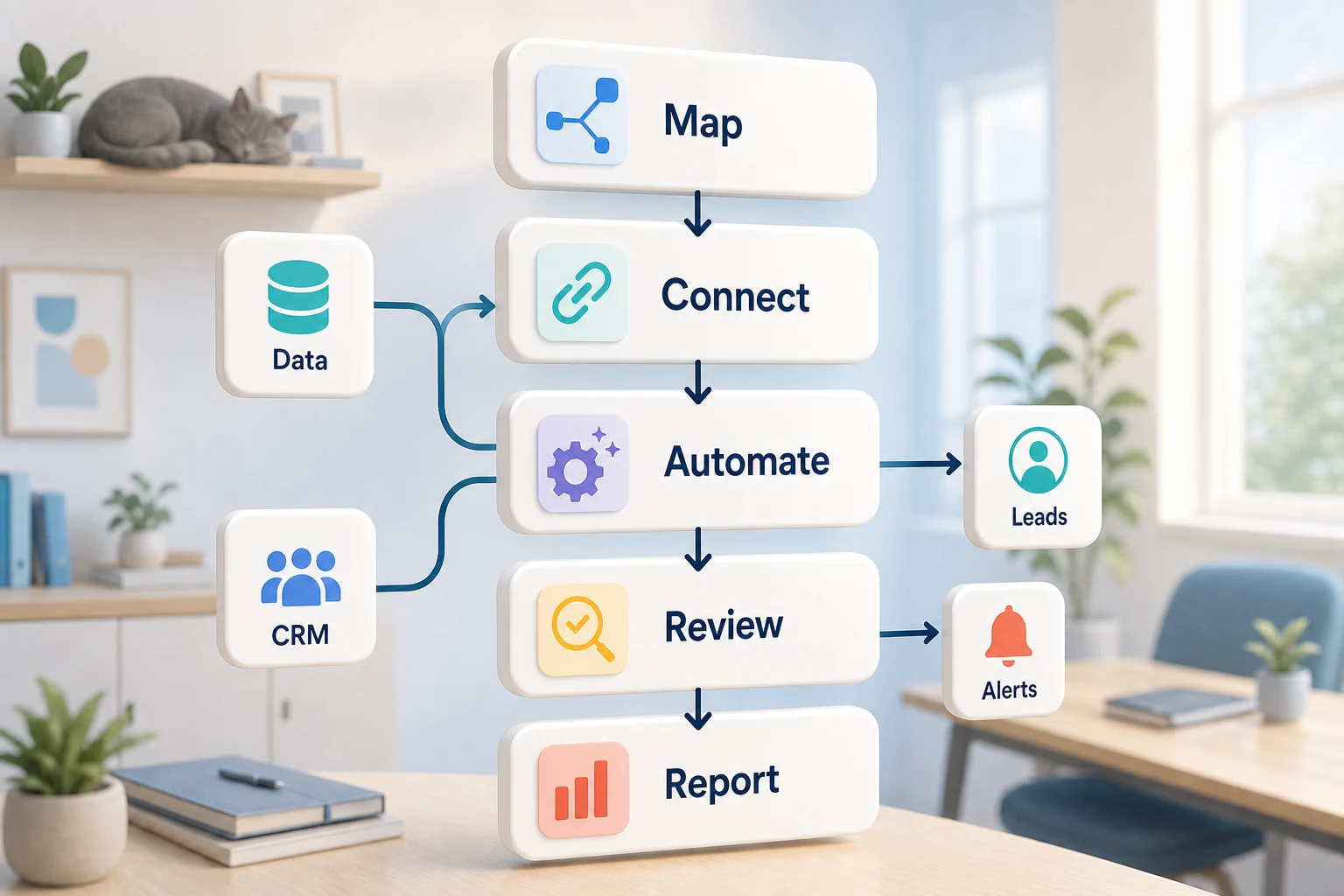
While lead generation automation tools are software, for small businesses, they're an efficiency multiplier over a recurring workflow. For a small business, the key consideration is which recurring workflow could be made faster and easier to audit while also reducing reliance on one employee to remember all the steps in the process.
This guide offers insight to the practical applications of ai lead generation. It discusses the problems and challenges that ai lead generation solves, the challenges within automation, and how to discern between low code solutions, tailored ai flows, and a managed setup.
Where Does This Pertain in a Real Business?
The best use cases for automation are usually tedious, monotonous, and easy to verify. They are found between disparate email, spreadsheet, CRM notes, invoicing, support inboxes, website forms, research, and reporting tasks.
creating a form that directs submissions into the CRM with an assigned owner and next action
automating the tedious weekly spreadsheet reporting with a dashboard or email report
sorting support requests prior to final review
condensing the research, public or private, into a tidy brief
implementing the most appropriate OpenAI, Claude, Gemini, OpenRouter, n8n, Google Workspace, Slack, and Telegram, or VPS-hosted integrations
Other Related Search Terms
Here are a few other popular search terms people use that might be relevant to this topic:
automatic lead generation
b2b lead generation
b2b lead generation strategies
b2b lead generation tools
commercial cleaning lead generation
creating lead generation website
Tool-Oriented vs Workflow-Oriented Approach
Starting with a certain platform, and fitting a workflow to it reflects a tool-based approach. A workflow-centric approach, however, focuses on the handoff, determining the trusted input, the required human review, the output that verifies the task was accomplished, and the workflow steps to achieve that output.
In Cyberlife projects, this mainly includes sketching or mapping the existing workflow, recognizing what parts can be automated without risk, and carefully constructing a first iteration to test. This helps avoid the typical "flashy" automation with more time spent on the follow-up cleanup than the time saved.
What to Prepare Before Automation
current data examples (forms, emails, sheets, files, CRM records, chat, etc.)
what the output should be (task, report, CRM update, notification, brief, dashboard, etc.)
Exceptions and human reviews use rules.
Access needs to be provided to the tools that require connection.
A brief success assessment, e.g., time savings, reduced missed follow-ups, and quicker reports.
When custom setups are reasonable
Custom setups make sense when you need an AI interpretation on a workflow that crosses multiple systems, handles private customer data, and requires the build to run on a server that's up and running with monitoring and backups.
If this is something you want to improve in your operational flow, please check our lead generation and sales automation (/lead-generation-sales-automation/) page for details on the implementation.
What this page is truly about
Most teams do not wake up desiring to build a new platform. What they seek is for some part of their workflow to be more reliable. Somebody copies lead details from one email to the CRM, someone exports the same numbers every Friday, someone verifies that the document has been saved in its appropriate folder. While annoying, these tasks are often overlooked – until they determine how quickly the organization can respond.
That's the true context of lead generation. The not-so-modern, but more appropriate question, is where the current workflow collapses, who is the drag on that workflow, and what would the new and improved workflow look like if there were no manual steps.
The first version should be kept simple. Choose one workflow. Define the trigger. Choose the most trustworthy data. Decide where the result should be manually reviewed. Then build the simplest possible version and add more systems later.
Where the work usually starts
The starting point should be a simple, first-pass workflow map. It doesn’t need to be a comprehensive diagram. First-pass maps should be able to answer a few simple questions: What starts the process? What data feeds into the process? Which tool owns the record? Which stakeholder needs to be notified? What determines process completion? What needs to happen to the process when a step fails?
The main reason why automation projects add value or are simply noise. A vague workflow leads to vague automation. If the workflow cannot be agreed on, the project is just quickly implementing confusion.
The better approach seems to be slower at the start and faster later. For the current state workflow, capture all workflow steps. Remove non-value added steps. Keep human approval where judgment is necessary. Automate the steps that are easy to verify and repetitive.
The workflows associated with this are standard
Designs certainly differ from business to business. Yet, patterns are ubiquitous. Automation can create a CRM record from a website form, designate a record owner, send a first email response, and build a follow-up todo. A support request can be categorized and matched with a client record, and a draft can be created for a support request review and sent to the reviewer. Automation can build a report by gathering information from different systems and sending it to recipients with a summary before the Monday morning meeting.
Document workflows are also a very common automation use case. Invoices, contract agreements, client intakes, PDFs, and records do contain structured data but also have a lot of formatting noise. Automation can extract data and field from documents, change the name of a document, and create a record, as well as provide a specialized case from a document for a reviewer.
Let’s consider research workflows as well. Instead of searching and gathering the notes if work is dispersed and located in chat systems, emails, spreadsheets, and even web pages, a workflow can be designed to gather work, and notes in a prescribed way, and even offer a draft for review.
Automation Insights
The safest automation is the one that complements workflows, and documents encompass things that should be left to a person. Pricing decisions, empathetic responses to clients, medical or legal decisions, unstructured or complex complaints, and review requests do not require a human. It is not inefficient to automate a process.
A workflow can do the work of organizing and presenting information to a person while also presenting an option and prompting a person to offer their approval and take the next step in the process. This is time saving as well and is a solution to the problem of a workflow taking a business decision that cannot be justified.
For numerous projects at Cyberlife, the ideal approach is “automate the prep, keep the approval.” The system captures contextual information, generates draft messages, updates records, and presents exceptions. It is up to the user to determine if the situation requires a verdict.
Tool choice without tool worship
While tools are important, they must not drive the flow. Some projects can be accomplished with basic connectors. Others require n8n, Make, or similar tools, complemented by Google Workspace, and a CRM, a private database, or a small bespoke API. Some require OpenAI, Claude, Gemini, or other multi-purpose classification, extraction, summarization, and drafting tools. VPS, Docker, and other containerized solutions, along with backup and monitoring modules, may be required to ensure a reliable workflow.
A wrong tool choice typically happens when the project starts with a tool demo instead of a real business problem. While a tool may seem sophisticated, it may be unsuitable for the workflow, and a boring solution that is user-accepted is often preferred to a sophisticated but unnecessary tool.
For lead generation, a good criteria to test is whether the workflow can be tested, whether errors can be surfaced, whether the transfer can be understood by a non-technical person, and whether the business can change the rules later without doing a major redesign.
Investment before starting a build
Another good practice is to replace the prototypical data with information that is more likely to be representative of the real data, such as a messy email, a partially completed file, a confused spreadsheet entry, a vendor invoice with an unfamiliar name and a ticket, a support ticket that results in a case of back-and-forth with the support team.
Then outline what you want as an end product. This could be a CRM update, dashboard, a call to action, a notification, a renamed file, a drafted reply, a report, or queue for manual review. It should be clear enough to understand for the team to know if the automation has achieved the desired output.
It is also appropriate to outline the exception rules. What will interrupt the process? What will a person handle? What is confidential? What should be recorded? What is never to be sent automatically?
Assessing the Outcome
The most effective metrics are the simple ones. Did the lead get a quicker response? Did the report get to its destination without the need for manual prep? Did the support requests get routed to the appropriate inbox? Did the report owner get the changes without the need to check five different applications? Did the team focus more on the business decisions rather than on the copying?
Not every automation will merit a complex model of return on investment. For a small business the savings on time and the removal of an error from a process is often enough to justify the first task automation. The most important aspect here is to have a benchmark for the old work process so it is known what will the new process look like, even if it's not an exact measurement.
An ideal first automation always achieve the objective of simplifying one daily or weekly task. If the difference is noticeable, then the project probably achieved its main purpose.
Therefore, important terms should be included when describing the work such as mapping the process, integrating tools, dealing with exceptions, and providing the business with a workflow that can be assessed.
What Your First Draft Should Include
Your first draft needs to be easy to understand and complete. A trigger, an observable outcome of the action, and a way to determine when something is not working are a must. For example, if a form is submitted to launch the workflow, the people on the team should know where the record will be located, who the record will be assigned to, what kind of notification will be sent, and what will be done about the exceptions. If a report launches the workflow from multiple different data sources, the owner of the report should know which data source was the culprit, instead of receiving a report that was wrong, but visually appealing.
This is especially true if AI is involved. AI has the ability to summarize, classify, and extract information and even draft, but the workflow that is created around the AI has to be the same way. Inputs have to have examples. Outputs have to be reviewed. Logs have to contain information about what the AI created. If the AI is not sure of something, the workflow should ask for assistance instead of pretending to know the answer.
The first version must minimize branching. Automating everything on the first day is tempting, but it's the road to a brittle system. Focus on the main use case. Create a review queue, and extend coverage after the organization can identify the real edge cases.
What could go wrong
Automation is boring. It can break a system when field names change. When people are missing in the CRM. When spreadsheet tabs are renamed. When vendors change invoice formats. When a model constructs a response that is confident but does not match the account's history. These aren't reasons to avoid automation. These are reason to implement automation but with controls.
A good automated system includes the ability to revert to an older step. If a failure occurs, the automation should notify a user who can fix the failure. If a step in the automation is to send an email to a customer, and if the email is not appropriate for the situation, then the automation should not send the email.
That is what separates a business system from a demo automation. The demo will show a system where everything is easy. A business system should be able to deal with everything.
When to solicit external support
A simple automation is sufficient for an internal process if everything is clear, the systems integrate easily, and someone on the team can support it. A custom solution is warranted when the workflow spans several systems, uses private data, requiresAI, or touches sales, customer support, finance, or operations.
Cyberlife Development will document the complete workflow, construct the first version, and provide the team with a process that they can sustain. The best initial step is NOT a lengthy technical brief. Instead, it's a concise explanation of the workflow that is inefficient and the proposed solution.
When to move from reading to implementation
If you are comparing options for lead generation automation for small businesses, the next practical step is to map where leads come from, how they are qualified, and which follow-ups are still handled manually. Cyberlife can help turn that map into a working pipeline; see our lead generation automation service for implementation details.