
AI Automation Guide for Small Businesses
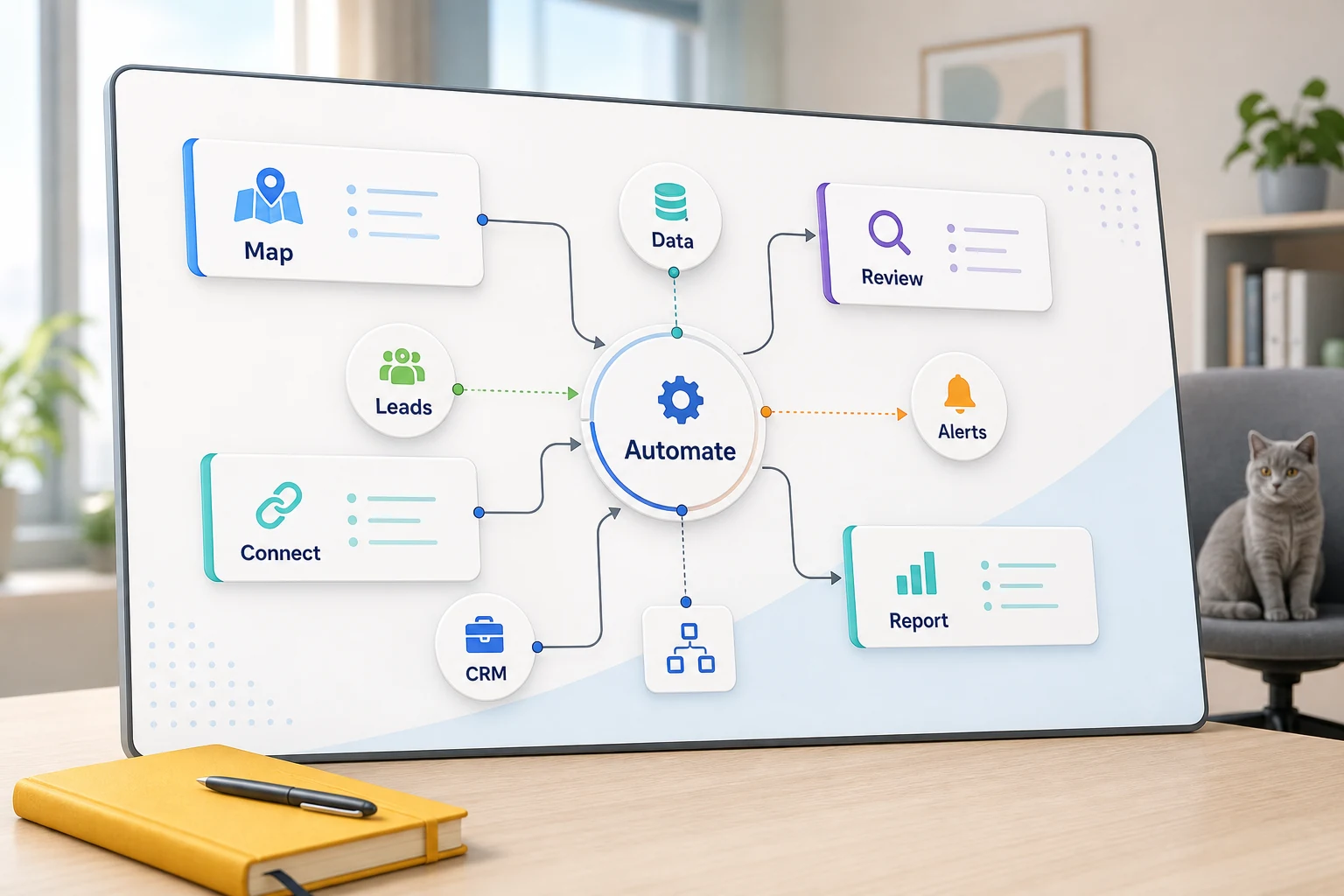
Small Business AI Automation Guide
AI automation presents unique challenges for small businesses. Unlike large businesses, small businesses consider how to automate workflows to make the process easier to auditable and to reduce dependence on a staff member to remember all the steps.
This guide will help you consider the practical side of agentic document extraction what problems it can address, where automation can fall short, and how to assess simple tools, custom AI workflows, and managed implementations.
How this fits within broader business operations
The most powerful automation use cases are tedious and repetitive tasks that are easy to verify. These tasks typically span across email, spreadsheets, customer relationship management (CRM) systems, invoicing, customer support, web forms, research workflows, and reporting tasks.
directing form submissions to a CRM with a specific owner and designated next steps
converting weekly spreadsheet tasks into an automated dashboard or email report
prioritizing support requests to be reviewed by a human for edge case handling
consolidating external or internal research into a brief rather than an unorganized document
establishing connections between OpenAI, Claude, Gemini, OpenRouter, n8n, Google Workspace, Slack, Telegram, or a VPS-hosted workflow when it benefits the business
Common keywords for this subject
Some of the most closely associated keywords include:
ai automation
ai automation agent
ai automation business
ai automation engineer
ai automation examples
ai automation for small businesses
Tool-first vs workflow-first decisions
A tool-first approach tries to force a workflow to fit a platform, whereas a workflow-first approach starts at the other end with the input and trust data, review data, and the output that demonstrates the work has been done.
When working on Cyberlife projects, this often means understanding the way things are currently done, figuring out which of those things can be automated with minimal risk, and building a small automation with a planned expansion. This prevents highly visible automation that dramatically increases the cleanup workload.
What to prepare before implementation
examples of input data: forms, emails, spreadsheets, files, CRM data, chat data
example of intended output data: reports, tasks, CRM updates, alerts, documents, dashboards
example of boundary conditions, exceptions, and required human review.
Access to relevant tools.
A quick success check, like reduced time, fewer missed follow-ups, or more timely reports.
When to Consider a Custom Setup
Off-the-shelf tools are good enough when the process is simple and the team is disciplined enough to sustain it. A custom setup is more appropriate when the workflow spans across multiple systems, requires AI, needs to handle sensitive data, or needs to be run reliably on a server with monitoring and backup.
If this speaks to you in relation to an operational workflow you would like to enhance, take a look at our AI automation services (/ai-automation/) page to see the implementation.
The Real Problem This Page is Addressing
Most teams do not want a platform refresh. Most teams want a specific part of the week to be less tedious. A person copies lead details from an email and places them into a CRM. A person exports the same numbers at fixed intervals. A person checks to see if a document was saved in the appropriate storage. These tasks are too small to care about, until they slow down the business.
This is why automation is being examined. The goal is not to make the process modern and automated. The goal is to make safe, easy, and clean the process that is dirty and prone to failure, with the repeated and tedious steps being the same step 100% of the time.
For small businesses, the first iteration of an automated system should almost always be the most basic version. Choose a single, specific workflow. Identify an explicit trigger. Determine which information should be trusted. Decide where a human step is needed to review the output. After that, add the smallest functioning version of an automation to the workflow, and add various systems as time goes on.
Where the work usually starts
The first step to automation is a simple and plain-language workflow automation map. The design does not need to be perfect. However, it needs to address a few questions that might instill some discomfort — What begins a task? What information is transported? What tool is the source of truth? Who is notified? What is the definition of "done"? What is the response for unexpected outcomes?
This is where many automation attempts either become beneficial or burdensome. If the workflow is lacking clarity, the same will be true for the automation. If there is no agreement on the workflow, there will be no agreement on the automation.
The better approach is slower at the beginning and faster later. Clearly document the current state. Eliminate steps that were created as a result of using a legacy system. Maintain human steps where there is judgment. Automate the rest.
Common workflows connected to this topic
Each business may implement workflows and automation slightly differently, but there will be significant similarities. An online form could create a new CRM record and task, assign an owner, automate a first response email, and create a follow up task. An incoming support request could be categorized, matched to account info, automatically drafted for a reviewer, and assigned to a specific reviewer. A weekly report could pull data from disparate tools and be sent with a summary before the Monday meeting.
Automating workflows for documents is a great starting point for automation. Invoices, intake forms, PDFs, contracts, or a row on a spreadsheet often have structured and/or standard information, but are unstructured or poorly formatted. Automation can pull fields, rename documents, and update records, as well as mark them for review.
Reseach automation fits here as well. Instead of having someone collect dispersed notes from a variety of sources, automation or a workflow can collect and synthesize information to create the first draft.
What should stay human
The most successful automation projects are the most honest about what should not fit automation. Judgement about pricing, sensitive responses to customers, determinations about the legality or ethicality of a course of action, unusual complaints, and ambiguous documents almost always need a human review. That doesn’t make the automation bad or weak. That makes the automation good and useful.
A well designed workflow can prepare information, and make a decision or a recommendation and ask for approval. That saves considerable time and effort and also avoids a common pitfall.
For most Cyberlife projects, the appropriate strategy is "automate the prep, keep the approval." The system is able to analyze the context, draft the message, make the record, and display the exception. However, it’s still up to the individual when it is appropriate to exercise judgment.
Tool Choices without Tool Worship
While tools do matter, they should be secondary to the workflow. For some projects, the workflow can be constructed with just a simple set of connectors. For others, they may require the use of n8n, Make, Zapier, other Google apps, your CRM, a private database, or a small custom API. For others still, they may need OpenAI or some other model like Claude, Gemini, and the like for tasks such as classification, data extraction, summarization, or drafting. It may be required that workflow be run with the support of a VPS, Docker, scheduling, backups, and logs due to the critical nature of the work.
The most common use of the wrong tool is when a project starts with a platform demo instead of a business problem. A tool can look cool and be completely wrong for a given workflow. A boring setup that the team can understand is usually preferred to a complex setup that nobody wants to use.
When assessing ai automation, a more effective checklist is: will the workflow be testable, will errors be visible, will the handoff be intelligible to a non-technical person, and will the business be able to modify the rules without having to completely reconstruct the workflow?
What to Prepare Before Building
Before you start building, get a few real-world examples. Don’t use ‘perfect’ sample data. Use that messy email, the half-completed form, that row in the spreadsheet that makes no sense, that invoice with a strange name and vendor, or that support ticket that generates multiple responses.
Define the expected output. This could be a task, an update, a report, a dashboard, a rename, a notification, a reply, a draft, a review queue, or a CRM update. Be as clear as possible with what your output will be, so your team will know if it has worked.
Listing exception rules is also useful, and should be done early. What breaks the specified workflow? What should be brought to someone's attention? What can't be shared? What can't be transmitted automatically? What data is sensitive and should be kept private?
How to gauge the success
In most cases, the best proof that something worked is something extremely mundane. Did the lead get a faster response? Did the report get to the right person without needing to be cleaned up? Did fewer support requests sit incorrectly addressing the wrong inbox? Did the report owner know what changed without having to check five dashboards and tools? Did the team get to spend time on critical outside work instead of the repetitive work of making sure the right things got sent?
You don’t need a complicated return on investment model for every project you automate. For many small business owners, the time they save, and the errors they avoid for the first automated project, is enough value of a project. Most important is that they moved the workflow to the new automation, even if the first measurement was an educated guess.
One useful first automation is making something happen, like a weekly report or daily task, be done automatically. If no one can see that difference, the project probably was too abstract.
SEO and search terms for this topic
Varied phrasing exists when searching this topic, such as ai automation, ai automation tools, CRM automation, devops automation, marketing crm automation, and quickbooks software integration. This does present challenges, but writing for a specific audience on certain terms like automation is more helpful than attempting to cater to keyword searches.
This is why the last version should write the automation terms as they are and then describe the step of the automation via process, mapping, connections, tool integration, process exceptions, and providing a business with a checkable workflow.
What the first version should include
A helpful first version should show a clear trigger, visible outcome, and a way to notice and analyze failures. If a form submission begins the workflow, the team should know exact record locations, the owner and the exception handling process, and the notifications that will be dispatched. If a report pulls from several data sources, the owner should know the failed data source instead of receiving a refined report.
This is especially true when integrating AI. AI can summarize, classify, extract data, and draft, but the surrounding workflow should still be verifiable and testable. Your AI inputs should have clear examples. Your AI outputs should be reviewed. AI should be able to log and explain what happened. If AI is uncertain about a request, it should ask a clarifying question rather than making an assumption.
The initial release should also limit branches. It is easy to want to automate all the edge cases from the start. However, this typically leads to a brittle build. Start with the most common path, add a human review queue, and then increase the coverage as the business determines where the real edge cases occur.
Risks to Consider
There are many boring reasons why automation fails. Examples include changing a field, missing the owner of a CRM, re-naming a spreadsheet tab, changing invoice formats, or a model drafting a confident answer to a question that does not align with the account history. Although these issues may warrant the need for careful builds, none of these issues are reasons to avoid automating a build.
Careful automation design includes a variety of fallback options. Workflows should provide the context necessary to identify and resolve an error. Failing workflows should be frozen rather than be completed with assumed information. Finally, the drafts of approval for sensitive customer-facing automation should be paused rather than completed with assumed information.
Often, the difference between a proof of concept and a real automation build is the ability to handle the edge cases.
When to Consider the Need for External Support
While simple internal automations are acceptable for easy-to-build processes, internal support should be less expected if the automation cuts across systems, uses internal data, relies on AI, and impacts customer sales and support.
Cyberlife Development is able to visualize the workflow, set a foundation, and equip the team with a sustainable practice. The optimal beginning is not an overly detailed technical brief. Rather, it is a succinct account of the workflow that is currently inefficient and what the ideal workflow is.
Turning the guide into an automation plan
If you are evaluating AI automation for small businesses, start with one repeatable workflow: lead intake, reporting, document processing, support triage, or follow-up reminders. Cyberlife can help scope and build the first version; see our workflow automation services for implementation options.