
Business Process Automation Examples and Implementation Guide
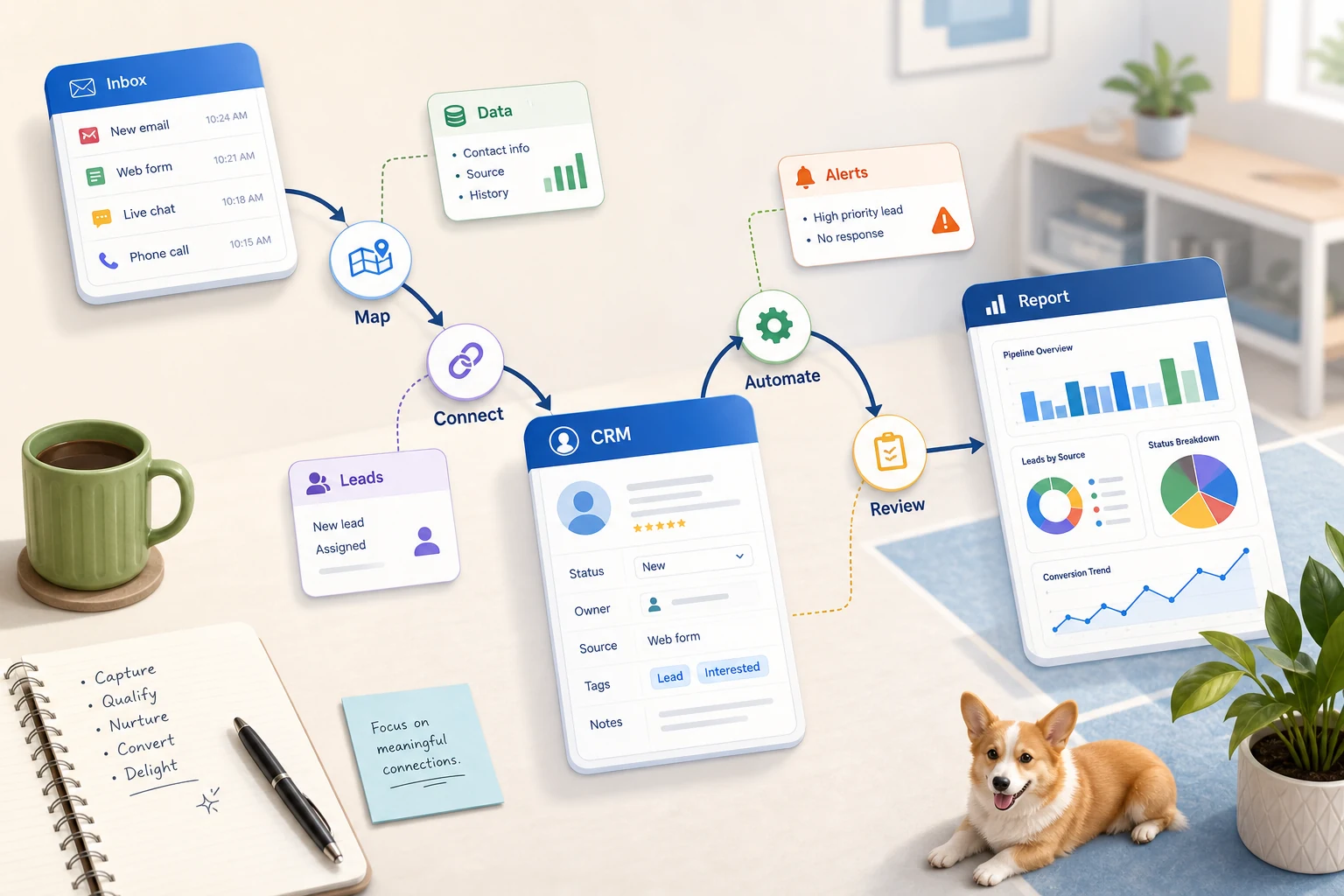
Business process automation examples and implementation guide extend beyond simply utilizing a software. For small businesses, the real concern is optimizing recurring workflows that are cumbersome, challenging to verify, and overly reliant on an employee to recall step.
This guide will help provide pragmatic thinking to ai business process automation: potential problems it will address, common pitfalls of implementation, and provide guidance on basic tools, custom AI workflows, and managed service integration.
Integration of Boring Automation Tasks in Business Operations
Best automation opportunities are simply monotonous, repeated, and easy to confirm tasks. Most commonly, they exist between email, spreadsheets, notes in CRM, invoices, support inboxes, forms on the website, tasks to research, and tasks to report.
submitting forms to a CRM with the next step and owner assigned
automating the tedious spreadsheet uploads converting them to a dashboard or email a report
pre-screening incoming support requests and resolving the majority of edge case requests
synthesizing external and internal research and incorporating it into a brief
integrating your chosen OpenAI/Claude/Gemini/OpenRouter/n8n/Google Workspace/Slack/Telegram or VPS with the business to ensure productivity.
Searches related to this topic
This topic has been searched using slightly different phrases. Some phrases that may come in handy are:
ai process automation
business process automation benefits
business process automation
business process automation (bpa)
business process automation (bpa) examples
the process of business process automation
Tool vs. workflow approach
A tool-centered approach begins with selecting a platform to build a workflow with, and a workflow-centered approach begins with determining the handoff, the input, the data to be trusted, that which requires human intervention, and the output to validate that the task was accomplished.
For Cyberlife, this usually requires documenting the present state of a process, highlighting which of the steps are safe to fully remove, and developing a process of small steps at a larger scale.
What are the steps to take before launching?
Draft an example of the present state of a process that is initiated by either an input in the form of a chat, email, spreadsheet, message, or record in the CRM.
State the desired output. This may be a report, task, an update to the CRM, a notification, a document, or a dashboard.
Rules for Exceptions and Human Review:
Steps to set up access to the necessary tools.
A quick success check to track things like time saved, reduced missed follow-ups, and improved reporting speed.
When a Custom Setup is Justified
In many cases, easy-to-use tools are adequate. That's when a process is linear and your team can support it. If an AI-driven setup is needed, or if sensitive data is involved, or if a process will run unattended and has to be failproof, etc., then a custom solution is the way to go.
If you feel this connects to an operational process you are trying to improve, go to the AI automation services page (/ai-automation/) for implementation.
The Real Issue This Page is About
Most teams don’t clamour for new platforms, most just want certain days to be less tedious. Someone spells out the details of a lead from an email into a CRM. Someone exports the exact same figures for the nth time that week. Someone manually verifies that a document has been saved in the appropriately designated folder. The steps outlined are menial and are often brushed aside, that is of course, until they unnecessarily extend turnaround and impact responsiveness.
That is the space for robotic process automation. Automation in and of itself is maybe not the most appealing. However, a process should be analyzed for stability and the elimination of the manual effort by staff for a repetitive task.
For small businesses, the first version is often best kept simple. Choose one workflow. Identify the trigger. Determine the trustworthy data. Establish where a person needs to check the outcome. Then construct the simplest version with the smallest system possible.
Where the work typically begins
Mapping the workflow in simple terms is a good first step. The first draft should not be a perfect diagram. It needs to consider a couple tough questions: what starts the process and what information is sent, which tool is the record owner, who is the receiver, what is the done criteria, and what should the system do if there are anomalies.
Many automation projects become non-value-adding tasks at this stage. An unclear workflow leads to even more unclear automation. If a team cannot agree on the handoff, the software would become a mechanism to accelerate the task.
The preferred method is to start slow and automate at a larger scale as the system matures. Document the process as is and eliminate steps that are the result of a system constraint. Retain steps that require a judgment call and are therefore not easily answerable. Automate tasks that are simple, repetitive, and easily verifiable.
Common workflows connected to this topic
Each business may set up their processes differently, but there are commonalities. For example, a website form can do several things: create a record in a customer relationship management (CRM) system, assign a record owner, send the first response, and create a follow-up task. A support request can be categorized and matched to the account, then a draft message can be routed to the reviewer. A weekly report can summarize data from multiple tools and send a report prior to the Monday morning meeting.
Document workflows are another common starting use case. Structured data in the form of invoices, intake forms, PDFs, contracts, and even rows in a spreadsheet can be easily automated. The information can be extracted, fields may be changed, records may be updated, and uncertain cases can be flagged for review.
Research workflows can apply here as well. Instead of having someone gather multiple notes from websites, spreadsheets, and inboxes, then chat threads, a workflow can gather the inputs and draft the first message for review.
What should stay human
The most successful automation projects are the most honest about the things that should stay human. Hard decisions and trade-offs that require judgement and sensitivity, such as pricing or customer decisions and legal or medical issues, all need their own review processes. That makes automation a strength.
A successful workflow can do most of the legwork to prepare information and generate a step for the user to approve. This is still lots of time-saving automation, and it eliminates the most frequent automation fail: allowing a system to make business decisions that a company itself cannot explain.
For many Cyberlife projects, the optimal design is the preparation automation with the approval retention. The system is capable of contextualization, message drafting, record updating, and exception showing. The system allows the user to decide to what extent the situation deserves a judgment call.
Tool Selection without Tool Worship
Workflows and then tools. It’s important to recognize that various projects will require different tools. These can be basic connectors, n8n, Make, Zapier, Google Workspace, a CRM, custom databases, a bespoke API, or one of the various OpenAI, Claude, Gemini, or niche services for classification, extraction, summarization, or drafting. VPS, Docker, and similar services will be necessary for the reliability of the system.
The project starting with demos of various platforms, instead of focusing on the business problem, is the reason for the poor tool selection. Tools can perform impressive feats and still be poorly integrated into a workflow. The less impressive tool is generally better if it is easier for a team to understand and use than an overly complex system.
Looking at a workflow, the better checklist for robotic process automation also simplifies to: is this workflow testable? Do we have visibility on errors? Can a non-technical person value chain participant understand this? Can the business change the rules without reinventing the whole value chain?
What to do before starting to build
Before starting any sort of development or implementation, collect real world examples. You want to avoid the ideal case — in fact, it’s your job to. Use a broken email, partially completed forms, chaotic Excel sheets, invoices with strange vendors, offensive, confusing, and more straightforward support tickets.
Next, specify the output. The output could be a CRM update, a task, a dashboard, a notification, a renamed file, a draft reply, a report, or a human review queue. The output needs to be specific so the team knows if it worked.
It is also helpful to identify exception rules. What will interrupt the workflow? What will be redirected to a person? What data will stay private? What will be recorded? What will not be sent without human interaction?
How to assess if it worked
The most effective metrics are basic. Did the lead get a response more quickly? Did the report arrive ready to send, without any preparation? Did the requests for support sit in the wrong inbox less frequently? Did the owner understand what was different without having to go into five different tools? Did the team spend less time transcribing and more time formulating?
Most automations do not require a complicated return on investment model. For most small businesses, the time and errors avoided will make the first automation a success. The important thing is to have a measure of the old workflow, however rough, to compare it to the new workflow.
A good first automation should be the automation of a task that is done on a daily or weekly basis. If the task is not visibly easier, the automation is most likely too abstract.
The practical work should stay clear: map the process, connect the tools, handle exceptions, and leave the business with a workflow that can be checked and maintained.
What the First Version Should Include
A useful first draft should capture a clear trigger, a visible affirmative action, and a constructive way of identifying failure. For example, if a form submission is the trigger of a workflow, the team should be able to comprehend where the record is submitted, who is the owner, what notification is sent, and what is the mechanism to deal with failure. If the expected outcome of data collated from disparate sources is a report, the owner should be able to know which data source failed, as opposed to receiving an error free but professionally presented report.
This is of utmost importance in the case of AI. AI systems are perfectly capable of summarization, classification, extraction, and drafting, as well as a host of other drafting related activities. However, the process that surrounds the AI should still be testable. The user should have a clear idea of what is expected of the AI, and the AI should be able to capture changes in a clear and constructive manner. If the process is unclear to the AI, the workflow should still be able to capture this and explain what is required, rather than pretend everything is okay.
Limit the number of branches in the first release. A common mistake when releasing automation that covers most of the edge cases, especially for cases that are hard to find, is to release too many branches. It takes too long to automate most of the edge cases. It is better to focus on the most common cases and let the team figure out the edge cases.
What can go wrong
When automation fails, it is usually not obvious. It can be a result of a simple name change in a CRM, a tab in a spreadsheet being named differently, a missing owner in a spreadsheet, or a change in the invoice format by the vendor. Automation is not a bad thing, but there are drawbacks that must be considered when implementing automation. A model may automate a response that seems confident but may contradict the account's history.
Good automation should include a way to fall back to the previous status. If the step fails, the tool should tell the user where and what needs to be fixed. It should not guess what the user meant. Automation should not relay messages to users.
Good automation usually requires a maintenance cycle to ensure that most things continue to work as intended. That usually makes the difference between a simple automation tool and a system that adds value to the company.
When to ask for help
If it is easy for someone on the team to add simple automation that covers a single step of a process, then it is okay to release it. However, the team should ask for help automating more complex systems.
At Cyberlife Development, we are able to outline and analyze workflow, craft the prototype, and hand over a sustainable system to the team. The ideal starting point is not a lengthy technical document. Rather, it is a concise explanation of the workflow that is currently unproductive and the alternative constructive path.