
How to Create AI Agents
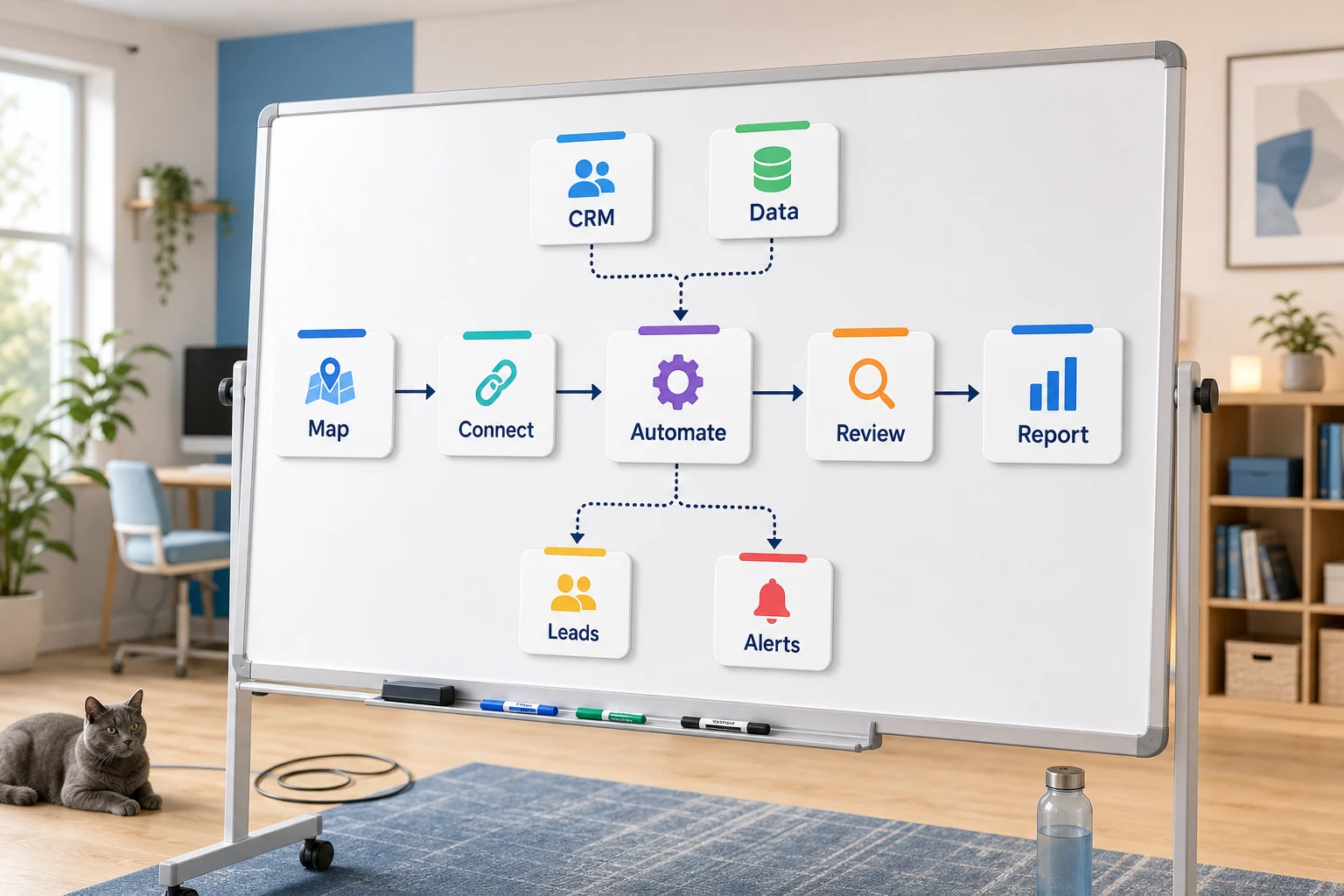
Designing AI Agents
Designing AI agents is more than just a software answer for a small business, it is about discovering what repetitive task should be streamlined, made easier to review, and less reliant on an employee remembering all parts of a task.
This guide will articulate how to think about designing AI agents in a real world scenario. You will learn what kind of problems can be solved, where automation uses are likely to break, and how to select between options ranging from basic apps through custom AI systems and a managed service.
Where This Belongs in Practice
The best places to find opportunities to use automation are the things that are boring and repetitive, yet verifiable. These things often exist between your emails, spreadsheets, your CRM notes, invoices, support requests and responses, your website forms, research tasks, and reports.
creating a form that submits to a CRM with a clear owner and next steps
converting weekly report work into a recurring dashboard or email report
determining the priority of support requests before a human handles the edge cases
taking publicly available or internal research and consolidating it into a brief
relating OpenAI, Claude, Gemini, OpenRouter, n8n, Google Workspace, Slack, Telegram and other tools to a virtual private server hosted workflow with a justified business case
Common search terms in this topic
Within this topic, the variations in searches show that people use different terms. The relevant terms include:
how to create ai agents Tool-first vs workflow-first decisions
Using a tool-first approach means starting with a platform and trying to design the relevant workflow using that tool, while a workflow-first approach is the other way around. You begin with the relevant handoff — who submits the input, what information is trusted, which elements of the workflow require human intervention, and what outputs confirm that the task is complete.
When it comes to Cyberlife projects, this means you document what the current workflow looks like, make note of what parts of the workflow looks safe to automate, and create a small version of the process to automate and scale it gradually. This helps to prevent an automation process that looks amazing but creates a greater burden of work to manage the process than it saves.
What to prepare before implementation
Input Examples: forms, emails, spreadsheets, files, logs from the CRM, chat messages.
Output you need to achieve: report, task, CRM update, notification, document, or dashboard.
Guidelines for exceptions and cases that require human intervention.
Information and accessibility to the tools that need to be linked.
The simplest option may be the fastest means to some combination of time saved, fewer missed follow-ups, faster reporting.
Opportunities for Custom Tool Building
Standardized tools will likely contribute to the most efficient process when a task is simple enough for the team to sustain the process. Custom tools will likely contribute to the most efficient process when a task spans systems, requires AI, involves private information, or is expected to run continuously on a monitored, backed-up server.
If this is relevant to an operational process you are looking to improve, you may find value visiting (/ai-agent-development-services/) to understand how we implement AI agents.
The Core Issue Addressed on This Page
While most teams do not get out of bed to acquire a new platform, they do look forward to a specific segment of their week being less fragile. For example, someone may be copying lead details from an email to a CRM; someone may be exporting the same figures week after week; and someone may be verifying whether a document has been saved in the appropriate folder. These tasks may be trivial enough to ignore, but in the aggregate, they determine the speed with which the business is able to respond.
When you are faced with the task of designing an AI agent, this is the context you should work with. The relevant question is not, "Is this an example of automation?" The relevant question is, "Where does the business process as a whole begin to break? Who is the unfortunate employee who cleans up the mess? What would the business process as a whole look like with consistent, safe automation of the repetitive tasks?"
For small businesses, the first version should typically be simple. Choose a specific workflow and a trigger. Pick the most reliable data. Then choose the points where people should check the outcome. Finally, implement the minimal version and incrementally integrate additional systems.
The Initial Step
The simplest first step is to make a workflow map and verbally describe the steps. It can be a basic, rough map of the steps. It should address: What is the starting point? What data is used? Which application owns the data? Who needs to be informed? What is the final step? What is the expected outcome?
The gap between those steps determines the usefulness of the automation system. If the steps are vague, the system is too. If there is no clear agreement on the steps, there will be no step automation.
The goal should be to integrate systems faster later. For now, the goal should be to write all of the steps. Look for and remove unnecessary steps. Keep steps that require judgment and assessment. Automate the repeatable and boring steps.
Common workflows connected to this topic
The exact workflows depend on your business, but the structures are similar. You can build a web form that creates a CRM record, assigns a record owner, generates a first reply, and schedules a follow-up task. You can classify, match, and draft support requests, then route them to the reviewer. You can build a report that extracts and sends a data summary from different systems before your Monday meeting.
Workflows for documents are also a good place to start. Forms, contracts, and invoices usually have structured data in an unstructured format. Automated workflows can capture data, change the format to a structured document, edit records, and create work items for the human reviewer to validate.
This also applies to your research workflows. Instead of having a person scour the web for research and notes, or sift through spreadsheets, messages, and chats, a workflow can gather the research, give it structure, and even draft the notes for someone to check before they are ready to be used.
Workflows that should keep a human in the loop
The most straightforward automation projects clearly communicate the activities that should retain human judgment. Complaints with unusual circumstances or a lack of useful information, sensitive client persuasion responses, legal/medical judgment calls, or unclear automation should be reviewed by a human.
A good workflow can pull and prepare the information you need for the next step and then ask for you to approve it. This still saves time and prevents the common pitfall of letting an automation system take a business decision on your behalf, which is an excellent safeguard.
For multiple projects with Cyberlife, the optimal design is as follows: “automate the prep, but keep the approval.” The system is capable of compiling context, composing the message, modifying the records, and clarifying the exception. Ultimately, it remains up to the user to determine when the case calls for a judgment.
Flexibility in tool choice, but do not worship them
Tools must serve the workflow, not the other way around. Some projects require nothing more than a basic tool. Others are more complex and require services from n8n, Make, Zapier, various Google Workspace tools, a CRM, a custom API, or a private database. Some projects require large investments such as OpenAI, Claude, Gemini, or other tools for activities such as classification, extraction, summarization, and drafting. Other projects may demand a Virtual Private Server, Docker, and various other tools in order to provide necessary backups, monitoring, and logging to ensure workflows execute correctly and reliably without manual monitoring.
The incorrect tool for a project is often motivated by a “demo-first” instead of a “problem-first” approach. Tools that look good are not always relevant and a boring tool that the user team will understand is often more relevant than a complex and complicated tool that nobody will understand.
When creating AI agents the assessment checklist is easily as follows: Is the workflow testable? Are errors visible? Is the handoff understandable by a non-technical person? Will the business be able to change the rules without having to completely overhaul the system?
Necessary preparations before diving in to building
Before starting, gather examples from actual cases. Don't prepare your examples in a neat and orderly fashion. This includes a disorganized email, an incomplete form, a messy spreadsheet, poorly issued invoices, a support ticket with unnecessary comments, etc.
Next, specify what the workflow should produce. Describe what the result should be: a CRM update, a new task, an automated report, an out-of-office draft reply, a dashboard, a notification, a renamed file, or a queued human review. Results should be stated with sufficient detail that the team can evaluate it.
Stating exception rules helps eliminate ambiguity. What should halt the workflow? What shouldn’t be automated and routed to a person? What data is private? What should be archived? What should not be sent without human review?
Evaluating success
The most effective metrics are the simplest. Is the lead getting responded to in a timely manner? Is the report being generated without manual intervention? Is the mistaken support request email being routed to the proper inbox? Is the owner able to discern the change without opening five different applications? Is the team able to focus on the important task of making decisions, instead of being occupied with redundancy?
Most automations do not justify an extensive cost-benefit analysis. For small businesses, the first iteration of an automation will most likely justify a time retention and error elimination cost. The most critical part is to evaluate the old workflow and measure the desired outcome.
The first iteration of a successful automation should be the simplification of a task that is performed routinely on a daily or weekly basis. If the simplification is not obvious to all stakeholders, the automation is most likely not worthwhile.
SEO and search terms for this topic
There are many ways individuals will search for this topic. One primary way will be how to build ai agents. While specific search language is important, the content must read as if it is meant for business owners and not for a keyword optimizer.
Thus, the final version should maintain the relevant terminology and describe the work done to map the process, link tools, deal with outliers, and provide the organization a workflow with oversight capability.
What the first version should include
An effective version one should include a clear trigger, a visible outcome, and a mechanism to capture failures. If a submission of the form initiates a workflow, the team should be aware of where the record is located, the record owner, what notifications are sent, and what is done to manage exceptions. If a report is generated from multiple data sources, the report owner should be notified of the single data source that failed, rather than receiving a concise and elegant, but incorrect, report.
This is even more critical when dealing with AI. AI can summarize, classify, extract, and draft, and in that order, the workflow should be subject to the same standard. Inputs should be supplied. Outputs should be assessed. Processes should be clear. If the model is hesitant, the workflow should request support rather than assume.
The first version should also have a limited number of branches. On the first version, there is the temptation to automate every possible edge case. Generally, this results in a very fragile design. Focus on the most common case for the first version, and then add a human review queue in order to automate more of the common cases after the business identifies where the most common exceptions occur.
What can go wrong
Failures in automation can be dull. A field name is changed. A CRM owner is not there. A tab in the spreadsheet is renamed. An invoice format is changed by a vendor. A model drafts an answer that is confident but does not correspond to the account history. Avoiding automation is not justified by these. These illustrate the need to build with checks.
A good design in automation includes fallback behavior. A workflow should notify someone about the step that has failed in order to fix it. A workflow should pause if it is lacking data, instead of making a guess. If a message to a customer is sensitive, it should remain a draft.
Between a demo and a working business system is what has been stated in this paragraph. A demo will show a happy path. The demo is aware that Monday is going to be messy.
When to ask for help
When a process is simplified and there is a clean connection of the tools and there is someone in the team to maintain it, an internal automation is justified. If it necessitates the use of private data, artificial intelligence ( AI ), and interpretive layering, then it is justified to ask for help with a custom solution. This is especially true if the integration of the custom solution is going to impact sales, customer support and operations.
Cyberlife Development can map the process, develop the initial version (of the process), and leave the team with an efficient process that will be easier to maintain. The best starting point for this is a concise description of the process that wastes time, rather than a lengthy description that includes a lot of technical jargon.