
Top Marketing Automation Platforms
Leading Marketing Automation Software
Asking what the best marketing automation software is, is missing the point for a small business. The right question is, which repetitive workflow should I automate to reduce reliance on a colleague to remember the steps and make the process easier to check and faster?
This guide puts the top marketing automation platforms in perspective. It shows what problems these tools can address. It shares common pitfalls with automation and helps you choose between the most basic tools, custom AI workflows, or a hands-off managed implementation.
Actual Applications in Business
The most valuable automation opportunities are tedious, repetitive, and easy to verify. More often than not, they are in between your email, spreadsheets, CRM notes, invoices, support inbox, website forms, research, and regular reporting.
Segmenting form submissions in a CRM database with an assigned owner and next step.
Converting weekly spreadsheet tasks into an automated dashboard and/or a repeatable email.
Routing support requests with automated triage with the exception of support requests that are edge cases.
Organizing the collection of public or internal research in an organized brief instead of an unorganized brief.
Forming a business rationale to integrate OpenAI, Claude, Gemini and OpenRouter, n8n, Google Workspace, Slack, Telegram, or a VPS-hosted workflow within a business setting.
Common search terms in this topic.
People also search this topic using variations, including:
best marketing automation software.
Tool-first vs workflow-first
A tool-first method attempts to implement the workflow around a platform, whereas a workflow-first process defines the input, the output, the trusted data, and the required human intervention before determining the tool.
The Cyberlife approach generally means capturing the current workflow, identifying opportunities for safe automation, and initially creating a minimal automation solution that can be expanded. This avoids a common gripe that automation looks brilliant, but the effort to utilize the system overshadows the time savings.
What to have in place before you start
current example inputs (forms, emails, spreadsheets, files, CRM records, chat messages).
the output you want (reports, tasks, CRM changes, alerts, documents, dashboards).
boundaries for exceptions and human intervention.
permission to access tools you need to connect.
A brief progress update, such as time saved, follow-ups no longer missed, or reporting done more quickly.
When a custom setup is the answer
If a process is simple, a team can maintain a tool, and basic store-bought packages are probably good enough. If a workflow spans multiple systems and calls for AI, if it involves personal data, and if it needs to operate continuously and reliably, monitored and backed up on a server, then a custom setup is the answer.
If this is relevant to an operational workflow you want to enhance, you can check out our marketing and social media automation (/marketing-social-media-automation/) page for the details of the implementation.
What this page is really talking about
For the most part, teams don't get excited about a new platform. They appreciate the chance to make a fragile part of the week more stable. Someone is copying lead details from an email to a CRM. Someone is exporting the same numbers, week after week. Someone is checking to see if a document was saved in the right folder. These are small, easily ignorable tasks. However, they end up determining how quickly a business can respond.
This is the real world for the leading marketing automation solutions. The more valuable question is not whether automation is contemporary. The more valuable question is where the current process is broken, who is responsible for cleaning the process, and what such a process would look like with the broken, repetitive tasks automated.
The first version for a small business should usually be narrow. Define the trigger for one workflow. Keep a person to review the output for the areas where you feel the most trust for the data. A small version that works with the least amount of systems should be built first and then iterated.
Where does the work start?
At first pass, a good workflow is a working one. It does not have to be perfect. It should be able to answer the essential questions of who is notified, what is the record, and what is the process. It should also explain the process and what is the expected output, as well as what to do in the case of an expected output.
This is where automation projects either become useful or become noise. Without a clear process, the automation will be equally as useless. If there is no agreement on the process, the software will only accelerate the problem.
The preferred process should be slow to start, and fast to iterate. Write down the process. Absorb the steps that were forced on the process by the automation tool that was previously employed. Keep the steps that require a human. Automate the steps that are repeated and predictable.
Common workflows connected to this topic
While the exact detail of the arrangements may vary from business to business, similar patterns can help you identify the workflows of most clients. A form from the website can generate a CRM record, assign the record to a user, send the record’s first response, and generate a follow-up action. A support request can be classified, matched to the client’s account, generated as a draft, and assigned to a staff member. A weekly report can generate a data request across applications and send the report’s content the in advance of the Monday meeting.
Document workflows are another classic example of a starting point for client automation. Invoices, PDF forms, electronic forms, and even the rows of spreadsheets often contain formatted (though sometimes messy) structured data. Automating extraction of those fields, naming the files, updating a record, and responding to a case that has been classified as a system are common examples.
Research workflows can be similar. Someone manually assembling a collection of disorganized notes from websites, spreadsheets, an inbox, and chat can be replaced with a workflow that collects the notes, organizes them, and drafts them for review.
What should stay human
The automation that is most likely to succeed is the most honest automation.
Some things should always be left to humans, such as pricing judgment, empathy, customer complaints, legal and medical responsibilities, and bringing order to the chaos of an unclear document. These examples illustrate the point.
The cost of checking and reviewing a good workflow is saved by preparing the requisite information and proposing the next step with anticipation of the user’s oncoming approval. This is time-saving and prevents the system from taking a decision that the business cannot justify, which is a typical automation failure.
For many Cyberlife projects, the preferred design is "automate the prep, keep the approval." The system can collect the context, draft the message, and record the details of the exception. It can even update the record. The system determines the context and the details of the exception. The person, however, notes when the situation demands a judgment.
Tool choices without tool worship
Tools are important, but they should complement the workflow. Some projects even require just a simple connector. Some projects need n8n, Make, and Zapier, along with other tools such as Google Workspace, a CRM, a private database, or a small custom API. Workflows may even require some use of OpenAI, Claude, Gemini or other tools like classification or extraction. They may even require some use of VPS, Docker, or an updated monitoring system with log backups to ensure the workflow is running without oversight.
Selecting an inappropriate tool usually stems from a misuse of a platform demo to kick off a project instead of a business problem. A tool can often be an inappropriate choice, even if it is technically the best choice and looks impressive and is better than a boring choice that no one wants to touch.
When evaluating the best marketing automation platform each choice is fairly simple: can the workflow be tested, can errors be seen, can a nontechnical owner see where the handoff will be, and can the business alter the handoff without losing everything.
What to prepare before building
Prior to implementation, bring some actual examples. Do not use perfect sample data. Use that messy email, or that half finished form, or that confusing spreadsheet row, or an invoice with a strange vendor name. Use that support ticket that has been creating a backlog of numerous support tickets to resolve.
Now describe the desired result. This could include a change in outlook, a task, a dashboard, a notification, a renamed file, a draft response, a report, or a human review queue. Make each result as clear as possible so the team understands whether the result was achieved.
Be as clear as possible when you first describe the exceptions. What should bring the workflow to a stop? What should be sent to a specific person? What data is sensitive? What is not the right fit for an automatic response? What deserves the time and attention of an employee?
What the results can say and usually should say
The results should be straightforward. Is there less clutter in the inboxes due to the automated handling of support requests? Is the report delivered without any preparation on your part? Is there an expectation of what changes to the report due to the response of the report? Is a team member spending less time and effort copying from one place to another?
Most small businesses can look at avoided and saved efforts as a positive impact of an initial build on the business. The most critical step is to look at the old process to see the impact here.
Building an initial workflow automation should remove one repetitive task that is done on a daily or weekly basis. If the team does not know what the workflow automation is doing, it is probably too conceptual.
SEO and search terms for this topic
Variations of the phrase “top marketing automation platforms” can show up in different queries. Balancing the importance of the search, the phrases, and the keywords with the important and helpful content is vital and can be challenging. The goal is to engage with business owners.
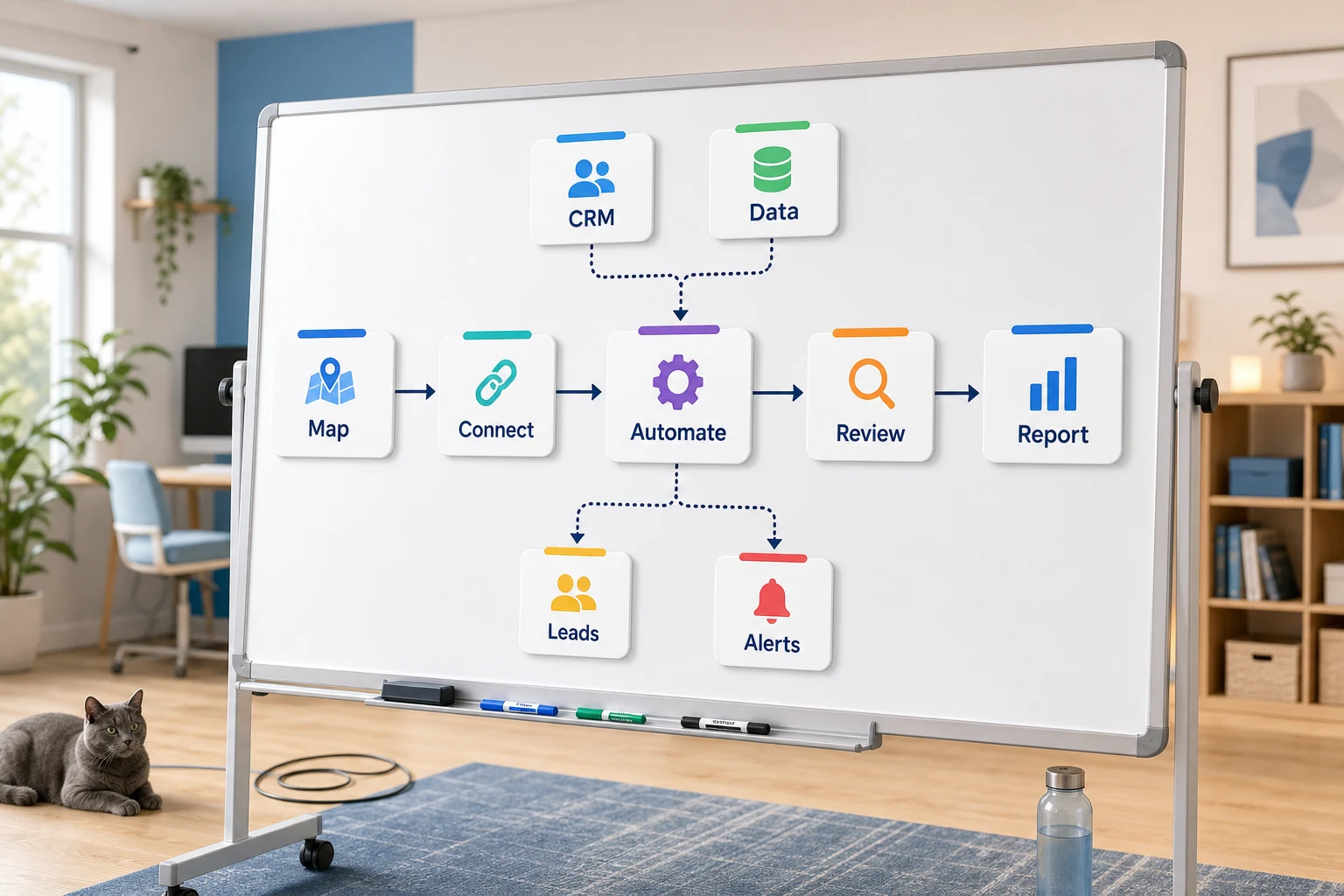
The practical work should stay clear: map the process, connect the tools, handle exceptions, and leave the business with a workflow that can be checked and maintained.
What the First Version Should Contain
A functioning first version includes a clear trigger, a visible outcome, and a way to observe where the workflow has failed. If a workflow is initiated by submitting a form, the team ought to know where the record is, who it belongs to, what notifications are sent, and how exceptions are addressed. When a report is generated from multiple data sources, the report owner is expected to know which data source is at fault rather than receiving a polished, yet incorrect, summary.
This is critical when it involves artificial intelligence. Artificial intelligence can summarize, classify, extract, and draft. However, the workflow surrounding it remains untestable. Inputs still require exemplars. Outputs still require review. Logs still require evidence. If the model is unsure it should ask for help rather than making a guess.
The first version should also introduce a limited number of branches. Although it is tempting to automate all the edge cases on a first version, it usually results in a very brittle system. Instead, the first version should cover the most common path and include a human review. From there it should be expanded based on the exceptions that are most frequently occuring in the workflow.
What can go wrong
Going the route of automation can be tedious. Your own CRM can change. A spreadsheet can get renamed. Vendors can mess up invoicing. An AI program can also mess up your account history. But those all warrant automation checks.
There are many ways to check automation. The automation can be built to tell you which step automation failed. As checks get built into automation, the program should pause if data is insufficient rather than using guesswork. If an automation fails, messages can be made drafts until they are approved.
The difference between the demo and the real system is the system's ability to automate under failures and the demo's inability to do anything when everything goes right.
When to ask for help
To some degree, basic automation can be enough if the process is not overly complicated, the tools connect without issue, and the automation can be easily maintained. Custom automation is warranted if you are utilizing AI, if the automation is going to cross over sensitive, private data, and if the automation is going to touch multiple business functions like sales and support.
Cyberlife Development can map the workflow, build the first version, and leave the team with a process they can actually maintain, even for the messy, time-consuming automation. A good starting point for that is not a long technical brief, but rather a short description of workflow.