
Automated Reporting: Examples, Tools, and Dashboard Workflows
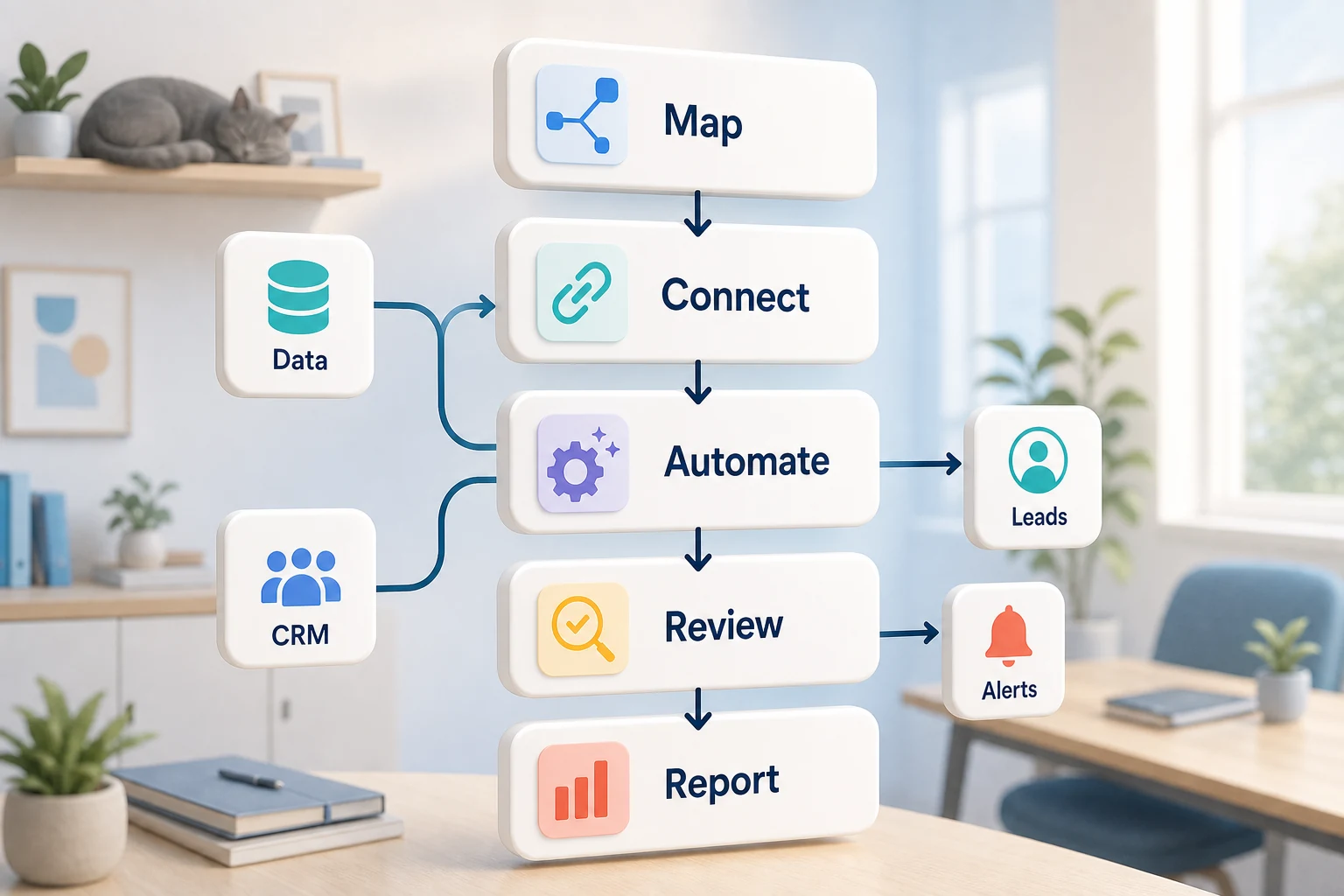
Automated Reporting: Tools, Examples, and Workflows for Creating Dashboards
When it comes to automated reporting and creating dashboards, this isn't just a software-related question. What should be considered for a smaller company is which repetitive workflow will be streamlined, simplified, and made less reliant on someone to remember all of the steps.
You will find a practical approach in this guide regarding automated reporting software. This will explain what kind of problems it will need to solve, where automation typically fails, and how to pick between simple software tools, custom workflows powered by AI, or a managed implementation.
A Real Business Context
The most outstanding examples of automation opportunities are typically dull, repetitive, and simple to confirm. These usually sit between emails, spreadsheets, notes in a CRM, invoices, support mailboxes, web forms, tasks related to research, and reporting routines.
uploading forms to a CRM with a designated owner and next steps
transitioning weekly spreadsheet tasks to a dashboard or report that auto emails
classifying support requests that filter out obvious edge cases for manual review
synthesizing public or private research into a brief rather than a disorganized document
integrating OpenAI, Claude, Gemini, OpenRouter, n8n, Google, Slack, Telegram, or a VPS hosted workflow where it is needed for the business
Common queries in this field
The useful terms that show up in search queries include:
automated reporting
finance reporting automation
it ops analytics
Tool-oriented vs workflow-oriented model
The Tool-first model is focused on forcing a workflow into a platform, whereas the Workflow-first model begins with a review of the process: who gives the input, what is considered a trustworthy data, what needs to be verified by a person, and what justifies the output.
With Cyberlife projects, this typically involves describing the existing workflow, determining the non-risk sections that can be automated, and constructing a minimum version that can be extended later, in order to bypass the frequent issue of an appealing automation that generates more maintenance problems than saves.
Prerequisites for Implementation
Examples of the current input: forms, emails, spreadsheets, files, CRM records, or chat messages.
The desired output: report, task, CRM update, notification, a document, or a dashboard.
Rules for exceptions and human review.
Access to the tools that need to be connected.
An example success check could be implemented on time saved, fewer missed follow-ups, or reduced time spent on reporting.
When Custom Setups Make the Most Sense
When processes are simple and teams can easily manage the processes, off-the-shelf tools are sufficient. However, when work flows span multiple systems, require the use of AI interpretation, involve the processing of private data, or are expected to run with the help of a monitored server, a custom setup is the most appropriate choice.
If this is relevant to the operational workflow that you're trying to enhance, please have a look at the automated reporting and dashboards (/automated-reporting-dashboards/) to see what it looks like when it is implemented.
What is the Problem this Page is Addressing?
Most of the time, teams don’t show up each day to work to build a new platform. What they want is for some specific part of their week to stop being as easily breakable as it is today. Someone has to copy lead details from an email into a CRM. Someone has to export the same numbers, again, every Friday. Someone has to check if a document is saved in the right folder. These are very small and easy to ignore tasks, until they dictate the speed of the business.
That is the context in which finance reporting automation is useful. It is not useful to ask if automation is the current cool thing. It is useful to ask where is the current process breaking, who has to do the process clean up, and what would this process look like if these repetitive steps were done in the same way, each and every time.
It is better to start with a narrow version in case of a small business. Choose one workflow. Determine the trigger. Identify the trusted data. Choose points where a person needs to verify the output. Then create the narrowest version, and integrate additional systems only as needed.
Best Way to Start
First, set out a verbal workflow. A formalized diagram is not necessary to answer some uncomfortable questions. You need to consider what starts a workflow, what data is used, which application maintains the complete record, who is the stakeholder, what is the definition of done, and what actions need to be taken if something is out of the ordinary.
Most of the automation noise comes from loading vague requests in a system to automate a vague workflow. If the team is unable to answer what the workflow handoff is, the system won't be a guiding hand. In contrast, the system should support and speed up the workflow once the team has clarified what needs to be done.
Try documenting all the steps. Identify any steps that were added by a legacy tool. It could be a good time to trim some of the extraneous steps. Then, identify what's really critical and confirm that process with the users. Then apply automation to other simple, easily verifiable, and repeated tasks.
Common workflows connected to this topic
While each business has a different approach, there are a few common patterns. For example, a web form can build a record in a CRM system, designating an owner, sending the first response, and building a follow-up task. A submitted support request can be categorized, matched with an account, drafted for case information, and sent to the proper team member. A report can be generated with a request to supply a brief overview of the results prior to Monday's meeting.
Document workflows are also a common starting place. Contracts, intake forms, invoices, PDFs, and information captured in a spreadsheet contain structured data in an unorganized and disarrayed manner. Automation can be applied to rename a file, extract a field, update a record, and mark it for a review.
Lastly, research workflows can also be applied. Rather than an employee compiling notes from a variety of sources such as a website, chat, inbox, or a spreadsheet, a system can be used to collect the data, format, and compile a first draft for someone to review before the final version is published.
What should stay human
The automation projects that are the most successful are the most realistic about what should not be automated. Pricing, judgement calls with customers, medical/legal call notes, or ill-defined complaints all require a human to review the automation. While this may seem like a weakness of the automation, it is actually a strength.
A workflow that is designed correctly will be able to gather all the information, recommend the next step, and prompt the user to approve it. This is definitely a timesaver, and also solves the problem of how to prevent the system from taking an action that the business is not able to justify.
For many Cyberlife projects, the optimal approach is "automate the prep, keep the approval." The system is capable of collecting context, drafting messages, and updating records. It can also identify and explain exceptions. It's up to the individual to determine when the situation requires a judgment call.
Tool selection with respect, not worship
Tools are important, but they must fit a workflow. Some projects can be designed using basic connectors. Others can be integrated through n8n, Make, Zapier, Google Workspace, your CRM, a private database, or a small custom API. Some are in need of OpenAI, Claude, Gemini, or another model for classification, extraction, summarization, or drafting. Some require a VPS, Docker, backups, monitoring, and logs due to the necessity of an impenetrable, highly reliable workflow.
Choosing the wrong tool is often the result of starting a project with a platform demo rather than identifying the actual business problem. A tool can be flashy, but be an awful fit for the workflow. A a simple setup that is clear and understandable for the team is preferable to a complex system that no one touches.
When assessing the automation of finance reporting, a better checklist is can the workflow be tested, can the errors be surfaced, can the handoff be understood by an average person, and can the business change the workflow and the rules without starting from ground zero.
What to get ready before you develop
Get a few real, but not perfect, examples before you develop. Sample data is often too neat. Instead, use the sent email that sorely needs a subject line, the form that was only partially filled out, the spreadsheet row that has unresolvable formatting issues, the invoice with the unfamiliar name, and the ticket that is the source of excessive communication.
Next, state what the output should be. This can be a CRM update, a dashboard, a task, a notification, a file that is renamed, a response that is drafted, a report, or human review queue. The output needs to be clear so that the team can determine whether it worked.
Listing the exception rules early is also helpful. What needs to stop the workflow? What needs to be routed to a user? What data is sensitive? What needs to be recorded? What should be avoided sending automatically?
How to assess whether it worked
Typical metrics are typically the best metrics. Was the lead contacted sooner? Did the report reach its destination without any manual work? Were fewer support requests found in the incorrect inbox? Did the owner have insight on what was updated without the need to reach for five different tools? Did the team spend less time writing the same thing over and over and more time on supporting decisions?
The first automation doesn't always need a detailed return on investment calculation. For a small business, time and effort savings are usually sufficient to justify the first automation. The most important thing is the first automation that is measured even if only poorly, is the old way.
A good first automation simplifies a task that needs to be done on a daily or weekly basis. If no one can see the difference, then the project was probably too abstract.
That is why the final draft has to include the key terms, while describing the work involved in the different activities such as exception handling, process mapping, tool connectors, and delivering a business automation workflow for the business that is auditable.
What the First Version Should Include
The first version should be as clear as possible, with a defined trigger, a visible outcome and a clear way to detect failure. If the trigger is a completed form, the team should clearly understand what happens to the record, who it is assigned to, what notification is sent, and what the exception handling process looks like. If the workflow is started by a report generated from a collection of different data sources, the owner should know exactly what failed instead of receiving a well crafted erroneous report.
This is critically important in scenarios that involve AI. AI is capable of summarizing, drafting, classifying, and extracting information, but the workflow as a whole should be verifiable and testable. For AI, the inputs should be clear, the outputs should be reviewed, and the logs should clearly explain what happened. The system should ask for clarification instead of faking confidence in the case of uncertain output from the model.
Limit the number of automation branches when launching the first version. It is vulnerable to a brittle build when a developer automates every edge case. Focus on the main path of workflows, implement a manual review path, and begin automation in other areas after the business identifies where the exceptions are.
Automation Risks
Automation has a boring risk of failure. This includes missing a CRM owner, a spreadsheet tab renamed, a field name change, an invoice with a changed vendor format, and an automated answer a model drafts that is based on the account history and is not confident. These are the reasons to use automation, but do not implement automation without Verification.
In a good automation model it is expected that the behavior falls back. Fulfilling the request would be prevented if a step is missing. It would stop the process from being filled with unverified assumptions. Sensitive automation would be a customer message that is a draft.
This is frequently the case when showing a demo versus what is required to run a functioning system. The demo shows the ideal case and the functioning system knows how to deal with an unorganized start to a week.
When You Should Get Assistance
When processes are simple, clear, and a team member is willing to maintain, simple automations that integrate directly are useful. Otherwise, you will need to get more advanced help if you are dealing with private data, automation across multiple systems, or AI that will be in use in your company’s operational processes.
Cyberlife Development can diagram the workflow and create the initial version, virtually handing the team a step they can maintain. The ideal first step is not a time consuming tech document. It is a short account of the current workflow that is a time sink and what should occur in its place.
From reporting examples to live dashboards
Automated reporting examples are easier to apply when you know which data sources, KPIs, and review schedule matter. Cyberlife can connect analytics, CRM, spreadsheets, and finance data into recurring reports; see our reporting automation services.