
CRM vs Marketing Automation
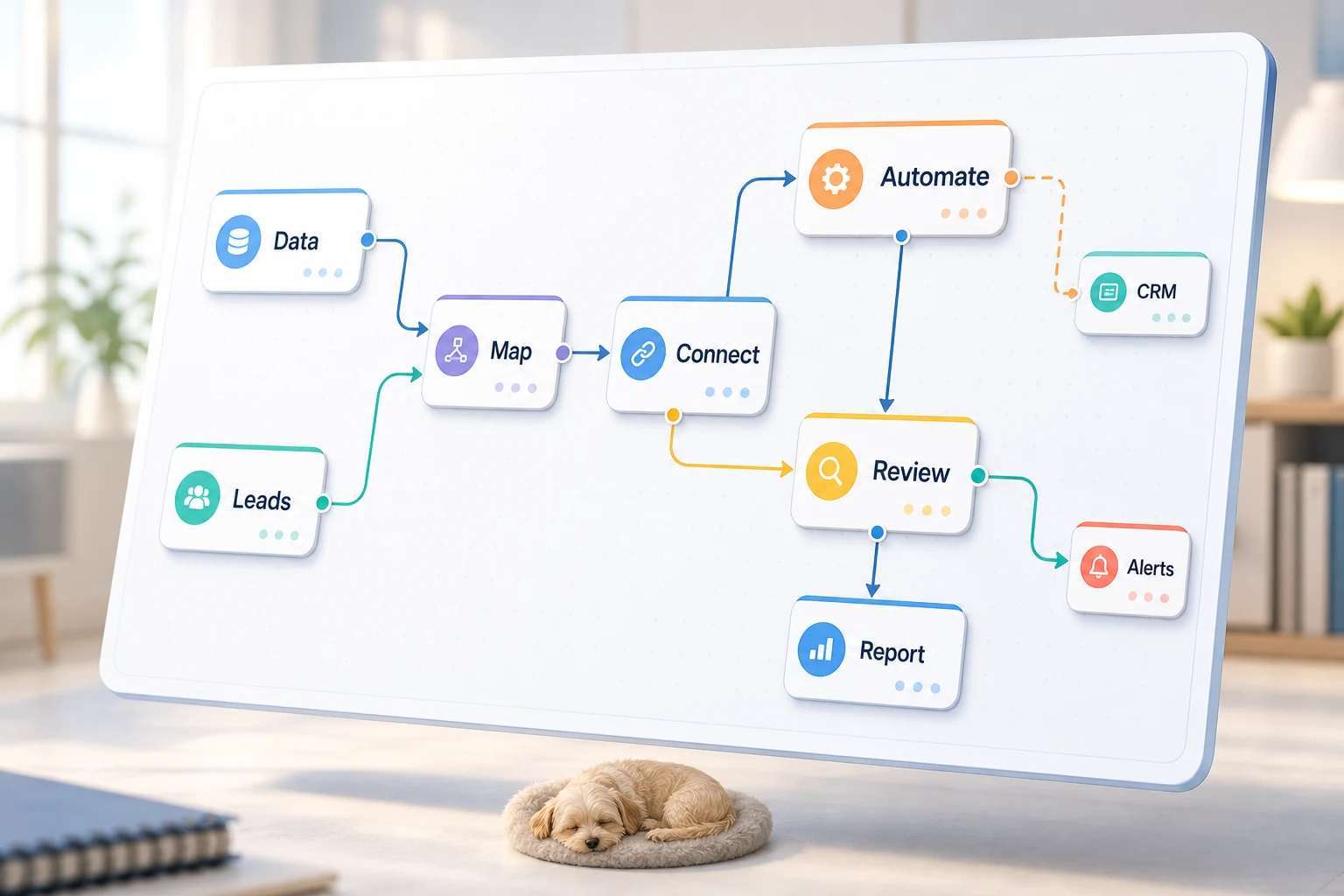
FUNCTIONALITY OF CRM IN COMPARISON WITH MARKETING AUTOMATION
CRM with Marketing Automation is less of a software question and more about what recurring workflow for a small business should be streamlined, automated, and less reliant on clockwork memory.
This guide looks at the practical side of what problems could be solved with CRM versus Marketing Automation, pitfalls of using automation, and how to make a call on simplicity of the tools available to AI under your own management to a fully managed AI automation.
Functionality in the real world
The best practiced forms of automation are tedious and boring, but are often the easiest to identify and the most rewarding. They tend to be located between email, Google Sheets, CRM notes, invoices, support inboxes, web forms, research tasks and reports.
submitting forms a CRM with a designated owner and next step transforming weekly Excel tasks into a dashboard or report routing support requests with the remaining cases needing human review extracting info for a brief from public/internal research Integrating OpenAI, Claude, Gemini, OpenRouter, n8n, tea, Google Workspace, Slack, Telegram, or a VPS based on business needs Top related searches crm vs marketing automation Tool vs workflow decisions
A tool-based approach quite literally starts with the platform and works backwards from there. A workflow approach starts with the handoff: the input, the trusted data, the review, and the output.
For Cyberlife’s projects, this means documenting the existing workflow, determining what pieces of the workflow can be automated, and verticalizing the scope of automation. This helps avoid what is known as “shiny automation” — code that creates more work than it helps save.
Prerequisites for automation
The input, be it forms, chat messages, worksheets, or CRM records
The desired output be it tasks, documents, or reports
Guidelines for review and exceptions
The tools that need to be integrated
A brief measure of success may be a reduction in time or missed follow-ups, and/or quicker reporting.
When a custom setup is appropriate
When a process is pretty basic and your team can handle keeping it, off-the-shelf tools are generally fine. However, a custom setup is warranted when the workflow spans multiple systems, requires AI interpretation, involves private data, or must be executed consistently on a server with monitoring and backups.
If this is related to an operational workflow you are looking to improve, check out our marketing and social media automation (/marketing-social-media-automation/) page for an example of implementation.
What this page is really describing
Most people, understandably, do not want a new platform. They want a specific task during the week to become less fragile. Someone copies lead details from an email into a CRM. Someone exports the same numbers every Friday. Someone checks whether a document is in a specific folder. These tasks are small enough that they could be ignored, but they end up determining the speed and responsiveness of the business.
This is the context with regard to crm and marketing automation. A relevant question is not whether a specific automation tool is modern. A more relevant question is where the current process fails, who is doing the cleanup, and what do the tool vendors claim is the automation of the repetitive process?
Small businesses should keep their initial automation projects narrow. Single-out one workflow. Specify the trigger. Assess which data is worth automation. Identify points in the process where the results will need to be reviewed. Implement the minimal and simplest version of the process, and refrain from adding any further complexity.
Starting point of the work
The first step is the desired automation workflow in plain language. Focus on drafting an automation workflow that addresses the following: Define the automation workflow trigger. Specify all the data inputs. Identify the record ownership. List all the stakeholders in the process and specify the completion criteria. Describe all the exceptions and what should be done for each case.
Clarity is key in developing an effective automation system. If the workflow is confused, the automation will be too. A tool will only streamline existing confusion if the team cannot agree on the automation handoffs.
The optimal approach is first to go slow, then to go fast. Describe all the current workflow automation steps. Eliminate all the steps that were added due to the automation tool. Finally, automate all the steps that are simple, repeated, and time consuming.
Common workflows connected to this topic
It varies business to business, but predictable patterns emerge. A form submission can generate a record and owner assignment in a CRM, send an initial email, and create a follow-up task. A support request can be assigned a category, matched with customer account information, and automatically create a response for reviewer and assignee. A weekly report can summarize data pulled from a variety of tools in a report emailed in advance of the Monday meeting.
Document workflows are a good example of automation. Invoices, intake forms, PDFs, contracts, and rows in a spreadsheet all contain some structured information, albeit in an unorganized way. Automation can reformat this, extract data values, rename files, update values in a record, and create an unsolved case for review.
Research workflows fit this topic well too. Rather than assigning the task of manually gathering notes from webpages, spreadsheets, emails and chat messages to multiple people, a workflow can organize the notes and generate an initial draft report for a person to review.
What should stay human
The most successful automation projects speak to what should never be automated. Pricing decisions, complex questions and responses from a customer, judgements and decisions in the area of law and medicine, and vague documents almost always require a human to review. However, this does not mean automation in these cases is ineffective; in fact, it can be very effective.
An ideal workflow can automate the gathering of information, present the information, and approve the next steps. This still saves time and prevents the most common failure of automation: creating a request for information or a a workflow to make a decision for the business that cannot be justified.
For many Cyberlife projects, the design principle is "automate the prep, keep the approval." The system can gather the needed context, draft messages, make record updates, and present exceptions. The person decides when the system needs to make a judgment call.
Respect the Tool, Don't Worship the Tool
While the tools are important, the workflow comes first. Some projects require only simple connectors. Others require n8n, Make, Zapier, Google Workspace, a CRM, a private database, or a small custom API. Some require OpenAI, Claude, Gemini, or other models for classification, extraction, summarization, and drafting. Some require dedicated infrastructure to ensure that the workflow runs without interruption: a VPS, Docker containers, backups, monitoring tools, and logs.
The most common problem in tool selection is that the project begins with a platform demo rather than a consideration of the business problem. A tool can look very powerful and be completely wrong for the workflow. A simple, boring system that the team can understand is much better than a complex system that no one will use.
When comparing a CRM to a marketing automation tool, the better checklist is can the workflow be tested, can the errors be identified, can a non-technical owner understand the workflow and where the business can change the rules and not have to reimplement the solution from scratch.
What to Prepare Before Building
Before starting, have a few real, as-is (vs. perfect) samples. And don’t just use the tidy sample data. Use the messy email, the half completed form, the row in the spreadsheet with no context, the invoice from an unknown vendor, or a support ticket that has a lot of back and forth.
Describe what you need and what expected outputs look like; Is it a CRM update, a dashboard, a task, a notification, a renamed document, a draft response, a report, or a que for human review? What looks like success? Be clear and concise.
Be up front with exception rules. What breaks the workflow? When do you handle something yourself? What do you consider private? What do you want to record? What do you want to avoid sending?
Metrics
The best examples are boring. Did the lead get a response sooner? Did the report arrive with no clean-up? Did the support requests stop going to the wrong inbox? Did the owner find no changes in five other tools? Did the team spend less time copying and more time thinking?
Not every automation needs a complex ROI model. For a small business, time saved and mistakes avoided are often enough to justify the first project. The important part is to measure the old workflow before replacing it, even if the measurement is rough.
A useful first automation should make one daily or weekly task visibly easier. If nobody can tell the difference, the project was probably too abstract.
SEO and search terms for this topic
This is why the final version must explain the steps of the project, which include mapping the processes, integrating the correct tools, managing exceptions, and ensuring the business is left with a workflow that is verifiable. However, the final version of the document must include key terms.
What the first version must include
An initial draft must include prompts, visible outcomes, and identifiable failures. When a workflow is initiated by a form submission, the team needs to know where the record is, who is the owner, what notifications are sent, and how are exceptions processed. Surrounding reports that are compiled from various data points should be given the failing data point to the owner, as opposed to receiving a summary report of an erroneous answer.
This becomes more critical with the integration of AI technology. AI's capabilities include summarizing, classifying, extracting, and drafting, and can still benefit from a workflow that is testable. The final product should include clear use cases for inputs, processes for reviewing outputs, and documented workflows. If a model is integrat… uncertain, the system should explicitly ask for help instead of continuing to operate under false pretenses.
The first version should include a minimal number of branches. It is common for a team to try to automate every possible edge case initially, however, the result is often a workflow that is extremely brittle. The recommended order of implementation would be to streamline the most common workflow, implement a human review step, and then further develop the workflow based on the exceptions that the business needs to automate.
What could go wrong
Automation has a unique way of failing. A label gets renamed. A tab in an Excel file gets renamed. Invoice formats change. A Model confidently drafts an answer contrary to the historical context of the account. Each of these issues is a failure of automation. None of these issues justify the avoidance of automation. These are reasons to build checks around automation.
When good automation is designed, the automation has a fallback mechanism. If a step in the process fails, the workflow is designed to notify someone and provide context as to why the failure occurred. If a step in the process is designed to carry out a data entry, and that data is not complete, the process will pause rather than making an assumption to fill in the missing data. If a step in the process is designed to communicate a message to a customer, and that message is sensitive in nature, the process will go to the next step to provide the message to the person responsible to give the final authorization.
That is the difference between a working automated system and a demo. A demo shows all the successful steps of the automation in the process. A working automated system shows what occurs when the system fails and is designed to handle failure.
When to reach out for assistance
An internal automation is acceptable when the process is straightforward and the tools required for the automation are integrated and someone on the internal team will be able to support the automation. When the automation crosses multiple systems, or the automation incldes a process which requires the automation to be designed with AI and machine learning to be accomplished and the automation will potentially impact the sales, customer support, finance, or operations of the company, then it is justified to reach out for assistance.
Cyberlife Development is able to map the process, build the first version, and leave the internal team with a working automated system that the team is able to support and maintain. The order of importance is not the lengthy technical description about the automation, but rather the brief description of the time wasting process as of the current state and the desired outcome of the process.