
Marketing Automation Best Practices
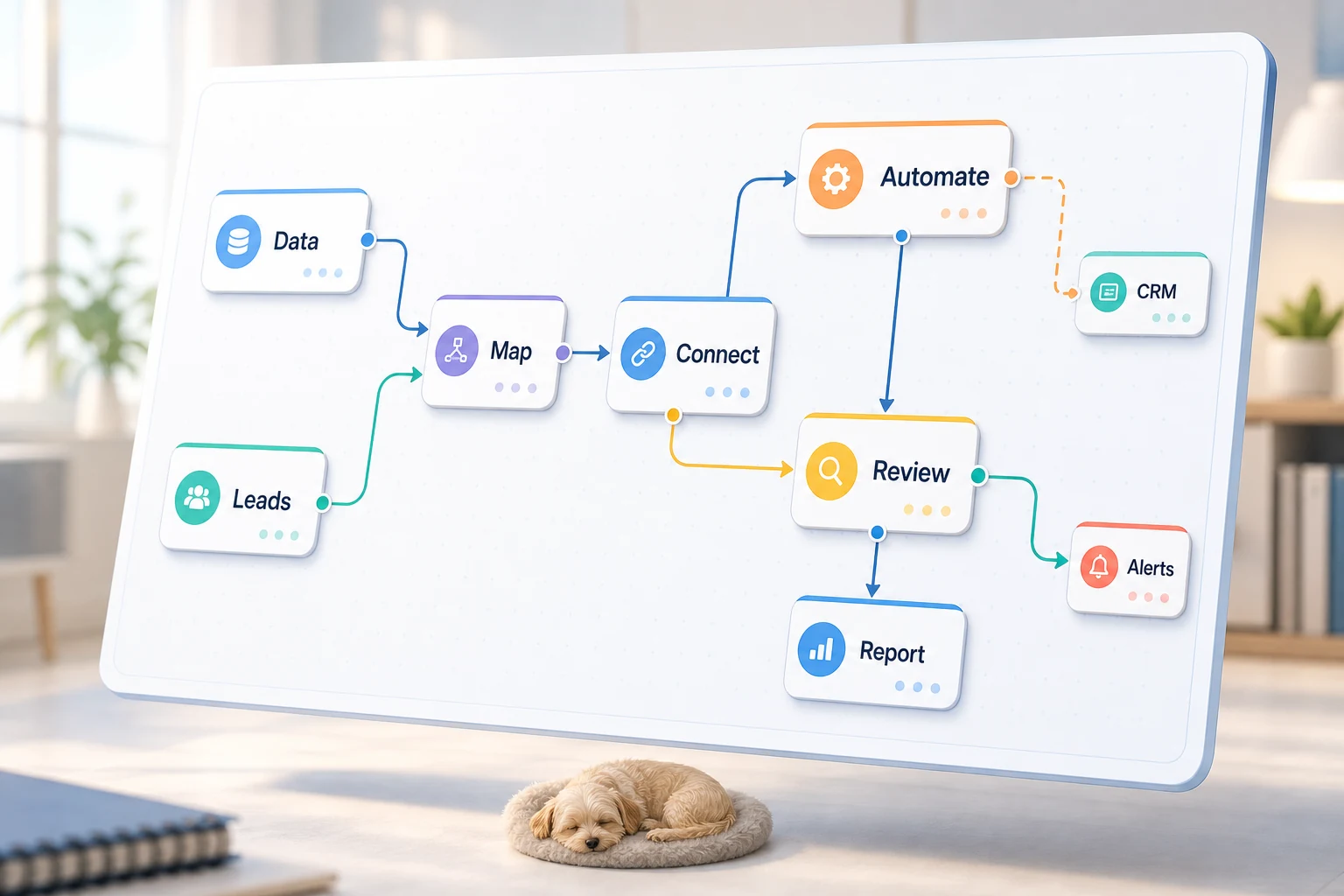
The best marketing automation is more than just a software suite. For smaller companies, the right question is which repetitive, recurring workflows should be made quicker, easier, and less reliant on personnel.
This guide will help you understand marketing automation best practices in a productive way. We cover the problems that automation can help you solve, common automation pitfalls, and a choice between simple productivity tools, AI workflows, and custom implementations.
Practical Application
The best automation opportunities are typically dull and repetitive. These workflows are easiest to verify, and are commonly found weaving through emails, spreadsheets, CRMs, invoices, support requests, forms, research tasks, and report writing.
directing form submissions to a CRM along with a designated owner and next step
automating the generation of reports and dashboards to replace the current weekly spreadsheet updates
automating response to support requests with an initial triage prior to review of edge cases
converting research to briefings and avoiding the pursuit of a polished final format
building a business case for integrating OpenAI, Claude, Gemini, OpenRouter, n8n, Google Workspace, Slack, Telegram, and a VPS with your other business operations
Common search terms in this topic
The closest search terms for this topic usually contain the following:
marketing automation best practices Tool-first vs. workflow-first
In a tool-first approach the workflow is designed around a specific tool. By contrast, a workflow-first approach begins with the process step: identifying whose input is to be trusted, what needs to be reviewed by a person, and what output justifies the process.
For your Cyberlife projects, this typically means documenting the process as is, determining what can be safely automated, and creating an initial version of the automation to be built upon later. This mitigates the automation feature that results in the greatest amount of manual intervention.
What to prepare before implementation
You will need:
current examples of manual input: forms, emails, spreadsheets, files, CRM records, or chat messages.
the intended output, which may consist of a report, task, CRM update, notification, document, or dashboard.
guidelines stating what exceptions there are to the rule and what should be reviewed by a person.
the integration tools.
A brief success audit showing time saved, fewer follow-up misses, or more efficient reports.
When Custom Solutions Are Appropriate
Standard tools suffice when the process is straightforward and the team can manage it. A custom solution is more appropriate when workflows span multiple systems, require AI-based reasoning, involve sensitive data, or need to run with absolute reliability on a server with supervision and backups.
If this relates to the operational workflow you aim to enhance, check out our marketing and social media automation (/marketing-social-media-automation/) section for implementation details.
What This Page Is About
Most teams do not get out of bed wishing for a new platform. They are wishing for a small segment of their week to not be so brittle. Someone is copying the details of a lead from an email to a CRM. Someone is exporting the same metrics every Friday. Someone is checking to see if a document was saved in the correct folder. These tasks are small and easy to overlook. However, they eventually determine the speed at which a business can respond to opportunities.
This is the context in which marketing automation best practices are placed. The important thing to consider is not whether a process is modern, but where a process breaks, who the impacted stakeholders are, and what the process looks like when the repetitive steps are removed, and the rest of the process is made safe and secure.
Typically, for narrow first iterations in small businesses, steps in the process should be selected one at a time. Choose the relevant workflow. Define the trigger. Select the data that can be trusted. Decide where a person needs to verify the outcome. Then, create the minimum viable product.
Where Workflow Automation Projects Usually Begin
The first pass should be a workflow map in plain English. The map doesn’t need to be perfect, but it needs to address the following questions: what initiates the process, what data is imported, what data is kept in the system, who is notified, what is done when the process is complete, what is done when something looks out of the ordinary, and what is the wrong output.
This is the point at which automation efforts start to provide value, or begin to clutter the process. If the workflow is not clear, automation will not be clear. If the team does not agree on process execution, the software will just provide a faster version of the workflow.
The goal is to provide a process that is slow to begin with, but will become progressively faster. Document the process and eliminate steps that were added only because of a restrictive system. Retain human review where human judgment is needed. Automate the steps that are repeatable and tedious.
Common Patterns in This Area
Patterns remain, even if the exact configuration varies by business. For example, a web form might create a record in the CRM, assign it to someone, send the first response, and create a follow-up task. A support request can be categorized, matched against information on the account, drafted, and routed to the reviewer. A weekly report can extract data from asynchronous tools and email a brief summary before the Monday meeting.
Automation is common in Document workflows. Invoices, intake forms, PDFs, contracts, and even rows in a spreadsheet can hold structured data that is unorganized. RPA can be configured to automate the relocation of fields and records, rename documents, and update records while also flagging uncertain cases.
Research workflows can also be automated. Rather than manually collecting notes from various websites, spreadsheets, emails, or chat messages, this type of automation can be designed to collect the notes, organize them, and even write the first draft on the notes.
When to Avoid Automation
Keeping certain processes manual is often the best way to go when deciding where to automate, and it is clear something should not be automated. Sensitive pricing requests, particularly where legal or medical issues are concerned or even overly vague complaints and documents that are not clear, will all require a human to step in and make a judgment call. Automation is therefore more focused.
A good workflow can prepare the information, recommend the next step, and ask for approval. That still saves time. It also avoids a common failure: letting a system make a decision the business cannot explain later.
For the design of many Cyberlife projects, it is best to "automate the prep, keep the approval." The platform is able to collect context and draft messages, update records, and present exceptions. The operator ultimately has control over when to apply critical thinking.
Tool choices without tool worship
Proper tool choice is critical, but it should come after establishing the workflow. Some projects require the use of simple connectors, while others require n8n, Make, Zapier, Google Workspace, CRM integrations, personal databases, or APIs. Some require the use of OpenAI, Claude, or Gemini, as well as other tools to perform classification, data extraction, summarization, or even drafting. Some may require the use of a VPS, Docker, backups, monitoring, or logs to ensure a reliable workflow.
The poor choice of tools is the consequence of starting a project with a platform demo instead of a business problem. A tool can look good in a demo but still be out of place for a particular workflow. A simple solution, which is boring to look at, is usually better than a complex solution that the team is unable to use.
When analyzing best practices in marketing automation, the important checklist is a workflow that is testable, visible errors, handoff process understood by a non-technical person, and the ability to change rules without the need to start from the beginning.
What to prepare before building
Before the start of the implementation process, ensure the collection of several actual examples. Avoid the use of perfect sample data. Use real life messy emails, half-filled forms, confusing spreadsheet rows, invoices with strange vendor names, and unprofessional or even rude support tickets.
Define what the automation outcome would be. It may be a CRM update, a dashboard, a task, a notification, a renamed file, a draft reply, a report, or a human review queue. It should be precise enough that the team can determine if it has actually accomplished the outcome.
Also early on, it’s good to describe the framework of exception rules. What should interrupt the workflow? What should be diverted to a human? What data is sensitive? What should be logged? What should be discretionary and never routed automatically?
How to evaluate if it was successful
The best metrics are the most basic. Was the lead contacted more quickly? Was the report cleaned up before it was submitted? Were fewer support requests in the wrong mailbox? Did the overseer understand what was different without having to open five different systems? Did the team spend less time on taking and more time on doing?
Not every automation needs a complex ROI model. For a small business, time saved and mistakes avoided are often enough to justify the project. The most essential part is to measure the productivity of the old way of working before implementing the automation, even if the measure of the old productivity is not very precise.
A good initial automation should make one task, that is done every day or every week, noticeably easier. If a task is not been noticeably easier, the project was probably too vague.
SEO and search terms for this topic
Different phrasing may be used for this topic, including best practices in marketing automation. The phrasing this may be how people would search, but the text needs to read as if it were written for a business owner and not for the purpose of achieving SEO keywords.
Thus, keeping the key terms in the final version while outlining the main steps of the project is important. These include: mapping the process, connecting the tools, managing exceptions, and finally leaving the business with a manageable workflow that allows for auditing and control.
What the first version should have
The first version should be functional. It should have an obvious trigger, a visible output, and some way to identify that the process has failed. For example, if the workflow is initiated by the submission of a form, the team should know where the form is, who it has been assigned to, what alert is sent, and how the errors in the workflow are handled. If a report is compiled from several (and possibly disparate) data sources, the report summary should not simply provide the failed data sources. Rather, the failed data sources should be included in an error report to the data sources, which should provide a polished and accurate summary of the report.
This is particularly true for AI. The surrounding workflow of AI should not be taken for granted. Examples should be provided for the input. The output should be reviewed. The workflow should be transparent and should clearly describe what it has done. If the AI is unsure, it should be transparent and say so, rather than guessing what to do.
The first version should be simple and have very few branches. It is very tempting to automate every possible scenario. This is not good practice and will result in a very brittle workflow. A better approach is to implement the mode that the business is actively using, establish a workflow review, and implement the rest of edge cases as needed.
What can go wrong
Automation is unreliable in many mundane ways. The name of a field gets altered. There's no owner of a CRM. A tab in a spreadsheet gets a new name. An invoice gets a new format because a vendor changes it. A model generates an answer that is confident when in reality does not justify the account's history. These examples should not cause adversarial feelings towards automation, but should cause concluding that automation should be built with checks.
Well intentioned automation design should include plans for fallback behavior. Workflows should aim to get a message to someone who can fix the error if a step fails. Instead of making inferences about missing data and filling in gaps, the workflow should be designed to halt. If a message to a customer contains sensitive information, the message should be a draft pending review.
Often this is the only distinguishing factor between a working business automation system and a demo. The demo only shows the happy path. The automation design should include fallbacks.
When to ask for help.
When a process is clear and the tools integrate easily, a simple automation is fine, especially when someone on the team is able to maintain the system. If the workflow is likely to cross a number of systems, involve private data, AI interpretation or touch on sales or customer support (or even finance or operations) automation help is recommended.
Cyberlife Development can map the workflow, build the first version, and leave the team with a process they can actually maintain. The best starting point is not a long technical brief. It is a short description of the workflow that wastes time now and what should happen instead.