
How to Set Up Marketing Automation
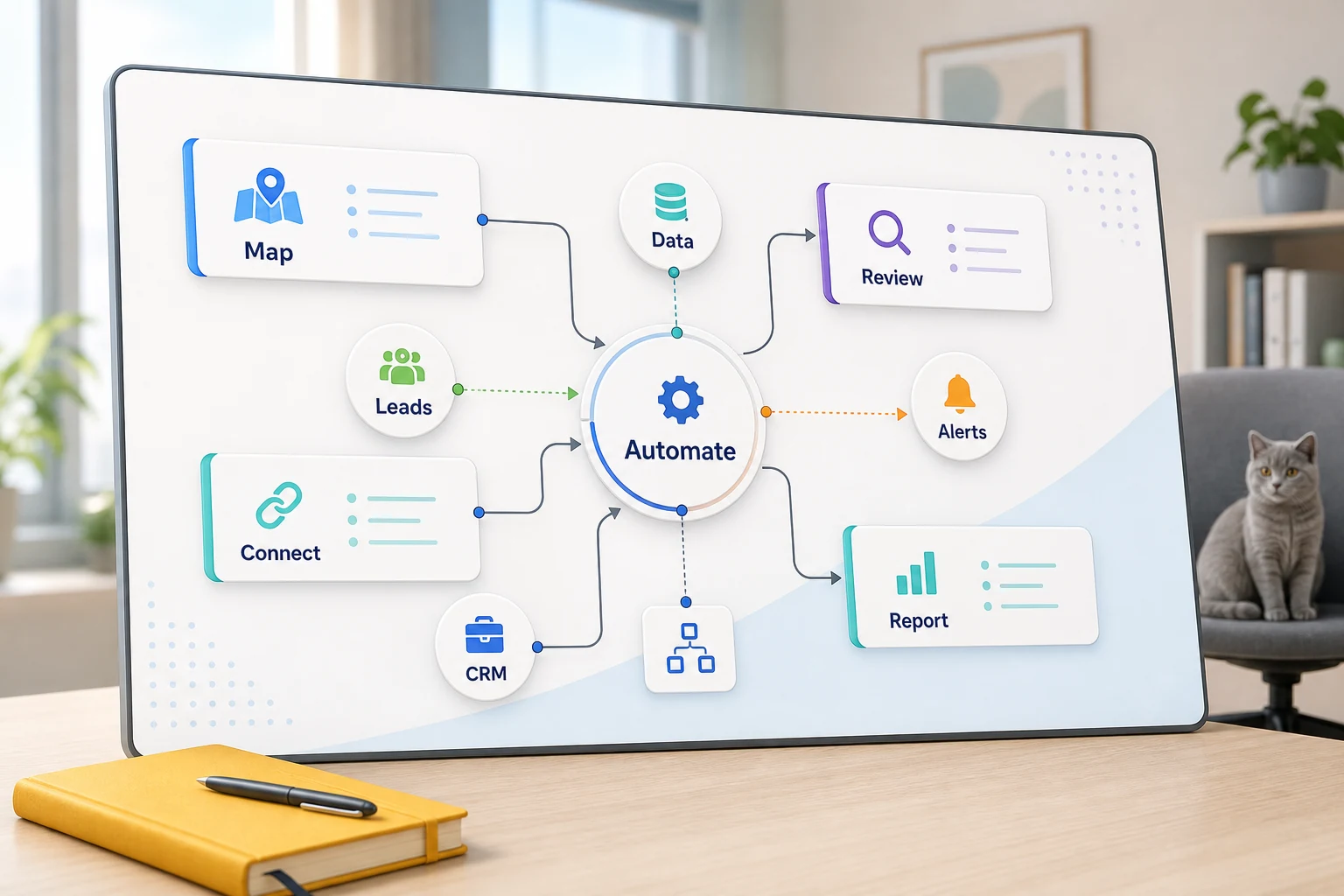
Setting Up Marketing Automation
Building automation systems is about more than learning the software. For small businesses, the focus must first be on what redundant tasks should be optimized and automated to reduce reliance on one employee remembering each task.
You will find that most actionable automation opportunities are solved by identifying what limitations the automation will not solve. When you understand the shortcomings and risks of the system, the next step is assessing the automation tools available on the market and making an informed choice based on the options.
Applying Automation in the Real World
For the most part, the opportunities for implementation will, of course, be repetitive and simple to identify. They will typically include the integration of email, email, spreadsheets, and forms, with client management notes and support tasks.
routing forms into a CRM with the owner and next steps predetermined
automating the dashboard or email reports to replace the weekly spreadsheet tasks
sorting the support requests to handle the majority with little human intervention for the outliers
extracting the research to create a succinct brief rather than a messy brief
placing OpenAI, Claude, Gemini, OpenRouter, n8n, Google Workspace, Slack, Telegram, or a VPS for a custom workflow where it justifies the expense to the company
Common search terms in this topic marketing automation setup Tool-first vs workflow-first decisions
A Tool-first approach begins with a specific platform, and then tries to fit the workflow to the tool. A Workflow-first approach begins with the handoff – who the work comes from, what data is trustworthy, what needs to be reviewed, what is the outcome of the work, and what proves the work is done to satisfaction.
In Cyberlife projects, this means understanding the current workflow, pinpointing the steps that can be automated with confidence, creating an initial draft of the larger automation, and then expanding further. This addresses the typical scenario of a high-profile automation that leads to greater cleanup than it saves.
What to prepare before implementation
Current examples of inputs (forms, emails, spreadsheets, files, blocks in the CRM, chat messages, etc.)
What the ideal output should be (reports, tasks, CRM updates, alerts, docs or dashboards)
Guidelines for exceptions and human reviews
The tools that need to be integrated and the access
A quick success evaluation, like the time saved, a reduction in missed follow-ups, or an acceleration in reporting.
When a custom configuration is warranted
When a process is simple enough that a team can manage it, off-the-shelf tools are sufficient. A custom configuration is warranted when the workflow spans multiple systems, requires AI, involves private data, or must operate consistently on a server with monitoring and backups.
If this topic relates to an operational workflow you would like to enhance, please refer to our marketing and social media automation (/marketing-social-media-automation/) page for the implementation aspects.
The actual problem this page addresses
Most teams don't wish for a brand-new platform. They wish the business didn't have to deal with the fragility they experience for one part of the week. Someone copies lead details from an email to a CRM. Someone exports the same data every Friday. Someone verifies if a document is in the correct folder. These are all minute enough to overlook, eventually determining the speed a company can operate with.
This is the actual context for the setup of marketing automation. The right question is not whether modern automation should be adopted. The right question is where the existing process severed, who was in charge of clearing the process, and, if revised, the process would be more secure and less fragmented, with the automated steps performed the same way on each occasion.
For small businesses, the initial iteration should typically be focused. Select a single workflow. Identify the trigger. Determine which data is trustworthy. Identify a location for manual review. Finally, create the first viable version before incorporating additional systems.
Work Starting Point
The first workflow can be built in plain language. Diagrams don’t have to be perfect. This should help answer awkward questions: What is the trigger? What data is included? What application owns the data? Who is responsible for follow up? What is the definition of done? What is the process when something is out of the ordinary?
Most, if not all, automation projects will become useless to some extent at this stage. If the workflow is ambiguous, the automation will also be ambiguous. If there is no clear agreement on a handoff, the system will only accelerate the lack of clarity.
The ideal approach is slower and more deliberate at the beginning and quicker later. Document existing workflows. Identify and remove redundant steps. Incorporate human review for subjective decisions. Automate repetitive and dull tasks that are also easy to validate.
Common Workflows Related to This Topic
Although the answer varies by business, we can still find similar patterns. For instance, a form can create a CRM record, assign an owner, send their first reply, and create a task to follow up. Requests for support can be categorized, matched to account information, and a review draft can be made and assigned to the appropriate person. A weekly report can aggregate data from multiple tools and create and send a summary report in advance of the Monday morning meeting.
Document-based workflows are a common place to start for many organizations. Invoices, intake forms, PDFs, contracts, and even rows in spreadsheets and databases contain structured information encapsulated in a many-time a messy datatypes. Automation can be employed to extract fields, rename files, update records, and flag review cases.
This area can also be applied to a workflows concerning research order, which can have its own automation. This can be better than having someone else collect and research data and integrate it from disparate sources including websites, spreadsheets, inboxes, and even chat threads and can produce not only the required research but also a first draft of the research to be checked before incorporating it.
What Should Stay Human
The most assured and risk-free projects for automation are those that are completely honest and forthright about where and what should remain human. Things like sensitive customer-facing responses that require a discretion, legal and medical decisions, and strange complaints and unclear docs generally require a human touch.
Great automation with a good workflow can help collate all information with a suggested next action and even save the user time and effort by integrating an approval mechanism to a draft.
“Automate the prep, keep the approval” is the mantra for many Cyberlife projects. Our system contextualizes, drafts, documents, and explains the exception. It is then up to the user to determine when judgment is warranted.
Tool Choices, Not Tool Worship
When structuring a system, the workflow must always come before the tools. Some projects may only require basic connections. Others may require a more complex system that integrates n8n, Make, Zapier, any Google Workspace applications, CRM, private databases, or custom APIs. Incorporating AI may also be necessary. In some cases, you may need a VPS, Docker, a backup system, monitoring, and logs because a workflow needs to run without oversight.
The wrong choice is usually made when projects start with a shiny platform demo instead of a business problem. An impressive tool may still be wrong for the workflow. A boring system that the team can understand is usually better than a user-unfriendly system.
When dealing with marketing automation, ask yourself whether the workflow can be executed and errors viewed, and whether a user-unfamiliar-with-technology is able to understand the workflow and whether the business can change policies without rebuilding the entire system.
What to Prepare Before Building
Before you implement a system, gather several real, actual-use-case scenarios. Avoid using fictional sample data. This may include the messy email, the half-filled form, the confusing spreadsheet row, the invoice with the strange vendor name, the support ticket that creates a back-and-forth, etc.
Define the output. What is it that you want as a result of the automation? The result could be a CRM update, a notification, a report, a dashboard, a task, a reply, a drafted reply, a renamed file, a queue for human review, or a system for human review. The output should be as specific as possible, so the team knows if the automation was effective.
It is also useful to establish the exception rules. What should halt the workflow? What data should be routed to a person? What data should not be made public? What data should be kept for record? What data should not be sent without human supervision?
How to measure success
Common sense is key with metrics. Did the lead's response time improve? Did the report finally arrive without the need for cleanup? Are support requests still being sent to the wrong inbox? Did the owner have to open five different tools to figure out what changed? Did the team spend all their time completing menial tasks, or did they finally start making decisions?
For small businesses in particular, the first project is often justified by time saved and mistakes avoided, even if the the return on investment (ROI) isn't as high. Before an automation project, take a best guess at the metrics that represent the old system.
First automations should target workflows that are time-consuming and visible to the organization. If people aren't noticing the automation, then the project was too vague.
SEO and search terms for this topic
The page should make the practical work clear: mapping the process, connecting the tools, handling exceptions, and leaving the business with a workflow that can be checked and maintained.
What the first version should include
The first version should specify a clear trigger and a measurable outcome with visible means of detecting failure. If workflow is initiated by a form submission, the team should know where the record will be placed, who the record will be assigned to, what notification will be sent, and how exceptions will be managed. With a workflow initiated by a report summarizing the output of several data sources, the owner should know which data source was responsible for the failure instead of receiving an error-free but incorrect summary.
With AI especially, this remains true. AI does many things and does them quickly and efficiently. However, lacking a workflow around this, we still need exemplars. We need to scrutinize the outputs. We need to see why things failed. If a model is uncertain, it should request help rather than working in production.
An initial release should avoid as many branches as possible. Even though there is a temptation to cover all edge cases, fragile builds often result. The most common path should be automated, a queue for case reviews should be implemented, and branching should be done in response to exceptions.
Expected issues
Automation breaks in uninteresting ways and things like a changed CRM field, a missing CRM owner, a renamed spreadsheet tab, a changed vendor invoice, or an AI model not fetching answers based on account history. Lack of a reason to automate is poor design because it, in fact, gives a reason to automate.
An Automation system should be designed with this in mind. If one step in the process is not completed, the next step should not be taken and should notify a person of the process. If contact is made with the customer, and there is a sensitive issue, a draft should be made.
There is a huge difference between a system for a business that actually works and a full working course. The first is an automation that works most of the time. In a real working system, things should be done to fix the issue, especially on Monday mornings.
Times to contact others to fill a gap
For simple internal automation, feel free to automate because the process is clear and the tools are easy to connect. However, the gaps in automation should be filled by an external provider to support areas that cross multiple systems, especially if the AI is used, and affects internal processes like sales, customer support, finance or operations.
Cyberlife Development can chart the workflow, create the initial version, and provide the team with a process they are able to sustain. The ideal first step is not a lengthy technical document. It is a concise description of the workflow that is inefficient and the alternative that should be implemented.