
How to Use AI Agents
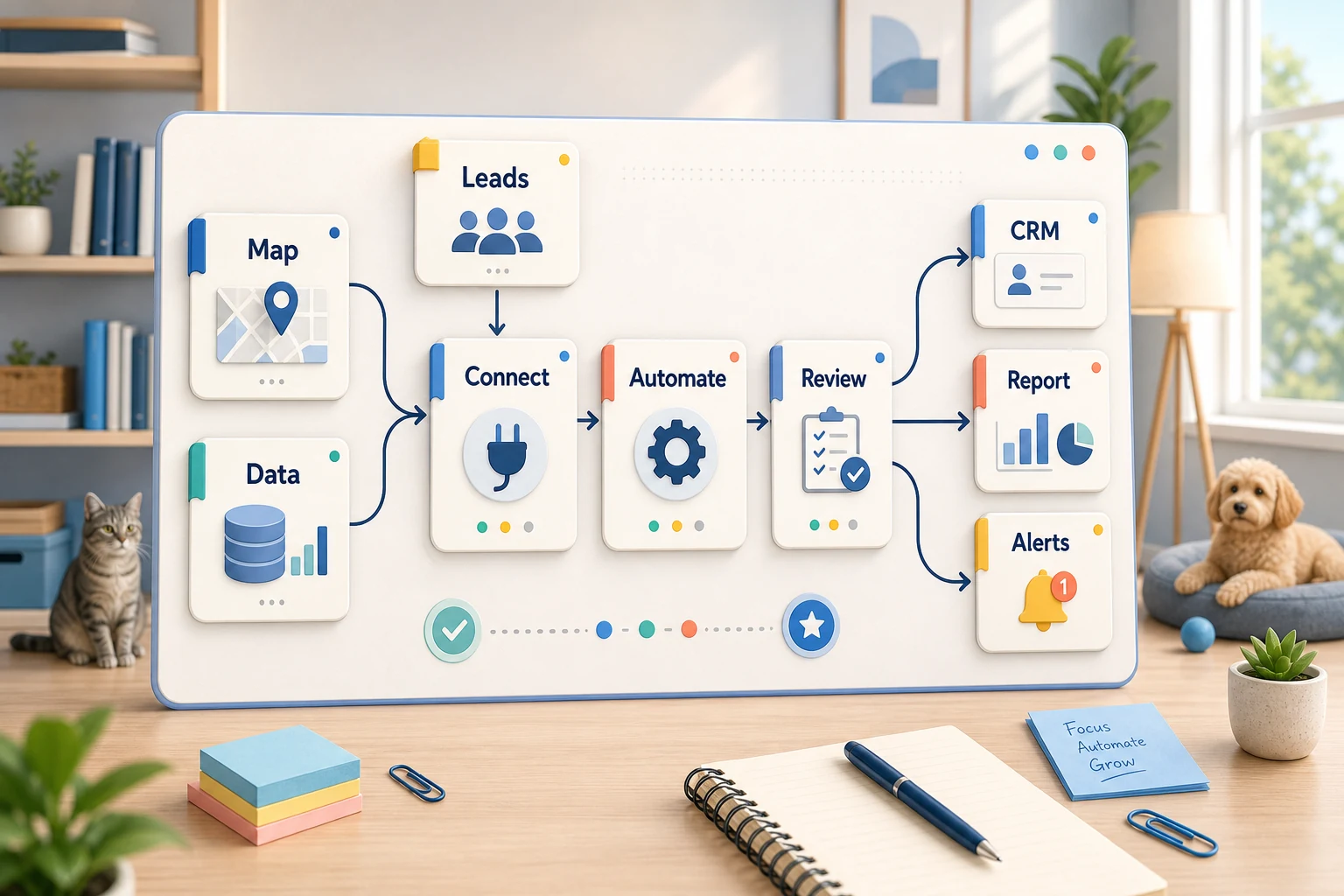
Knowing how to use AI agents isn't just limited to how to use the software. For a small business, it means knowing which workflows you need to complete manually that you want to be able to check easily and that you want to be able to quickly automate, without relying on your employees to remember the steps.
This guide will try to help you understand AI agents by explaining what problems they can solve, the challenges of automation, and where you can strike the right balance between simple tools, complex AI workflows, and managed solutions.
A boring step-by-step process
The boring and repetitive tasks that need to be checked easily are the most likely to be automated. They will probably be tasks you do that involve email, spreadsheets, your CRM, invoices, your help desk, forms, research tasks, and your reporting tasks.
setting clear ownership and next steps in a CRM for submissions sent forms
creating automated dashboards or email reporting to eliminate weekly manual spreadsheets
presetting workflows for support requests before edge cases are handled manually
transforming messy briefs to a structured format to eliminate the digested internal and external research
integrating any of the following: OpenAI, Claude, Gemini, OpenRouter, n8n, Google Workspace, Slack, Telegram, or a VPS-hosted workflow
Common Search Terms for This Topic using AI agents Tool-first / Workflow-first Decisions
A tool-first decision is when the workflow is forced into a platform. A workflow-first decision is understanding the handoff (who, what data is to be trusted, what is to be reviewed and what output is required) before selecting a platform.
For Cyberlife projects, this is documenting the existing process, identifying which parts can be automated, and then creating an initial version of the automation to allow for a broader system to be built. This is important for avoiding a common issue associated with automation: a system that is more complex to operate than the manual process it is meant to replace.
What to Have in Place Before Starting
Current form of input (email, spreadsheet, form, CRM, message)
Desired form of output (CRM, task, dashboard, notification, document, report)
Conditionals for human review and exceptions
Access to the tools you need to integrate
A brief success audit, such as decreased follow-up lapses, shorter reports, or time savings.
Custom setups are appropriate for
When a process is simple, and the team will manage it, off-the-shelf tools are sufficient. If a workflow needs AI to interpret, crosses a few systems, needs to handle sensitive data, or needs to run on a server with monitoring and backups, a custom setup is more appropriate.
If you see a connection between this subject and an operational workflow you want to optimize, take a look at the AI agent development services (/ai-agent-development-services/) on the site for the development aspect.
What this page is really about
Most teams do not wake up asking for a new platform. They want a specific part of the week to stop being so fragile. Someone copies the lead details from an email to a CRM. Someone exports the same data every Friday. Someone checks to see if a document was saved in the correct folder. These little tasks are small enough to be ignored until they determine how quickly the business can respond.
Using AI agents is about this context. The important question is not whether the process will be modernized. The important question is where the process will be cleaned up, who has to perform the cleanup, and what will the process look like if the repetitive tasks are performed in the same manner each time.
For a small business, the first version should usually be narrow. Pick one workflow. Define the trigger. Decide the data you can trust and the points where a person should review the outcome. Finally, create the simplest working version and avoid complex integrations.
Where the work usually starts
The best first draft is a workflow in plain language. It doe snot have to be a perfect diagram. It should answer the uncomfortable questions that start the process, the format of the arriving info, the system that owns the record, the recipient of a notification, the final outcome, and the appropriate behavior of the system in case of an anomaly.
This is where most automation projects either become helpful or become pure noise. When the process is blurred, automation is blurred. When a team is unable to determine a handoff, the software is going to be used to automate the confusion.
Instead of rushing to automate, take an extra minute to think. Write down the steps. Then take the steps that were included just to accommodate a legacy system. Leave the review steps in place where you think that human judgment is important. Lastly, automate the repetitive, slow, and easy-to-verify steps.
Common Workflows Interconnected with this Topic
The procedures might vary between organizations, but they stay similar. With one example, a website form can create, assign, message, and schedule a CRM record, first reply, and follow-up task. Another example is the categorization and routing of a support request based on a draft that is matched with the account information. A missing weekly report may also collate and summarize required information from different tools before the meeting.
Another area that is very common is the automation of document workflows. Whether it is invoices, intake forms, PDFs, contracts, or even a row in a spreadsheet, they usually contain structured information, but in messy formats. Automation can help in extracting fields, renaming files, updating records, and flagging cases that are uncertain for a review.
Similarly automation of research workflows can be addressed. Instead of having someone gather dismembered notes from websites, chat threads, and even e-mails, a workflow can gather these instructions, create a structured document and a first draft to be used.
What Should Stay Human
The safest automation is also the most honest. It shows what needs the most oversight. Pricing decisions, sensitive client replies, legal responses, and medical decisions are all clear example of things that can not be left to machines. This doesn't mean that automation is bad. In fact it is very good.
A well designed workflow can do all of these. It can gather the necessary information, suggest next steps to be taken, all while a business decision is made by a human.
For a number of Cyberlife projects, they have found the optimal configuration is to "automate the preparation, and keep the approval." The system does have the ability to collect the appropriate context, draft the message, make the necessary updates to the record and identify the exception. The user is still in control of when a call needs to be made.
Tool Selection Versus Tool Worship
Tools are an important part of the process, however, they should come out of the process. Some projects may only require small connectors. Other projects may be using n8n, Make, Zapier, Google Workspace, an integrated CRM, a private database or a small custom API. Further projects may rely on OpenAI, Claude, Gemini, or another model to provide an interface for Classifiers, Extractors, Summarizers, or Drafting. Projects can require a Virtual Private Server, Docker, Backups, Monitoring, and Logs to ensure that the process is running in an unattended state.
The most common instance of the wrong tool being selected, is when a project is started with a demonstration of a platform, rather than starting with a consideration of the actual business problem. The most visually interesting tool may be the most inappropriate. Often, the most sufficient option is to configure a boring process that is the simplest to understand for the team, rather than an elaborate process that is the least inviting to work with.
From a list of criteria to determine how to best utilize ai agents, the most relevant considerations are, is the workflow something that can be iterated, is there an ability to identify when something has gone wrong, is the handoff something that can be understood by a non-technical user and does the process allow the business to modify its objectives and rules without having to totally reinvent the process.
What to Have Ready Before You Start
Prior to the implementation, is it best to have a number of genuine, but still imperfect examples. Do not provide a fake example that is fictitiously perfect. Use the unrefined but genuine email, the incomplete form, the row of a spreadsheet that is not self-evident, the invoice that is suspicious, or the support ticket that is the cause of the ongoing communication.
Then, determine the expected outcome. Depending on the context, the outcome could be an update to a CRM record, a completed task with a notification, a renamed file, a draft response, a report, or a review queue. If possible, state the expected outcome in a way that your team can confirm it has been achieved.
It is also a good idea to describe exception rules at this point. What would be the reasons to halt the workflow? What should be routed to a user? What is considered private? What should be logged? What should be avoided to send automatically?
Evaluating Effectiveness
Metrics do not need to be overly complicated. Did the lead receive a response in a timely manner? Was the report received without manual edits? Did fewer support requests end up in the wrong? Did the owner know what changes were made without launching five different tools? Did your team spend less time on redundant tasks and more time to plan?
Not all automation needs a complex return-of-investment prediction model. For a small business, the first model is likely to be justified on the time saved and mistakes avoided. The most important point is to evaluate the old model before transitioning to a new automation, even if that evaluation is rough.
A good first target for an automation is to remove a task that is done every day or every week. If your team cannot tell the difference, it is likely that your first target was not the right fit.
SEO and Keywords
The page should make the practical work clear: mapping the process, connecting the tools, handling exceptions, and leaving the business with a workflow that can be checked and maintained.
What the first version should include
An effective first version should provide a clear trigger, a clear result, and a clear indication of what failure looks like. If a workflow is initiated by a form submission, the team needs to know where the record is created, who is the record owner, what notification is triggered, and what the exception handling is. If a report is generated from multiple data sources, the report owner should be notified of the failure of a data source and not presented with a wrong report.
This is even more critical with the use of AI. AI has the ability to summarize, classify, extract, and draft, but all of the workflow that supports AI should still be testable. The inputs should be examples, the outputs should be reviewed, and the logs should be clear. If the model is uncertain, the system should ask for help, not just make up a response.
The first version should also include less branching. It is tempting to try to automate every exception. That usually ends in a weak workflow. Focus on the common path, build a human review step, and then extend the automation once the real exceptions are more clear.
Risks and pitfalls
We typically encounter boring issues with automation. This includes a renamed spreadsheet tab, a field name that was altered, a missing CRM owner, a new invoice format from a vendor, or a model that drafts an answer that is confident but doesn’t match account history. We should not avoid automation due to these, but rather implement checks.
Design that involves automation structures should include fallback behavior. One part of the automation process should alert an individual to troubleshoot the issue. The automation process should pause instead of providing incomplete data. In the event a message requires customer service, the automation system should first draft the message and submit it for an approval process.
Customers give feedback on the fully operational structure of the system. The demonstrations typically only provide feedback based on the happy path of the process. Design structures based on the incomplete, messy days instead of the ideal Mondays.
When to seek assistance
An individual, internal automation system is appropriate given a clear set of instructions, a modified tool, and if a team member is able to maintain the automation system. If a automation system is more complex with private data, the use of artificial intelligence, or impacts large parts of the organization, we should seek help.
Cyberlife Development can create the first version of the automation system and walk the team through a structure they can work with. The best first step is not a long technical document or the first version of the system, but a short description of the workflow that is wasting time.