
What Is a Telegram Bot?
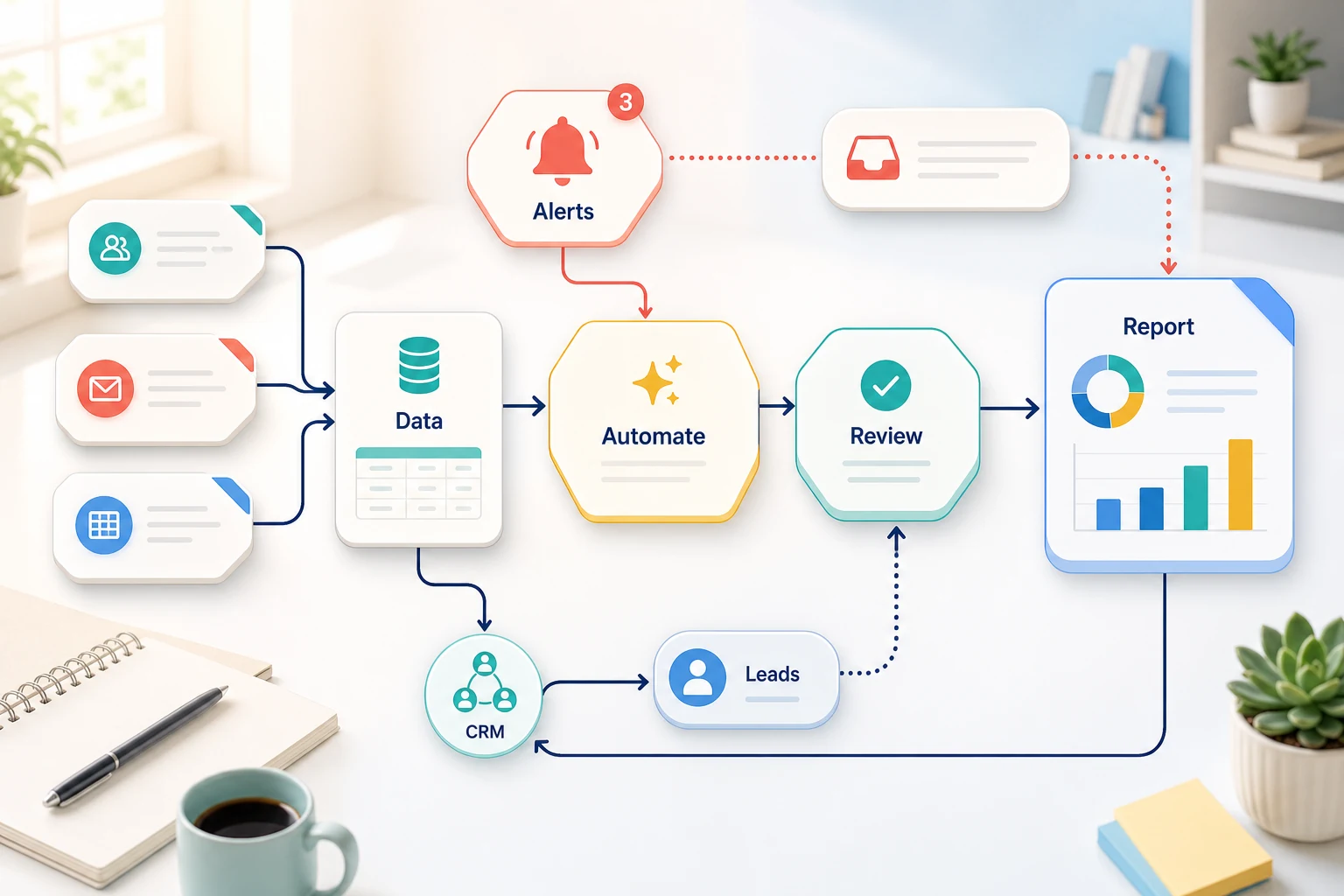
Understanding Telegram Bots
What is a telegram bot? is more than just a question about software. For a small business, the more important question is what repetitive task could we automate to make a workflow faster, more reliable, and less dependent on memory.
This guide aims to help small businesses better understand telegram bots by analyzing what problems they can help solve, where automation tends to be less effective, and how to select the best tools for the job considering simple mechanisms to custom AI solutions and managed implementations.
Identifying Automation Opportunities at a Business
Repetitive tasks that are overall boring and that can be easily verified are the best candidates for automation. Generally, these tasks do not exist in isolation and sit in-between emails, spreadsheets, updates, and notes in the CRM, invoicing and payments, support requests and responses, website and landing page forms, research tasks, and reporting tasks.
sending form submissions to CRM software with an assigned owner or next action step.
automating a dashboard or email report to replace time-consuming weekly spreadsheet tasks.
sorting support requests for automated initial responses, leaving the edge cases for manual review.
consolidating public or internal research into a cohesive brief rather than a disorganized document.
integrating OpenAI, Claude, Gemini, OpenRouter, n8n, Google Workspace, Slack, Telegram, or a VPS-hosted workflow wherever possible.
Common keywords
The keywords people use when inquiring about this topic tend to be less formal. The search terms include:
What is a telegram bot Tool vs workflow
A tool-first approach dictates the workflow. A workflow-first approach documents the handover and considers the sender of the input, the trust level of the data, the criteria for human review, and the output that justifies the work.
In Cyberlife projects, this typically entails documenting the existing work cycle, locating the components that can be automated with minimal risk, and implementing a proof-of-concept which can be scaled later. The most prominent risk with this approach is an automation that generates more work than it saves.
What is needed for initial setup
Various instances of the current input (forms, emails, spreadsheets, files, CRM records, or chat messages).
Examples of the anticipated output (a report, a task, an update to the CRM, an alert, a document, or a dashboard).
Guidelines for review, exceptions, and the point of human intervention.
The tools that need to be integrated and how to access them.
An example of success could include metrics like time saved, fewer missed follow-ups, or more timely reports.
Situations Where A Custom Setup Is Justified.
If the process is simple, and the team is able to manage and maintain the tool, then an off-the-shelf solution could address whatever need you have. If you have a process that spans across multiple systems, needs AI to interpret data, manages sensitive information, and needs to operate in a server space with monitoring and backups, then a custom solution is justifiable.
If this topic is relevant to an operational workflow you are looking to improve, then you can look at our AI automation services (/ai-automation/) page to get this implemented.
What this page is really addressing
A new platform really isn't what most teams desire. They want a specific part of the work week to become tolerable. A person copying lead details from an email to a CRM. A person exporting the same numbers on a consistent basis, say every Friday. A person checking to see if a particular document is in the folder in which it is supposed to be. These tasks are small, and are typically ignored. They become the deciding factors on how fast the business can respond.
How do you use a Telegram bot? This is an age-old question, and whatever task you are looking to automate, this question is applicable. The real question is, where does the current process cause problems? Who is responsible for manually fixing said process? If each of the non-value adding, repetitive tasks were automated, what would the process look like?
For small businesses, it is rational to keep your initial iterations narrow. This typically includes just one workflow. This requires defining a trigger, determining trusted data, deciding where a manual review is required, and constructing the first working iteration of the process. Only after this can other systems be integrated.
Where Automation Work Usually Starts
Drawing the initial workflow in plain language often suffices. Perfect diagrams are typically unnecessary. What is necessary is it has answers to questions regarding the first step in a process, the data required for completeness, the responsible tool, notifications, fulfillment criteria, and errors.
This is where many automation projects are rendered useful and no longer noise. Workflows that lack purpose create automations that lack purpose. If a team cannot agree on handoffs, tools just automate confusion.
The better approach is starting slow and progressing rapidly. Document current steps, remove steps required only because a tool was outdated (and forced a step), and integrate automation for steps that are repetitive. Also, integrate automation for steps that are easy to validate. Always retain manual review for steps that require a judgment call.
Common workflows connected to this topic
While each company may be different, the same workflows tend to appear. For example, a lead on a form submission could create a new record within your CRM, assign ownership, email a first contact, and set a follow-up task. A support request could also be categorized and matched with a record to draft, and be routed to the appropriate user. A weekly report could aggregate a sample of disparate systems and send a report summary in advance of the Monday morning meeting.
Document workflows are another common entry point. Invoices, intake forms, PDFs, contracts, forms, and even spreadsheet lines contain structured information that have defaulted to an unstructured state. Software could automate the routine to extract, rename, and edit a record, and notify the user for a case that is in an uncertain state.
Research workflows could also be automated. A workflow can be tasked with organizing the notes prep for someone to draft the first draft. The draft can be created and posted for review.
What should stay human
The best workflow automation reminds us of the parts that cannot be left to a machine. Things like pricing a judgment call, responding to sensitive customer emotion, working with an unstructured or unclear legal and medical decision or an unclear document, and collaborating with a difficult customer need a human check. This doesn't make automation ineffective—it makes it practical.
The best workflows help make decisions and take actions that need elaboration, but also suggest an action to take next and prepare supporting information. In the decision-making process, the system does not explain the business.
For a lot of Cyberlife projects, the ideal design is "automate the prep, keep the approval." The system is capable of gathering the context, drafting the message, updating the record, and even presenting the exception. The final verdict regarding whether the situation deserves the person’s judgment will still be in the person’s hands.
Tool choices without tool worship
Tools will be important, but they come after the workflow. Some projects only need simple connectors. Others need n8n, Make, Zapier, Google Workspace, a CRM integration, a private database, or a small custom API. Others, still, need OpenAI, Claude, Gemini, or another model of tools like classification, extraction, summarization, or drafting. Others need a VPS, Docker, backups, monitoring, and logs, as the workflow must run without someone overseeing and managing it.
The wrong tool used is due to a project starting with a platform demo instead of starting with a business situation. A tool can be advanced and still wrong for the workflow. An unmanufactured design that the team can comprehend is usually better than a complex designed workflow that nobody wants to interact with.
When assessing what is a telegram bot, a better checklist is simple and goes: Is the workflow testable? Can errors be tracked? Can a nontechnical owner interpret and visualize the handoff? Can the business adapt the rules without partial redesign?
What to prepare before building
Before an implementation, collect several tangible examples. Avoid using perfect sample data. Instead, provide the messy email, half-filled form, confusing spreadsheet row, invoice with an unfamiliar vendor name, or a support ticket. These examples will avoid any back and forth interaction.
Define the required outcome. The outcome could be a survey, CRM update, dashboard, task, notification, renamed file, a draft reply, a report, a human review queue, or other examples. The outcome should be detailed enough that the team can evaluate whether it achieved the desired outcome.
Providing exception rules in the beginning can be helpful. What do you want to stop the workflow? What do you want to assign to a person? What data do you want to keep private? What do you want to keep? What do you want to keep from being sent automatically?
How to Measure Whether It Worked
The best metrics are also the simplest. Was the lead response time shorter? Was the report received without cleaning? Were there fewer misplaced support requests? Did the owner know the changes by only looking at the tools? Did the team have more time for decisions than for copies and less time for reports?
Complex ROI isn’t needed for each automation. For a small business, time and mistake savings can be enough justification for the first automation. The key is to roughly measure the old workflow, even if the measurement is not thorough.
A good example of a first automation is one that streamlines a task that has to be done daily or weekly, enough that it is visible. If you can’t measure the change, the first automation was probably too vague.
This is why the final version must retain the essential terms of the completed version as follows: mapping the process, connecting the tools, dealing with exceptions, and providing the business with a trackable workflow.
What the first version should capture
The first version should clearly define a trigger, show a predictable outcome, and provide a mechanism to capture an undesirable outcome. When a submission of a form is defined as a workflow trigger, the team must know where the record is created, and who the owner is, and must be knowledgeable about the notification that is sent and how exceptions are resolved. When a report is generated from multiple data sources, the owner of the report must know which data source has failed, and not receive a report that is wrong and is inappropriately formatted.
With respect to AI, this is even more critical. The purpose of AI is to summarize, classify, and extract information, and to draft. The workflow must provide a mechanism to capture user inputs, and to review the outputs. A logging mechanism must capture the process as defined. If the AI has reached a conclusion, it must be clear to the user that the AI has reached a conclusion, rather than providing a bogus output.
The first version should be built with limited branching. It is easy to want to deal with all edge exceptions on the first version of the workflow. This creates an extremely fragile first version. It is better to build the first version to deal with the most probable exception workflow, limit branching in the first version, and build a queue that requires manual review. It is best to deal with the edge exceptions after the primary exceptions workflow has been completed.
What Can Go Wrong
Automation can fail in unexpected but boring ways. A field name changes. A CRM owner is missing. A spreadsheet tab gets renamed. A vendor changes an invoice format. A model drafts an answer that confidently describes events that never happened. These examples do not justify avoiding automation. They show us the reason we should build it with checks.
Good automation design includes fallback behavior. A workflow should notify someone with enough context to fix it when a step fails. If a customer-facing message is sensitive, it will become a draft for approval.
That is often the difference between a demo and a working business system. The demo shows the happy path. The real system knows what to do when Monday morning is messy.
When To Ask For Help
Relying on easy internal automation can be reasonable when the process is clear, the tools connect cleanly, and someone on the team can maintain it. Custom help is a better option when a process crosses several systems, uses private data, needs AI to bridge gaps, or touches sales, customer support, finance, or operations.
Cyberlife Development can help the team map the workflow, build the first version, and set up a process they can maintain. The best starting point is not a lengthy technical brief, but a succinct description of the workflow that is wasting time now and what should be happening instead.