
What Is Business Process Automation?
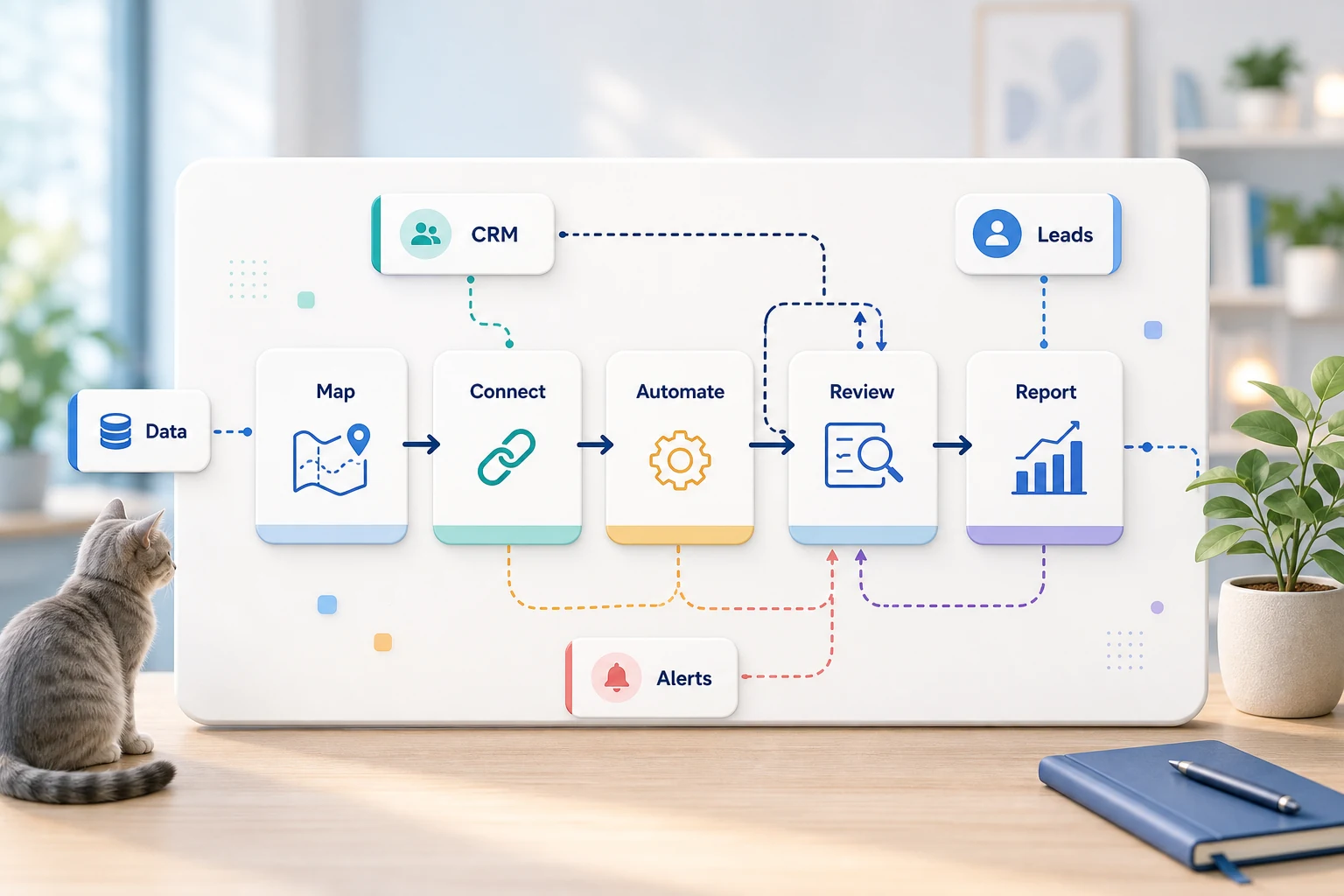
The Concept of Business Process Automation (BPA) Explained
To a small business like yours, what is business process automation? goes beyond software. It means figuring out how to streamline repetitive tasks and workflows to make them easier to track and less reliant on the memory of a single employee.
This guide describes how to think about what is business process automation in practical terms, what it can fix, where automation typically breaks down, and how to consider simple tools, custom AI workflows, or a managed implementation.
What Business Process Automation Means to You
Best automation opportunities are tedious, repetitive tasks that are simple to confirm. Most of them reside between emails, spreadsheets, CRM entries, invoices, support tickets, web forms, research tasks, and report efforts.
assigning ownership and the next step for form submissions routed to the CRM
converting weekly spreadsheet tasks into a process to create a report or dashboard
automating the first response to a support request and addressing edge case issues
assembling public and internal research into a brief and structured document
whereby it makes business sense, integrating OpenAI, Claude, Gemini, OpenRouter, n8n, Google Workspace, Slack, Telegram, or a VPS
Related Searches
People interested in this subject look for information using different terms. This includes:
definition of business process automation Tool-First Versus Workflow-First
A tool-first stance centers around a tool and stretches a workflow to fit. A workflow-first approach defines the handoffs first: who submits the input, the level of trust in the data, the necessity of a human touch, and how work completion should be demonstrated.
For the Cyberlife discussions, that usually involves outlining the workflow, determining the safe automation points, and scaling small prototypes, which helps to solve a common issue of creating a large automation that brings more work to clean up.
What Needs to be in Place Before Going Live
Specific examples as current inputs, like forms, emails, files, spreadsheets, CRM records, or messages.
Specific examples as the intended outputs: reports, tasks, updates, alerts, notifications, structured documents, or dashboards.
Guidelines for when exceptions should be made or when a review should occur.
The applicable integration points.
A quick success check for things like time saved, follow-up misses, or response speed.
When a custom setup makes sense
Off-the-shelf tools will be sufficient for a simple process that a team can maintain. But, if a workflow spans multiple systems and requires AI interpretation, needs to deal with private data, or needs to be reliably run on a server with monitoring and backup, then a custom setup makes sense.
If this is relevant to any operational workflow you want to improve, we encourage you to check our AI automation services (/ai-automation/) for more implementation details.
The issue this page highlights
Most teams do not want a new platform, they just want a specific part of their week to be less fragile. One person copies lead details from an email to a CRM. Another person exports the same numbers for the umpteenth time on a Friday. Yet another person checks if a document saved in the 'Right' folder. Each of these efforts can be ignored when you consider them separately, but they define the speed of a company’s response to a request when you consider them collectively.
This is the real world context in which we discuss business process automation. The most relevant question is not how modern automation is. The most relevant question is how do workflows break, who needs to clean these broken workflows, and how can these parts of a workflow be automated in a way that is less fragile and more responsive?
Small businesses should typically begin the first versions with a narrow focus. Select a single workflow. Identify the trigger. Determine which data can be considered reliable. Identify at which point a person must review the outcome. Create the smallest viable version, and only then add complexity to the existing systems.
Where the work almost always begins
A good first step is a simple, plain-language flow chart. It does not have to be an immaculate flow diagram. It should answer a number of difficult questions. What starts the process? What data is presented? What tool holds the record? Who is notified? What is the completion criteria? What should be done if something is not right?
This is where many automation projects become useful, and where most of them become a distraction. A vague workflow will lead to a vague automation. If the team cannot agree on what the handoff is, then the software will quickly transfer the confusion.
The right way to go about this is to start slower, and then speed up. Write down what the steps are. Remove the steps that are only there because of the constraints of a legacy tool. Maintain the required human judgment calls. Automate the parts that are complete, tedious, repetitive, and that can be easily verified.
Common Workflows Related to This Topic
There is variance depending on the company, but similar patterns can be observed. A single web form can perform several functions in the CRM system. It can create a record, assign a form owner, send the first reply, and generate a follow up task. A single support request can be classified, matched to account information, answered, and assigned to a reviewer. A single weekly report can be generated, compiled, and sent, in advance of the Monday meeting, using data from several tools.
Document workflows are another good example. Invoices, intake forms, PDFs, contracts, and spreadsheet rows are examples of information with a structure that is captured and formatted. Automation can be used to pull fields, change formats, and update data and documents.
This also applies to research workflows. Rather than having someone collect notes that are dispersed in multiple locations such as web pages, spreadsheets, and chat messages, a workflow can collect and structure the notes and produce a draft for the reviewer.
What Should Stay Human
The most automated projects are the ones that stay open about what should not be automated. Things such as pricing, answering sensitive customer inquiries, making legal or medical decisions, answering unusual complaints, or interpreting ambiguous documents all clearly require a human review. This doesn't dilute the value of the automation.
An effective workflow can gather and process the information, provide the next action, and solicit approval. This system also avoids a major pitfall of automation, which is allowing a system to take a business decision that can’t be justified.
For many Cyberlife projects, the optimal design is “automate the prep, keep the approval.” The system is capable of collecting context, drafting a message, updating a record, and presenting the exception. It is left to the user to decide when the situation calls for exception.
Tools Matter but Too Much Focus on Tools Leads to Failure
Your workflow should come first. There are projects where simple connectors can be used, and there are others where n8n, Make, Zapier, some Google Workspace apps, a CRM with a dedicated integration, a private database, or a small custom API can be more useful. Some might even need OpenAI or other similar offerings. Some may need Virtual Private Servers (VPS), Docker, backups, monitoring, and logging.
Where the wrong tool is most likely found, is when a project starts with a demo of a platform rather than solving a business-related problem first. It is true that a tool can be rather impressive, but can also be really wrong for the workflow. It really is true that a straightforward solution that is thoroughly boring and everybody can comprehend is far better than a very complicated system that no one uses.
When trying to understand Process Automation, it is better to ask if the workflow can be observe and tested and if it is clear to a non technical person. Most importantly, can the business alter the rules without losing the initial project.
Things to do Prior to Building
Before actually starting on a build, be sure to collect a few imperfect examples that are true to life. Sample data should not be used. Instead think of the messy or even empty, unfinished form, the cluttered, poorly maintained spreadsheet with strange vendor information, or simple, plain ticket sales and support requests that lead to repeated communication.
Next, specify the expected output, which could be a CRM update, a dashboard, a task, a notification, a file renamed, a draft reply, a report, or queued for a human review. The output should be clear enough for the team to confirm it achieved the goal.
It is also useful to state the exception rules at the start. What should bring the workflow to a stop? What should be handled by a person? What data is sensitive? What should be recorded? What should never be sent by an automated process?
How to evaluate success
The best metrics are simple and straight to the point. Did the lead get an answer faster? Did the report show up without the need to edit it? Did the support requests get misrouted to the wrong inboxes? Did the owner get the update without having to open five different tools? Did the team get to spend more time on deciding and less on copying?
Not every automation has to include a complicated ROI. Especially for a small business, the time and mistakes saved are justification enough for the project. The key is to be able to quantify the workflow before it gets replaced, even if it is not the most accurate method for doing so.
A good first automation goal should be to make the execution of a specific task easier on a daily or weekly basis. If a team doesn’t notice the execution of a task has been automated, it probably has been automated in an overly abstract manner.
SEO and search terms for this subject
People may use different phrases when seeking information on this subject, for instance, what is business process automation. The way people search is important, but the content must be readable for business owners, not for keyword planners.
Therefore, the final version must retain key terms and describe the work done to map the process, integrate tools, manage exceptions, and provide the business with a checkable workflow.
What the first version should contain
The first version should contain a clear trigger, a clear outcome, and a clear way to identify when the outcome has not been reached. If a workflow is initiated through a form submission, the team should document where the record is, who is responsible for it, what notification will be sent, and how exceptions will be managed. If a report is generated from multiple data sources, the report's owner should know which data source failed, rather than receiving a concise yet inaccurate report.
This is especially critical when utilizing AI. AI has the capacity to summarize, classify, extract, and draft, yet the process as a whole should remain testable. Inputs require examples. Outputs necessitate review. Logs should reflect the activity. If the model is hesitant to make a judgment call, the system must not be deceiving.
The first version should also limit the number of branches. While it may be appealing to automate all edge cases from the get-go, it typically results in a fragile solution. It is better to focus on the majority use case, implement a human review queue, and grow from there once the business begins to realize where the majority of exceptions are.
What can go wrong
Failures in automation are dull. A spreadsheet tab name changes. A CRM owner is missing. A field name updates. A model drafts an answer that sounds confident but is not in line with the account history. A vendor changes the format of an invoice. These changes should not discourage automation. Instead, these are reasons to implement automation checks.
Important aspects of automation design should include fallback behavior. If a sequence of steps in the automation fails, the system should stop and notify the users with sufficient context to resolve the failure. Incomplete data should not be entered, and customers should not see messages that have not been approved.
This is one of the main differences between a demo and a system that can actually be used to run a business. Demos focus on the happy path, whereas real systems show that they know how to properly remedy situations that are not in the happy path, like system failures.
When to ask for help
The need for an automated solution that can be used internally is justified when the process becomes clear and the tools connect easily and maintainably. The need for an automated solution should be considered when the workflow involves private data, the use of AI, and when the process touches sales, customer service, finance, or operations.
Cyberlife Development can not only show the team how to map the workflow, but also how to implement a first draft system that they can actually use to maintain the process. The best initial point to start from is not long-winded technical documents, but rather a short description of the problematic workflow and what the team believes should be done to resolve it.