
What Is AI Chatbot?
Defining AI Chatbots
The answer to “What is AI Chatbot?” is not merely a technical description for a small business. It is an inquiry into a certain repetitive workflow. Specifically, it is a way for a business to ask how to eliminate the inefficient bottleneck caused by one or more employees having to remember all the necessary steps for the workflow.
This guide helps answer the question ‘what is AI Chatbot?’ from a practical perspective. It is an analysis of the sorts of problems that AI can help solve, the typical shortcomings of automation, and guidance for deciding where to employ simple tools, customized AI workflows, or managed solutions.
Where This Fits Into a Real Business Context
The greatest potential for automation exists in workflows that are tedious, repetitive, and easy to verify. These workflows typically span a number of silos in a business such as email, spreadsheets, CRM, invoicing, customer support, web forms, and business research.
setting the owner and defining the next step for every form submission routed to a CRM
automating the reporting of the repetitive dashboard from the weekly spreadsheets
automating the first review of support tickets and defining steps to address edge cases manually
consolidating internal/external research into an organized brief instead of an unstructured document
enabling the workflow of OpenAI, Claude, Gemini, OpenRouter, n8n, Google Workspace, Slack, Telegram, or a VPS, based on business requirements
Related Queries
Some of the related terms include:
what is ai chatbot Tool vs workflow
A tool approach uses a specific platform to build a workflow. A workflow approach determines what data needs to be reviewed, input to the process, and what output signifies that the work has been done to a satisfactory degree.
For a Cyberlife project, that approach entails building a small version of a process with the safe to automate portions identified and the existing process documented. This is done to mitigate the issue of an automation that is visually impressive but requires more effort to maintain than the effort that was saved.
What to have ready
The current examples of input: forms, emails, spreadsheets, files, records, chat messages, and workplace communications.
The final desired output: a report, task, an update in the CRM, a notification, a document, or a dashboard.
Guidelines to define the exceptions for manual review.
The required tools.
An example of a success case could be time saved, fewer missed follow-ups or reporting done in a timely manner.
When custom is needed
Sometimes, the only tools you need to solve a problem are the ones available to everyone. If a process is simple, and the team can manage it, then a custom setup is not necessary. Systems integration, AI interpretation, a workflow requiring custom integration, or a setup that needs to be highly available, monitored, and backed up can all be solved by a custom setup.
If you're looking to improve a workflow that integrates with operations, check out our implementation services on the AI chatbot development services page.
What's really being solved here
To be frank, you need to be a certain age to remember being excited for a new platform announcement. Instead, teams want the repeat, boring, and manual work they face on a daily/weekly basis to be automated.
Lead details are copied from emails to CRMs or reports that have to be run and distributed every week. Somebody will save the document you are missing, and ensure the document goes in the correct folder. These all seem like unimportant tasks.
In the context of your business, the goal should be to automate as many repeatable tasks as possible. Then the team can focus on more important and strategic work.
For a small business the first iteration should typically be small. Choose one work process. Specify the trigger. Determine which information is reliably accurate. Determine where review is necessary. Then build the smallest, viable system.
Where the work usually begins
The first step often starts with a basic workflow. This doesn't need to be a perfect drawing. The goal is to have this address a few difficult answers: what's the trigger, the data, which tool owns the record, who is responsible for follow up, what is the measure of success, and what should be done if the process fails.
Many automation projects become useful at this step or just become noise. Automation becomes noise if the work processes are poorly designed. If there is no agreement the work cross-over is done, a process will be developed just to automate the work faster.
The goal is to avoid the need to automate a poorly designed work process. To do this, the design should be slowed to the step of jumping the process and increased to steps which can be automated. The work steps which still require human review and judgment should be kept. The steps which are repeatable, tedious, and easily verified should be automated.
Common workflows connected to this topic
Workflow integration relies heavily on consistent practices. Some actions occur repeatedly and can be automated. For example, when a web form is completed, a customer record is created in the CRM, a reply is automatically sent, and a follow-up task is generated. The customer support request is an example of a more complex task. It can be reviewed, categorized, and matched to the customer’s request. A weekly brief can be generated from data compiled from the various applications used and sent prior to the Monday morning meeting.
Document workflows are also a popular automation practice. Information is often lost in the various formats of invoices, intake forms, PDFs, contracts, and rows on a spreadsheet, making automation a useful practice. Automation can extract data, rename the files, update customer records, and provide a list of records for human review.
These practices can also be applied to automation of research. Instead of relying on an employee to compile and organize a collection of notes from various locations, an automated solution can collect information, organize it, and provide a draft.
What should stay human
There are many examples like these where the end result is a more efficient practice. The best automation practices prevent the over automation of sensitive tasks such as determining a price, responding to a customer, and reviewing legal and medical documents. The best automation practices are simple and add the most value. The best automation practices are also the simplest. The most efficient automation practices are simple.
Well integrated automation can allow a business to select the next step in the process, and provide an explanation, saving time while ensuring the automation does not fail to perform.
For many Cyberlife projects, the optimal solution is "automate the prep, keep the approval". The system captures context, drafts messages, updates records, and explains exceptions. The user decides when to exercise their judgment on the matter.
The right tools, the right way.
The workflow comes before the tools. After understanding the workflow, we can find the right tools, be it n8n, Make, Zapier, Microsoft 365 tools, CRM integration, private DB, or a small custom API. Some projects need an AI like OpenAI or Claude for classification, extraction, summarization, and drafting. Some projects need VPS, Docker, monitoring, backups, and a logging system.
The wrong tool is often the result of doing a tool demo before identifying the business problem. A tool can be impressive, but it can also be completely wrong for the workflow. The better solution is a boring tool that everyone understands, rather than a fancy one no one can stand working on.
A better checklist when assessing an AI chatbot is to ask whether the workflow can be run, is there a way to identify and track the errors, can a user (that has no coding knowledge) understand what is happening in the workflow and can the business adjust the workflow without having to rebuild everything from scratch.
What to prepare before building
You need to gather a few examples for each part of your process before starting the implementation. Those examples don't have to come from perfect sample data. Gather the unorganized data, the emails, the instructions, and the support tickets that are creating back and forth.
Then write the expected output, which may include a task, update, report, dashboard, notification, renamed file, reply, review queue, or even a CRM update. Describe the output in precise terms, so the team can evaluate its success.
it is also beneficial to stipulate exceptions from the beginning. What should interrupt the workflow? What needs to be handed over to a person? What data should be considered confidential? What activities should be documented? What type of data should never be transmitted without manual intervention?
How to measure if it worked
Some of the best indicators are very simple. Was the lead contacted faster? Was the report generated without the need to edit it manually? Was the number of support requests in the wrong inbox reduced? Did the owner have to open five different tools to find out what had changed? Did the team have to do less cart copying and more planning and deciding?
Not all automations have to be justified by a complex ROI. For a small business, the first automation that saves an appreciable amount of time and avoids mistakes is usually enough to justify the costs. The most important thing to remember is that the old workflow should be measured and assessed, no matter how roughly, before replacing it.
An ideal first automation will make some task that is done every day or week much simpler and more obvious. If no one can tell that the task is done, the project was probably too vague.
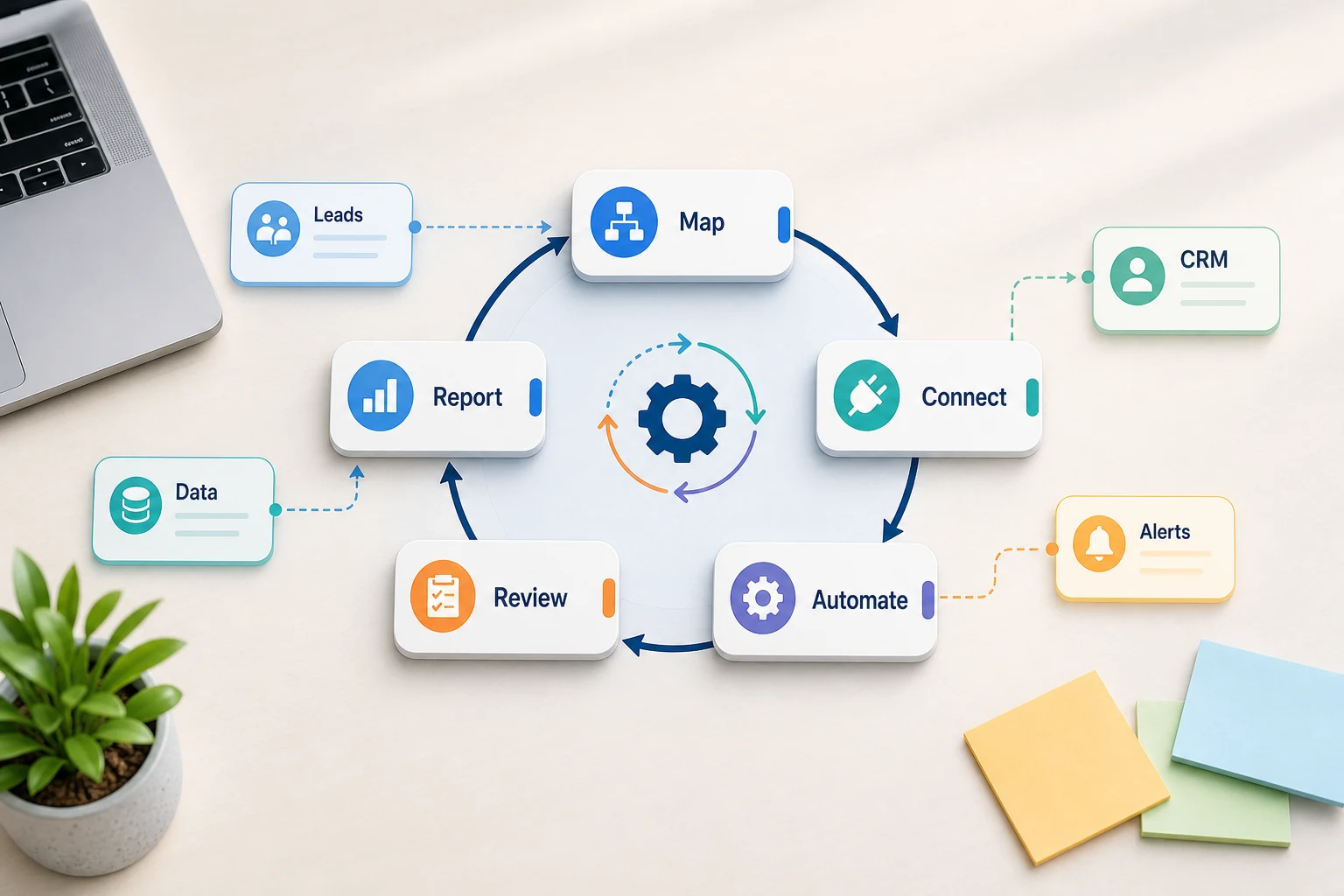
Therefore, the final version should maintain the key lexicon while describing the actual task at hand. These tasks include mapping the workflow, linking the tools, addressing exceptions, and ultimately providing the organization with a workflow with a built-in audit capability.
What the first version should include
An acceptable first iteration should have a clear stimulus, a clear outcome, and a clear method to detect breakdowns. If the stimulus to the workflow is the submission of a form, the team should know where the record will be, who will be the owner, what will be the notification, and what will be the method to deal with exceptions. If a report is the outcome of multiple data sources, the owner should know what data source(s) failed, rather than getting a nicely formatted, but incorrect, report.
This is of greater significance with AI. AI can do summarization, classification, and extraction, and even be a first drafter; however, the workflow surrounding AI should be auditable. Input should be exemplified. Output should be checked. Activity should be logged. If the AI is uncertain, the system should provide guidance rather than acting autonomously.
The first version should have a minimal number of decision points. The first version should be limited to the most common workflow and include a mechanism for humans to provide feedback. Only after the users provide feedback should the next steps be taken to enhance the workflow to include the more edge cases.
What can go wrong
Automation tends to fail in some dull ways. Here are a few: a spreadsheet tab is renamed, a CRM owner is gone, a field name is changed, a vendor changes the invoice format, a model drafts an answer that is confident but does not match the account history, an answer is confident but does not match the account history. These are not reasons to not automate. These are reasons to add checks to the system.
When designing a system, good automation includes some fallback behavior. A workflow should notify someone when a step fails with enough context to implement a fix. When a variable is missing a value, the workflow should pause instead of going ahead and filling in a value. When an automated message should be sent to a customer, it should be sent as a draft and hold for approval.
Automation like this is often the only thing that separates a working system from a marketing system. A marketing system only shows the happy path; a working system knows what to do the first time things go wrong.
When to ask for help
A simple internal automation is probably fine when the process is clear, the team member can maintain it, and the tools connect cleanly. A simpler solution is most likely needed when the workflow crosses several systems, uses private data, requires AI interpretation, and impacts sales, support, finance, operations, or most importantly, the customer.
Cyberlife Development can help with the first step of the process by mapping the workflow and building the first version. The best starting point is probably not a long, extensive technical brief. It is probably a short description of the workflow that currently wastes time and the desired outcome of the process.